 'Lets Go' is an iniative at Eltham Primary School to prepare children for school and to involve parents in their children's learning. Year 0 - 1 children are provided with a pack of carefully selected learning resources that they can take home and keep - books, readers, pencil, pad, maths games & information for parents. Parents attend two sessions at school and can take home the 'Lets Go' pack to use with their kids. It has proved so successful that it is being extended into other areas of the school with the Years 2 -3 'Up and Running' programme (& learning pack). If you want to know more about this programme contact Jocelyn. Eltham is unique also in that it follows the Te Whariki curriculum in it's NE class.

Professional reflections on education in NZ - Dancing on the shifting carpet
Showing posts with label Junior School. Show all posts
Showing posts with label Junior School. Show all posts
Wednesday, 13 September 2006
Lets Go
'Lets Go' is an iniative at Eltham Primary School to prepare children for school and to involve parents in their children's learning. Year 0 - 1 children are provided with a pack of carefully selected learning resources that they can take home and keep - books, readers, pencil, pad, maths games & information for parents. Parents attend two sessions at school and can take home the 'Lets Go' pack to use with their kids. It has proved so successful that it is being extended into other areas of the school with the Years 2 -3 'Up and Running' programme (& learning pack). If you want to know more about this programme contact Jocelyn. Eltham is unique also in that it follows the Te Whariki curriculum in it's NE class.


Sunday, 20 August 2006
Junior Jaunt - St Georges
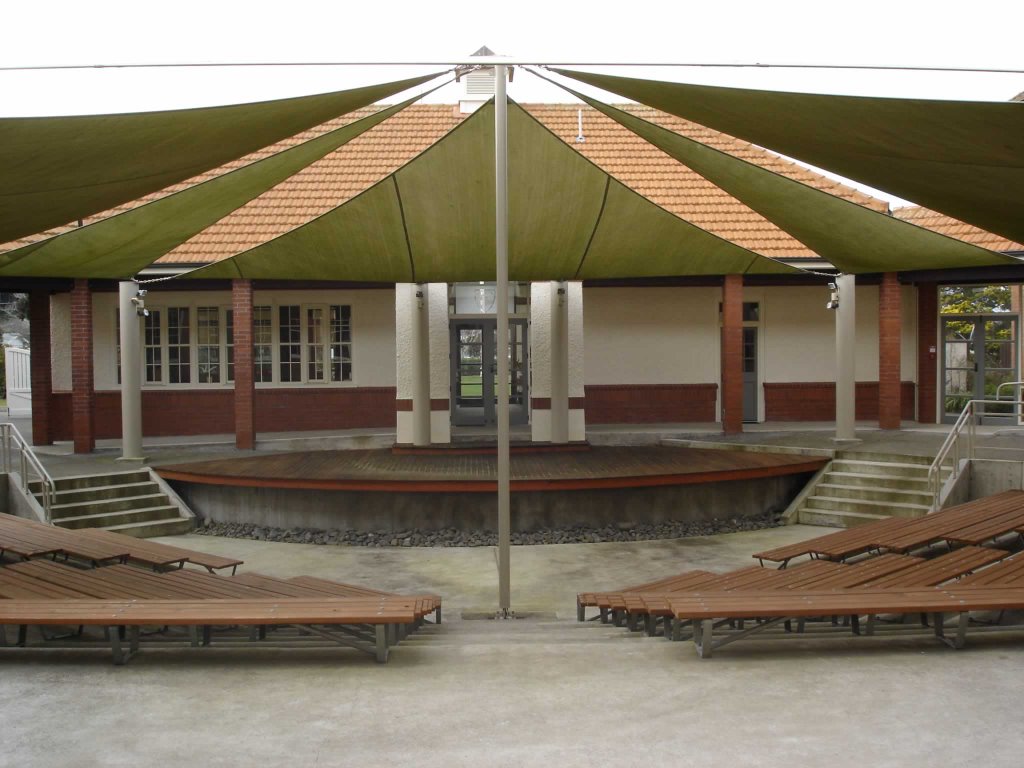 St George's was like walking onto the set of Harry Potter - a beatiful school and very unique :-) At Castlecliff we were really looking specifically at the work of Mary Dean and practical ICT examples; at St George's we were looking at their Inquiry Process and thinking skills. Here we saw a range of "innovations" in place consistent across the school and implemented from Day 1 when a student arrives at school. It was really interesting to see their whole school approach that incorporated the Dunn & Dunn model of Learning Styles, David Hyerle's Thinking Maps & Habits of Mind. Their inquiry model is from the PYP Primary Years Programme as they are an International Baccalaureate School. Many schools are now developing their own school models of learning with these types of elements especially so now with the freeing up on the NZ Curriculum. St George's have as well, but within the PYP programme this being for them 'a point of difference'. A bit like (trying not to be too cynical here...) but a learning driven model meets market driven model. It seems to be working really well for them in their school. Thanks Pauline & Ken for being such kind and informative hosts.
More pics on Flickr.
Junior Jaunt - Castlecliff
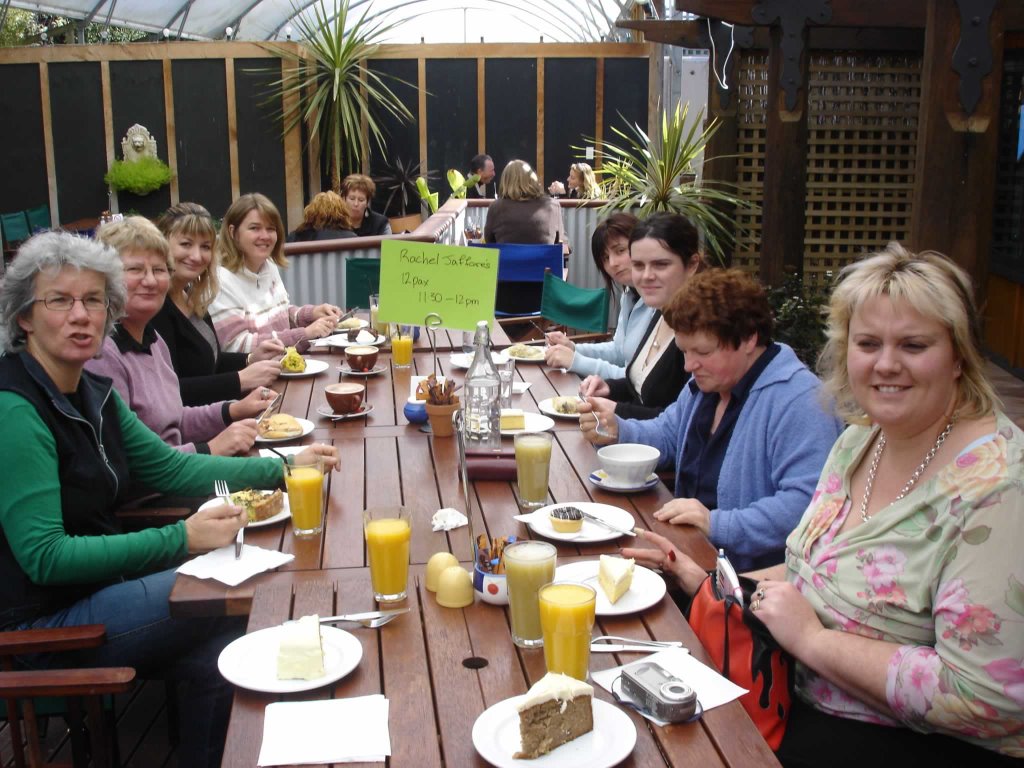 Last week 20 Bard Wired Junior classroom teachers visited two schools in Wanganui to observe specifically in the Junior school (Y1 -3) examples of: "Effective use of ICT, Inquiry Learning, Thinking Skills and Innovative classroom ideas"
Lots of positive feedback from all teachers involved that now other teachers in our schools are asking "When is the Middle Schools visit?" What we saw in the schools we visited was not rocket science or revolutionary in any way but for some teachers an affirmation of the things they are already doing and for others a wealth of ideas and inspiration. A great opportunity for our busy teachers to take time out to look into other classrooms, reflect on their own practise and to discuss this with colleagues. I think that the schools we visited could return the visit to our cluster schools and gain just as much as we did from the experience.
Our first visit was to Castlecliff School and Mary Dean who was a fantastic host - our group found her to be a dynamic speaker and very knowledgeable about using ICTs in the classroom.
The school is well resourced with a well managed network, at least 4 computers in every classroom and a full suite of computers - so access is no issue here. Mary admits that school-wide itegration of ICTs has slumped since coming out of an ICTPD contract 2 years ago. She is trying to boost this along by using CRT time to work with children from throughout the school & hopefully teachers will take this onboard back in their own classrooms (uuummmm - tried this approach before...) Some food for thought about 'Cluster sustainability' after the contract is ended which we will be discussing @ the Regional Meeting on Friday - i am beginning to get some opinions about this topic but will blog another time on this.
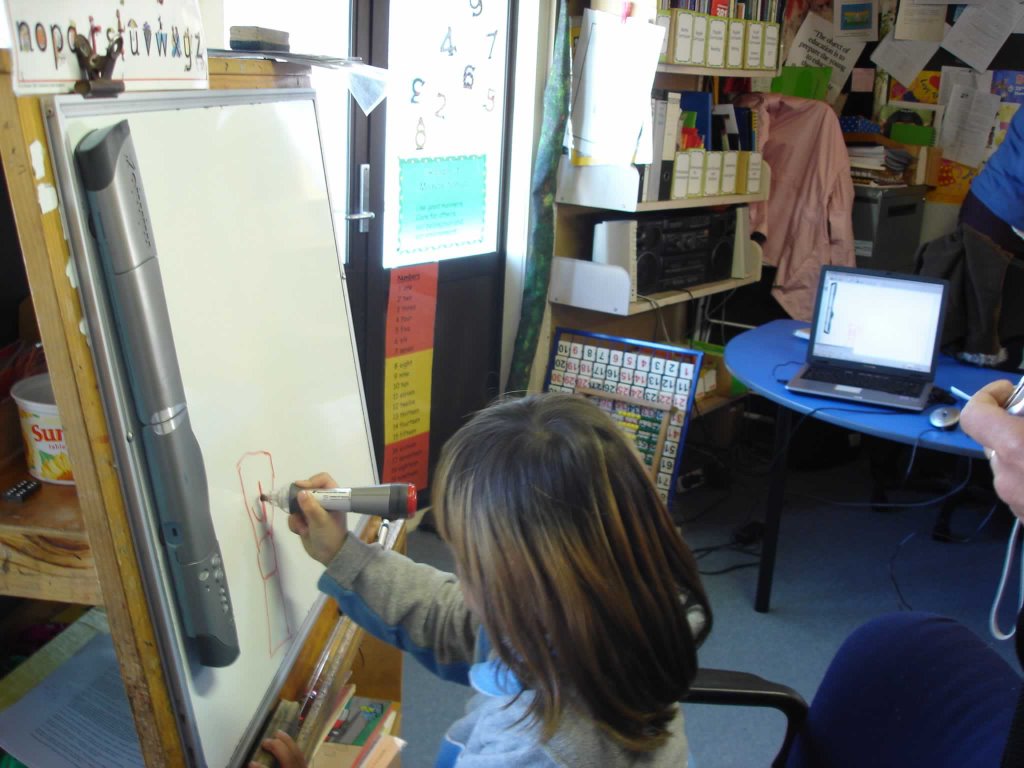
In the Junior Classrooms (lots of pics on Flickr) we saw a lot of use of Digital Photography to support literacy - wordbank pictures, shared writing, writing from experience, visual cues etc. Children's illustrations created in Revelation Natural Art. Letterland software, PM reader software and Clicker were all used in tandem with the literacy programme. Mary uses a Mimeo to record Newsboard each morning (we weren't early enough to see this in action). In this picture you can see the child writing by the Mimeo & it is recorded on the laptop attached - this can be made into a full interactive whiteboard by setting up the data-projector onto the board (not sure how it works - bit like smoke & mirrors to me) We then spent some time in the ICT suite as Mary worked with a group who were creating digital stories in PhotoStory. We had a good look at Clicker which many teachers know only through it's use with our Special Needs children. Mary showed us how she used Clicker to create activities that were relevant to her programme (she has created a huge bank of Clicker resources). She also showed us how to batch file photo's in Irfanview - maybe a bit hard for most of our teachers - who may be best to stick to iPhoto or MS Picture Manager to start with... Photofiltre was another free tool that we looked at.
Stratford Primary have most of this software (not Clicker) installed on the laptop pods & St Joseph's on the library & ICT room computers - check it out! Toko & Eltham you don't need any of this stuff - you've got MACS!! :-)
Just up on BardWired Interact are Mary Dean's PhotoStory resources (learning intentions & instructions) Thanks Mary.
Tuesday, 2 May 2006
Quick Links
Today i was at SPS working in Fiona's NE class who have just joined the school network. I loaded a few things on her desktop computer - ArtRage & Tux Typing and tried to load KidPix - tho am having real problems with getting this to install & run in the WinXP os (as i have with the other SPS junior classes) - anyone else know how to fix this??? (i think it might be a conflict in the text-to-speech Windows software...) We looked at some of the projects her kids had been doing & wanted to do & played around with some of these programmes.
I set up her access to the Junior reading resource , Digital Learning Objects & showed her how to make a Quick Links webpage.
Being able to create hyperlinks is a pretty easy skill to do with a very powerful result. Every teacher should be doing this! It allows teachers to easily organise access for their students to specific digital resources (i.e. particular websites or learning objects). I used to encourage teachers to find the web resource they wanted their kids to access & then shortcut it to the desktop but i got a slap over the hand from the network manager (again...) because too many desktop shortcuts load up the user profiles & slow down the system.
So How To? A bit like constructing a WebQuest. You don't need any special web editor. Just use Word - write in the learning activities you want kids to access, find the web address (of the site or the learning object or even a resource saved on your own network), copy the address Ctrl C, highlight the text in your QuickLinks file, Ctrl K to open up the hyperlinks box, & copy the address in Ctrl V. Save As a webpage where your students can access. You can make sure that your passwords are remembered so Juniors can just click straight in there. Easy peasy :-)
I set up her access to the Junior reading resource , Digital Learning Objects & showed her how to make a Quick Links webpage.
Being able to create hyperlinks is a pretty easy skill to do with a very powerful result. Every teacher should be doing this! It allows teachers to easily organise access for their students to specific digital resources (i.e. particular websites or learning objects). I used to encourage teachers to find the web resource they wanted their kids to access & then shortcut it to the desktop but i got a slap over the hand from the network manager (again...) because too many desktop shortcuts load up the user profiles & slow down the system.
So How To? A bit like constructing a WebQuest. You don't need any special web editor. Just use Word - write in the learning activities you want kids to access, find the web address (of the site or the learning object or even a resource saved on your own network), copy the address Ctrl C, highlight the text in your QuickLinks file, Ctrl K to open up the hyperlinks box, & copy the address in Ctrl V. Save As a webpage where your students can access. You can make sure that your passwords are remembered so Juniors can just click straight in there. Easy peasy :-)
Saturday, 1 April 2006
SPS Moving Ahead
SPS has just started to move ahead in leaps and bounds this year. It is good to see the enthusiasm of teachers as they talk about the different things they are doing with their kids in the classroom. A lot of leading from the front especially from Kim & Kelvin but also a host of key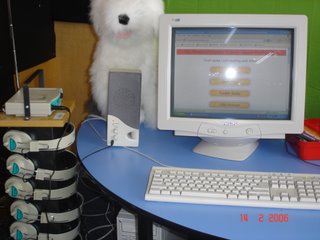 people around the at all levels of the school who are really stepping up to the challenge of using ICTs with their students and sharing with their colleagues. It has also been a great help to be able to overcome some of the technical barriers with the ongoing investment in infrastructure & hardware - this has not only been a financial investment but a psychological investment putting a little pressure on teachers to 'just do it' and giving them the confidence knowing they have some gear that works and are not just allowed to but expected to trial & innovate. Cluster funding for teacher release allowed me to work one on one with teachers in the Junior team this week. Teachers in this group are at both ends of the ICT integration continuum. We looked at a range of things from how to use the digital camera, creating templates for student stories, accessing online resources (including DLOs) an action learning project on the Commonwealth Games presenting in PowerPoint, using the Data Projector to demonstrate KidPix techniques & share student work. (The Data Projector is so popular in this class i had to point out that a bulb has a limited number of hours to its life - makes a change from teachers not turning on their computers - to have to suggest they should turn it off some of the time! :-) A big discussion point with Junior teachers was classroom management - we talked again about the three seat model which they are all familiar with now, using classroom experts, using the data projector or setting up the classroom computer in a convenient learning space (for modelling & guided learning), using Jill's model of Discovery Learning - kids trying things back & feeding back to the class what they have learnt, and using senior school computer mentors or buddy classes. It was good to see that all classes are frequently using the Reading Box resource i created for them last year during student 'choice' time and as part of their reading programme rotations. The listening posts are great for this - just plug them into your computer speakers and minimum noise during reading time.
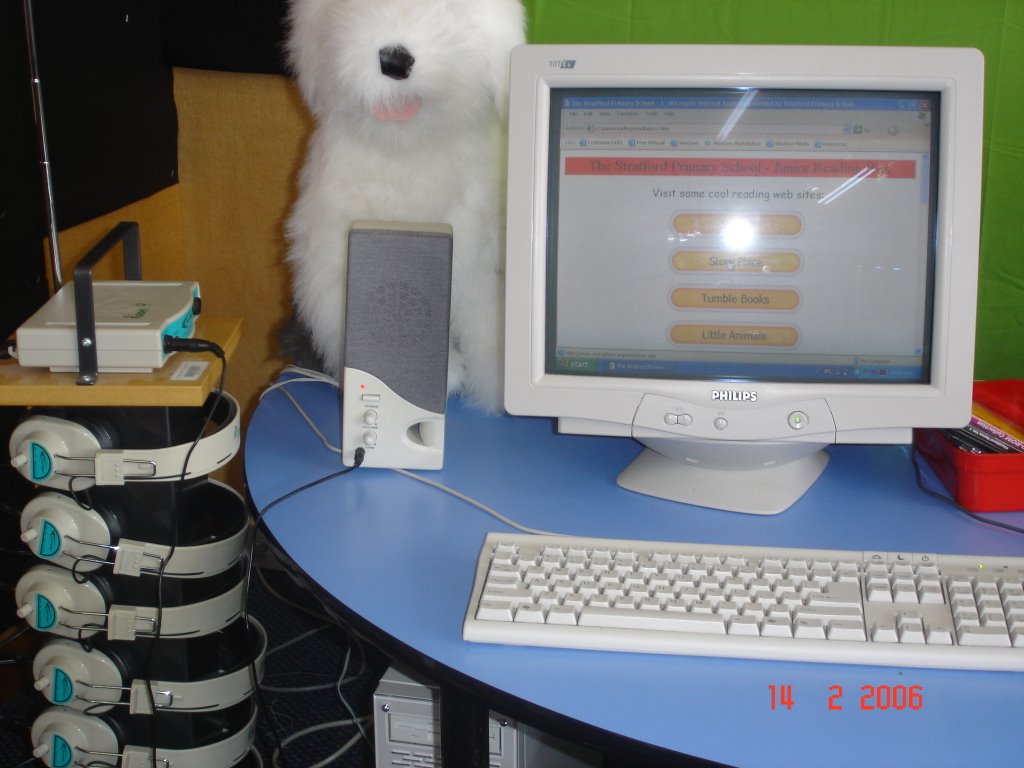 people around the at all levels of the school who are really stepping up to the challenge of using ICTs with their students and sharing with their colleagues. It has also been a great help to be able to overcome some of the technical barriers with the ongoing investment in infrastructure & hardware - this has not only been a financial investment but a psychological investment putting a little pressure on teachers to 'just do it' and giving them the confidence knowing they have some gear that works and are not just allowed to but expected to trial & innovate. Cluster funding for teacher release allowed me to work one on one with teachers in the Junior team this week. Teachers in this group are at both ends of the ICT integration continuum. We looked at a range of things from how to use the digital camera, creating templates for student stories, accessing online resources (including DLOs) an action learning project on the Commonwealth Games presenting in PowerPoint, using the Data Projector to demonstrate KidPix techniques & share student work. (The Data Projector is so popular in this class i had to point out that a bulb has a limited number of hours to its life - makes a change from teachers not turning on their computers - to have to suggest they should turn it off some of the time! :-) A big discussion point with Junior teachers was classroom management - we talked again about the three seat model which they are all familiar with now, using classroom experts, using the data projector or setting up the classroom computer in a convenient learning space (for modelling & guided learning), using Jill's model of Discovery Learning - kids trying things back & feeding back to the class what they have learnt, and using senior school computer mentors or buddy classes. It was good to see that all classes are frequently using the Reading Box resource i created for them last year during student 'choice' time and as part of their reading programme rotations. The listening posts are great for this - just plug them into your computer speakers and minimum noise during reading time.
Subscribe to:
Posts (Atom)