Showing posts with label laptops. Show all posts

Monday, 27 April 2009

Students Personal Laptops at School for eLearning

At the end of last term elearning students from one of our schools asked for support in being able to use their own laptops at school. What impressed me about these students was that they not only presented their problem but put forward some possible solutions. All too often we here problems & request for fixes but obviously these students had thought through the issues and been proactive about what to do next.

“We have been using our personal laptops during our VC classes and study periods to take notes, contact our teachers, download and submit assignments. Up until now (just over a year) we have been doing this very successfully without question, but recently we were pulled up for using the school's network for this this because our Cybersafety Agreement doesn't allow external devices to communicate on the network, and we've been prohibited from connecting to network, which includes internet access.

The school's concerns are that computers which are not officially setup by the technicians may cause a virus to propagate on the network and cause costly problems, and that this may become a serious issue as laptops for elearning become increasingly popular.”

I believe that schools need to address this so students can use their own computers at school and there are schools, such as Whangaparoa College, who are doing this successfully. It is definitely something that will be more & more important in the future (along with the use of cellphones & other devices). When many schools are struggling to make technology available in schools it would make sense to allow students who have them to be able to use their own laptops. Schools I have talked to have said that it is on their radar screen but they have put it in the too hard basket until there is more pressure from student demand. I understand that schools need to maintain a secure network but there are ways to work around this.

The following are the proposals these students have made:

- Students are encouraged to take advantage of personal technology to improve their learning.

- The Cybersafety Agreement is amended to allow the use of external devices on the school’s network on the condition that acceptable measures are taken on behalf of the user to ensure the safety of the school’s network. This may involve occasional audits to ensure antivirus programs are installed and updated regularly if appropriate.

- A procedure is put in place to regularly review the use of the school network with external devices, and as the use of personal technology in learning develops with the growth of elearning, the school’s network is adapted to accommodate needs.

The use of teacher laptops is directly relevant to this argument & teacher laptops are now ubiquitous and seen as necessary. These also are a potential security risks to school networks with teacher laptops if procedures similar to those mentioned above are not followed. I know many teacher laptops that have been used at home in risky ways, have peer to peer software on them & used by teachers children for all sorts of things….. Come on schools, work with your students & communities to remove these barriers.

Monday, 23 March 2009

Taranaki TELA Laptop Survey

In response to the BOT of a school, that will remain nameless, when they say "No BOTs in other Taranaki Schools pay for teacher laptops"

Check out the results of our Taranaki TELA laptop survey.

Approximately 90 Taranaki schools were invited to complete this survey. Over a third of schools responded (36). Schools contributing were a mixture of Primary, Kura, Intermediate, Secondary & one Area School.

80% of Taranaki Schools are funding TELA laptops for their teachers.

Comments from survey participants reflect the importance of access to teacher laptops not only for elearning but administration as well.

Schools were also asked if they would prefer to be funded to provide their own teacher laptops or continue with the TELA scheme.

image

Those who answered no they would prefer the centrally funded & organised model, commented that if they funded their own laptops they might end up with out-dated equipment if schools did not roll over laptop leases, that they would not have access to the level of technical support they currently have through TELA & they would have more administration if they ran their own schemes.

IMHO Teacher Laptops have been one of the most important ICTPD initiatives. They have given more teachers hands on opportunities to learn more about using ICT & so for many making them more confident in using them with their students in the classroom.

Friday, 29 August 2008

Stop Press - TaraNet eLearning Award

GEN-I high res small A big thank you to Gen-i who are sponsors of our inaugural TaraNet eLearning Award.

After 5 years of eLearning in TaraNet schools it is time to recognise and celebrate the achievements of a growing number of students who have risen to the challenge of being elearners.

It will be very hard to choose just one worthy recipient of this award as most of our schools have one or more students who fit the criteria.

The criteria we have come up with so far are:

  • must be an elearning student from a TaraNet school 
  • have shown a commitment to their studies (attendance & diligence)
  • be a positive role model for elearning

The qualities this student will show are imagepersistence, flexibility, a high level of communication, and a positive outlook. Some input from our students here would be good.
What are the qualities needed to be a successful elearning student?

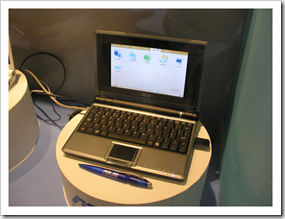
Up for grabs is an Asus Laptop 
A great little tool for an elearner!

We hope to gain more sponsorship and trial these in our schools for more of our elearners.

Tuesday, 21 November 2006

Exposure 2006


Thanks Mark for sharing this with us.
Exposure 2006 showcases the work of Digital Media students from Massey University.

RAM (Random Access Memory) is an animation about becoming too reliant and emotionally attached to your personal computer. Caroline Ting : RAM

Tuesday, 7 November 2006

Still Lining up for Laptops @ SPS

Today I spent some time the Yr 5 -6 syndicate at Stratford Primary School as I followed the laptop pod around to see what was happening in our classrooms.
One class was using the laptops as part of their maths rotation & accessing 'tasks' from the school intranet that had links to relevant digital learning objects. Paul has shared his Maths task file with us here - thnx Paul. This gives an idea of how you can direct students to appropriate learning objects without students having to navigate through TKI's Digistore to find them. To this I would also add specific learning intentions to be clear about what are the purposes of this activity (beyond 'play these games'). Paul's class have also been busy with the new digital camera's - all classes now have their own. They have been exploring the Macro feature & been taking some awesome close-up photos of flowers to support their language programme (poetry writing). I suggested Paul take a look at flickr for sharing their photos with a wider audience.
Another class was publishing stories for their home sample books. I would encourage them to start using the laptops right at the beginning of the writing process: inspiration for generating & organising ideas, wordprocessing for editing & yes blogs for publishing! I spent some time introducing Lee to blogs & if time allows on my next visit will help her set up a classroom blog. I have tried to model this in my own use of blogs & today I created a new blog with some of the writing that Lee had collected over the years and produced in print format - just to showcase how easy & awesome blogging is. "A Collection of Literature" is a companion blog to the SPS Jubilee blog and is "A collection of stories by Stratford Primary School written over recent years. Chosen for their significance to our school, our town & Taranaki. These are extracted from an annual publication "Stratford Primary School A Collection of Literature"

I have been thinking lately if I was starting out using Web 2.0 tools for the first time (knowing what i know now) - what tools would i use? Would it still be blogger? Would it be something else? Would i forgo vimeo & flickr & go straight to Photobucket? (it does photos, video and flash) What would you suggest for a classroom teacher starting out at this point in time?? What would be in the basic toolbox?

Tuesday, 27 June 2006

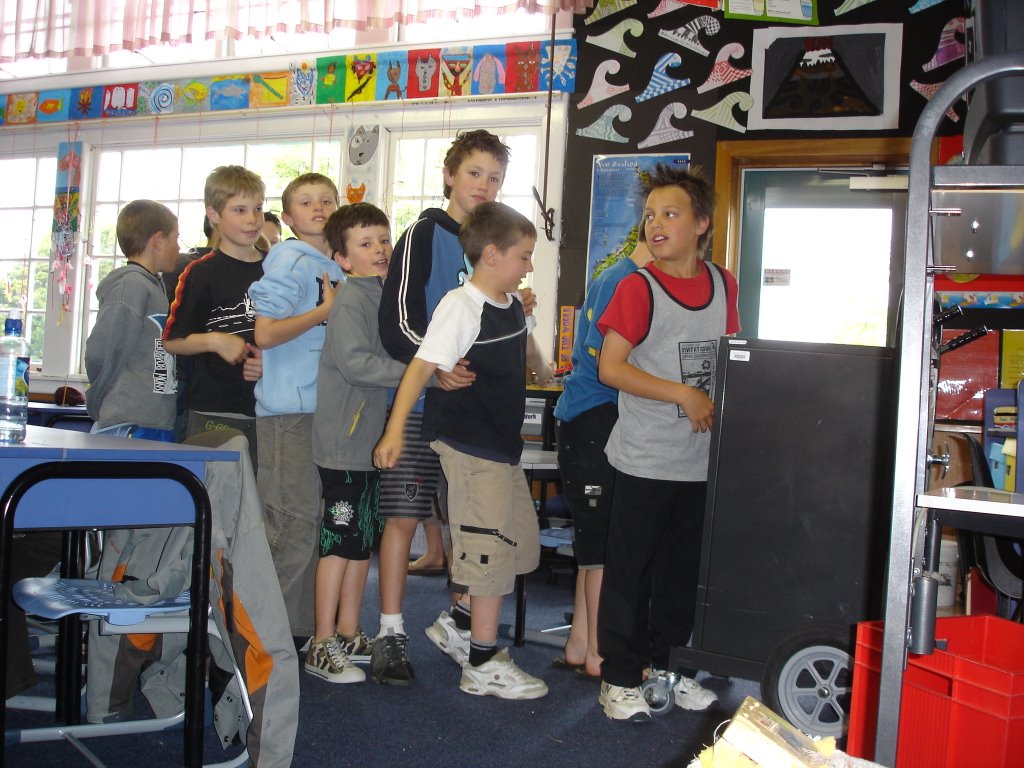
Lining up for Laptops @ SPS

It's great to have the opportunity to just observe in classrooms without being there to instigate, share, model something. I really enjoyed being in Sheenagh's class a couple of weeks ago as the kids all took the opportunity to show me something they had learnt through their classroom links page. I wish i had recorded the conversations they had with me - if kids are modelling to me, instead of the other way around then i know we are moving ahead :-)
Today i followed the pods of laptops around the school just to see what's going on. The senior pod was fully booked and used amongst the 4 senior classes during the day - in all classes students were completing action learning inquiry projects on some key questions that had arisen from learning about Children in Africa. Some were still researching & others were using PowerPoint to publish their work.

Year 5 & 6's have 'preferential' access to the other pod of laptops though this one is not booked out so heavily as the senior pod. Though it is kept in the info-centre and well used there when not in classrooms. In fact if the laptops are there forget about the older library desktops! Marlene was working with an extension group researching famous people, 'The laptops are great - you don't get held back - you just grab a couple and go!'
Paul's Y5&6 class showed me how they have been using the laptops to create cartoons (PowerPoint animations) The kids first had to come up with a storyboard that had at least two key story features (i guess that means a plot) they then had to 'sell their story' to two other classmates before they went into production & then they created the story together. Paul's learning intentions were technology based (ie using drawtools & PowerPoint to create an animation) & also cooperative learning. Next steps - curricular alignment - language would fit in well here.
Love these laptops! Thanks Kelvin for making it happen :-)

Thursday, 20 April 2006

Dead Cats & Laptops

What does a dead cat and this laptop have in common? Neither of them go!
When you drop a cat (a live one that is) they land on their feet - laptops do not!
This cat at some time in it's life was probably well loved. This laptop has never been loved.
It is difficult to tell the length of time these items have been buried in the dust - the cat could have been 8 years or 80 years. Though we know from the model of this laptop it has only been in this mummified condition for 18 months.
All in all this cat is in a lot better condition than this laptop recently returned by a departing teacher!
(This cat was found in perfect mummified condition by builders excavating for the new block at Eltham Primary School - can't tell u where the laptop came from...)