Showing posts with label smartboards. Show all posts

Thursday, 13 September 2007

Rugby World Cup 2007

Loads of our classes are following the Rugby World Cup 2007. Some are doing it as a full topic study. Others are just checking in & following progress. All around the schools their is a brisk trade in Weetbix Players Cards ;-)

Today i had worked with Vicky & Linda @ St Joseph's and developed a basic SmartBoard file for them to use as they followed the Rugby World Cup. The cool thing is you can add to it change it as you work together with the kids (capturing is the great tool here) & then look back at the work you have done from beginning to end. You can download the SMART notebook file here. But for the rest of us who don't have the board here are the cool links that were part of this file:

iGoogle has some great tabs for the World Cup they can be found here. There are tabs that give you live feeds, an updated results tab & a place where you can cheer your team on, as well as a google maps tab. This has led me into further exploration of iGoogle as a homepage - now just need to work out how to put my own stuff there & not just all their content.

You can download the Google Earth file to view all the World Cup teams base camps, training grounds & stadiums.

And see all the latest World Cup Rugby 2007 photos from Flickr.Visit Ruggerland - you do need to log in but its an easy process to register. Lots of games, activities & teacher resources.

Or there's the official rugby cup site which for the younger ones is pretty confusing to navigate round.

Wednesday, 7 March 2007

IWBs in Action

A big thankyou to Warwick at Inglewood High School who welcomed me into his Year 11 Geo class to observe their use of the Interactive White Board. What a fantastic teacher tool to create & share learning resources and to structure, sequence and stage the components of a lesson. Warwick is doing great things with it in his classes. He is building his curriculum delivery through the use of the IWB, incorporating a range of activities including sound, images, video, links into websites and simulations including Google Earth. He believes the use of the IWB caters for the different learning styles of his students through the incorporation of multimedia. If i was a teacher i would love this tool but i still struggle to see how students themselves can be more involved with the use of the board to drive their own learning apart from having it used as a delivery tool (a cool tool it is too) though definately engaging for these students. Teachers all around the province & i bet nationally too are having IWBs installed in their classroom - many of them are wondering what to do with them? I can feel some IWB ICTPD coming on soon & more visits to Warwick's classroom :-)
So if the 20th Century adage is 'Talk & Chalk' How would you translate this to the use of an IWB in the same way - i have been racking my brains to coin a new phrase for this. Arti you are the wordsmith what do you think? Graham you might have an appropriate term too?
BTW does anybody know of any good classroom/teacher blogs with a particular secondary focus? Plz post a comment. Thnx

Wednesday, 15 November 2006

Smart Kids @ Eltham

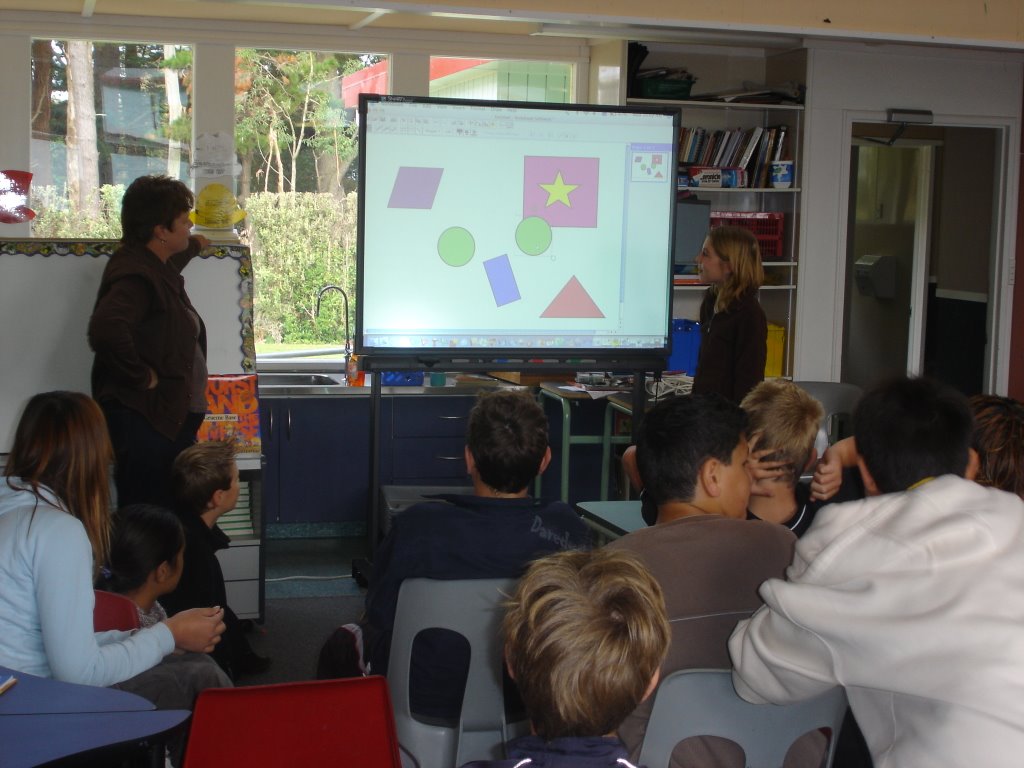
Smart Boards for Smart kids - let them tell you themselves. It was good to see kids hands on today - a learning tool as opposed to a teaching tool. Here they are constructing sentences on the bbc.co.uk site.
Lots of work going into preparing for the end of year school production - an international theme. Kids are creating presentations of images related to different countries. I helped out a bit with that & have been working at capturing moving images through Google Earth and Cam Studio (software that captures in a movie what is happening on your screen). The movies display on the big screen and will zoom into different places on Google Earth & link the various countries scenes of the production. (Well that's the idea anyway :-)
Here's an example:


Where in the world is Eltham? on Vimeo

Sharon continues to make and use WebQuests - with or without internet access. Without - she calls them PageQuests. Her feedback is that kids who have been through these quests have a greater understanding and recall of their learning long after the event. Hhhmmm active engagement probably key here. You can download these WebQuests from Interact.

Monday, 7 August 2006

Challenging History @ St Joseph's

A great opportunity to be involved with the teams from St Joseph's in our NZ History Challenge. It was a bit like being down at the Irish bar on quiz night having these 3 teams working competitively in such close proximity as this pic shows! There was a lot of secretive discussion & the odd student who wanted to trade answers (hey that's not part of the game :-)
What an awesome activity for developing information literacy skills, communication skills & cooperative skills - yep & competitive as well. Students used the Internet to search for key words from the clues given, skimmed & scanned the pages to read around the topic and decide if they really had found the answer to crack the question. (Ctrl F was pretty useful to quickly find key words in a page when they weren't sure if they were on the right track). Questioning skills were also developed as students worked out the best way to ask the other teams questions that could only be answered yes or no and bring them closer to the answer. It was interesting to compare the younger teams (y4 & 5) with the y7 & 8 kids. It wasn't reading skills that separated the two groups (they were all capable readers) but the older students were able to analyse the information and draw inferences from it that helped them in their research - younger students needed a lot more guidance with this.
It was interesting to see how little our children know of our own History - which is why this was such a great topic. None of them had heard of the NZ Wars - we study 'Anzac Day' every year - how often do our kids learn about the NZ Wars? - probably more important in shaping our country.
Well actually having said that, the Taranaki Wars in particular Titokawarau & the Waitara Conflict are the subject of 2 Web Challenge entries from St Josephs. Another teams entry is about Te Maunga Taranaki. I spent some time with the helping them set up the structure of their pages though that is the easy part - the most important part is researching what they want to know and presenting it in an original way so others can learn from it...

More on Smart Boards:
Staff were discussing the possibility of introducing SmartBoards to the school, having visited Manaia and having them demonstrated in the school at our last Lead Teacher workshop here. Funding is a big issue especially when there are other priorities in a school - like the roof leaks & you need sports uniforms. You really have to justify this for such a big ticket item. You really have to be sure that this is an investment that is going to make a difference to our children's learning. Fine if you have a huge wad of EDI cash or have a DigiOps project going, or maybe even are able to tap into the very generous funding that Yarrows Taranaki have been distributing to Taranaki Secondary Schools (i will be investigating this further to see if we can't try & get our Primary Schools onto this) - then you're not competing with other resource needs in the school. I think the jury is still out on this - if you want to read further check out Artichokes comments in my last blog post or read Graham's comments on an earlier BardWired blogspot post.


Sunday, 6 August 2006

Bard Wired Big Day Out

A group of principals & lead teachers had a day out to visit other Taranaki Schools. We went to Manaia Primary School to observe the use of Smart Boards in the classroom and then to Opunake Primary School to look at Curriculum Integration.
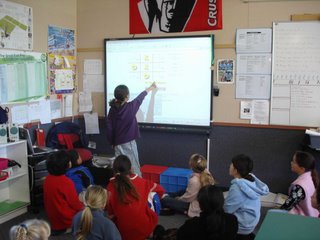
At Manaia, Principal Allan Forsyth had used a terms sabbatical study grant to write an EDI proposal to develop a school wide Information Literacy programme. His proposal can be found on Leadspace. The EDI proposal was successful and very generous allowing for (amongst other things) the purchase of 8 SmartBoard in the school - one in each classroom & one in the library.

Prior to introducing IWB to classrooms, Manaia had been very well resourced with a new server, networking & computer lab funded by WITT for a Community Education computer course. A number of other schools have hosted WITT community ed. Computer courses but none were as well resourced to do this – maybe because those schools already had good existing services… What a bonus for a school to have all of this provided. The school itself is looking really mint with alterations to buildings – corridors, computer lab, admin, staff room & hall looking great – though classrooms themselves seemed to have no major changes and were your traditional school work spaces. Staff at Manaia have all participated in InfoLink this year and follow the action learning model school-wide, they have had training in the use of the Smart Boards & provide their own just-in-time PD and sharing . SmartBoards are handy tools, to organize your lessons, pull in a range of resources, record & store your learning notes as you go (through lesson annotations), display visual images and I sure would like one when I get back into a classroom but in themselves they don’t really change what happens in a classroom – they just deliver the same stuff but differently. To be honest, I found what I expected to in all of the classrooms – nothing out of the ordinary, no innovations apart from some very nice gear around the place :-) Manaia, like all our schools are on a learning journey, with a lot of the same ingredients: whole school focus on a learning model (in this case Action Learning), Literacy contract, NUMPA, ATOL – what is their vision for learning and how will the great resources in the school support this? They are first steps on this journey and there is a lot of potential to be realized here. It will be interesting to visit again in another year and see how they are progressing. Thank you Alan for sharing your school’s experience with us :-)
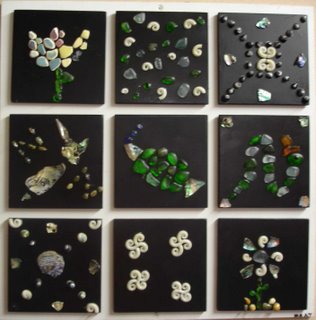
So
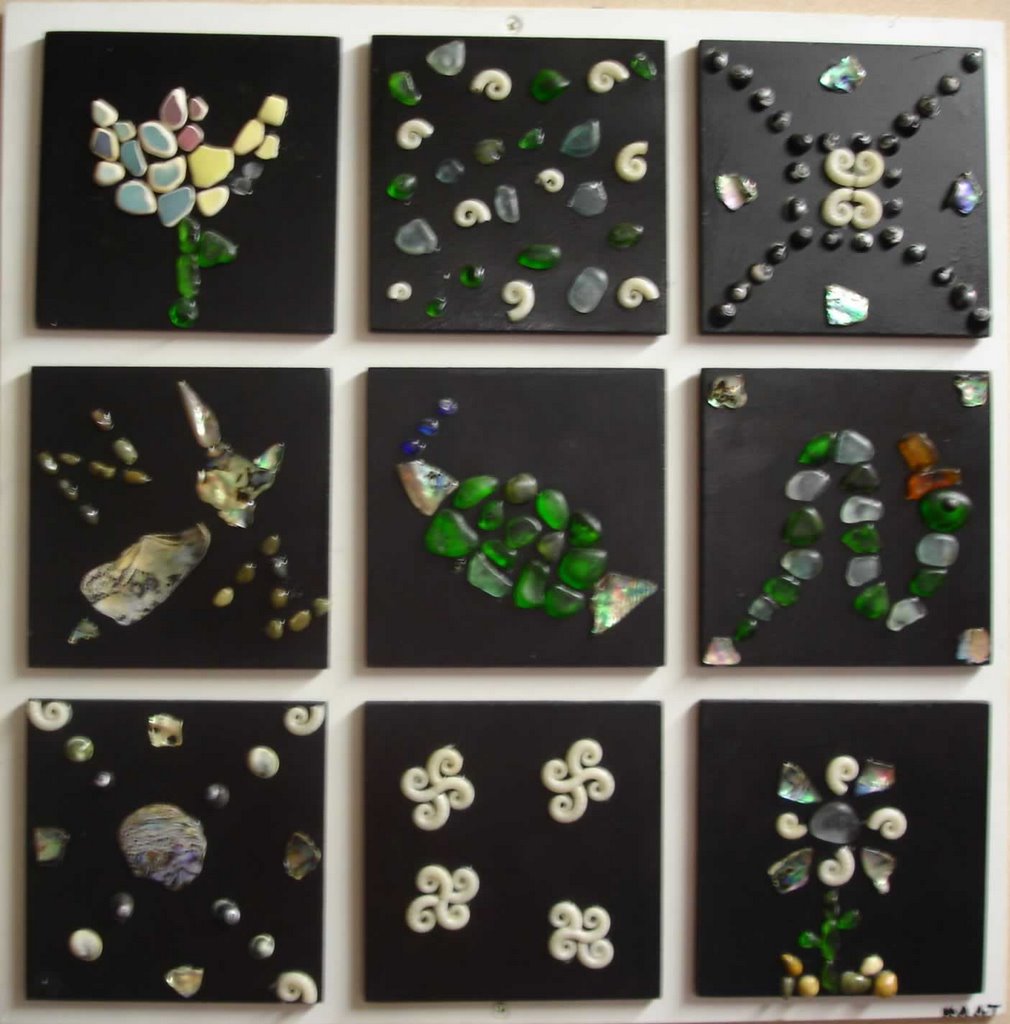
me great artwork @ Manaia Primary (more pics on Flickr)
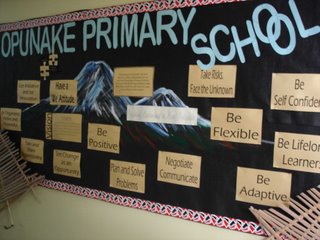

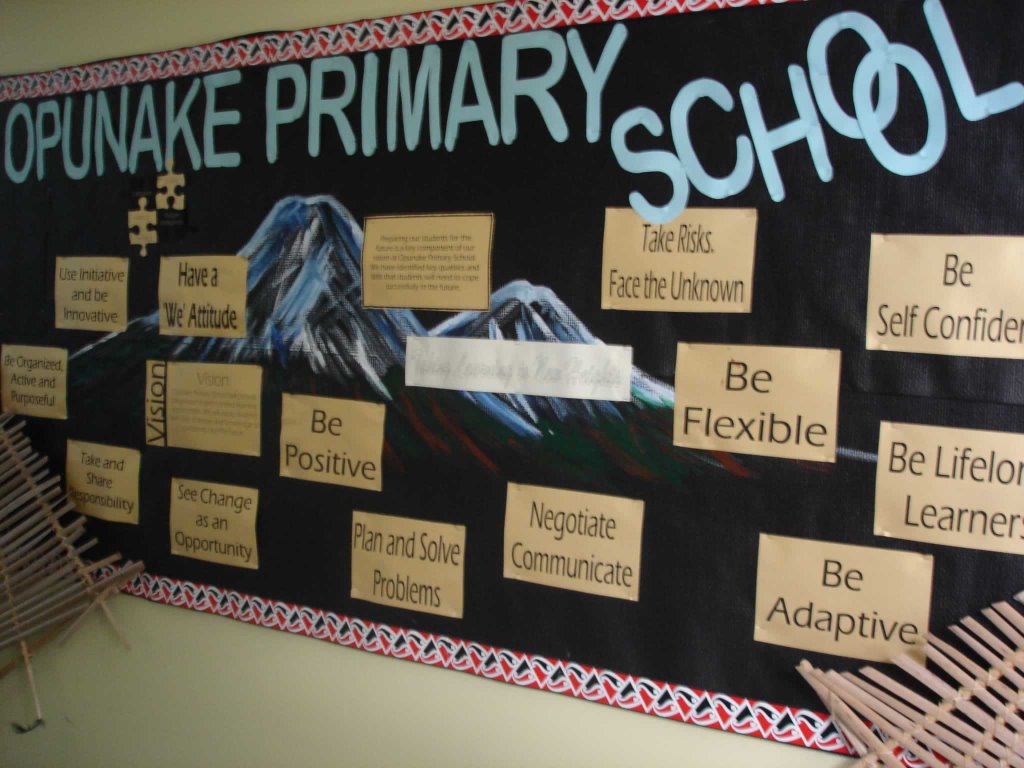
Opunake Primary School was everything I expected it to be - some great things happening here with Integrated Curriculum. Numeracy & Literacy is taught separately but all other curriculum areas are fully integrated. Lorraine began implementing an integrated curriculum at Opunake a few years ago in response to the needs of the kids many of them who were not engaged in their learning & as she said 'sick of doing worksheets'. They were involved in a CI research project along with Eltham Primary School last year and this year are the lead school in an EHSAS contract. Wow, does Lorraine walk the talk, driving learning in her school with passion and commitment. Before we had an opportunity to visit classrooms, Lorraine walked us through the nuts & bolts of how Curriculum Integration works at Opunake Primary School - an overview: CI @ Opunake is - based on student questions/interest; related to real life as often as possible; hands on learning; co-operative learning; Thinking Skills; Habits of Mind; Whole school/ including the community & Evolving. Towards the end of every term the school has an open day to share their learning with the wider community - i visited one a few years ago - awesome - well worth going out of your way to see. Thanks Lorraine for hosting us :-)

Wednesday, 3 May 2006

Smart Boards @ Eltham

Today we had a play with a Smart Board kindly lent by Graham Nelson from Lamberts, New Plymouth. Plz contact him if you would like a demo and trial in your school. Have been hearing a buzz around the place of them possibly infiltrating a number of our schools. They have been around for awhile - why have our cluster schools not picked up on these until now? Are they another fad or fashion? Like any learning resource, (according to my sis who has worked in UK schools where they are ubiquitous) they are only as effective as the teacher who is using them... So if u follow that line of thought a lot of our cluster teachers could do some wonderful things with this new tool :-) Not cheap @ $7000 + a dataprojector another $2K - how much of a bang for bucks in the difference to children's learning could we achieve? Lots of our schools are already using Data Projectors in classrooms - how does the interactiveness of the whiteboard improve on this? Couldn't this be achieved as simply and cheaply as students using a wireless mouse & keyboard to control what was happening on the big screen? Hmmm - need more time to play - a visit to Manaia school with the Eltham team?

Thursday, 27 October 2005

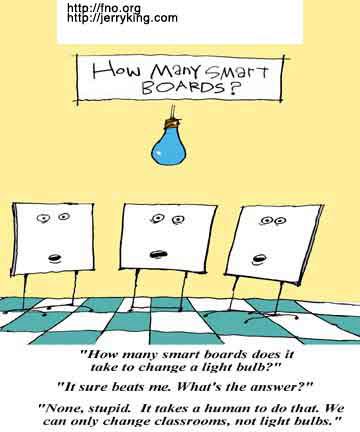
How Many Smart Boards?????

© FNO Press, 2005

Copyright Policy: While the copyright for this cartoon by Jerry King belongs to From Now On, readers may distribute and republish provided they reproduce the credit with a link to Jerry's Web site http://www.jerryking.com/ and to From Now On http://fno.org.

Really??!! ;-)
Spent the day with lead teachers working out some ideas to help move teachers forward in integrating ICTs in their classroom practice ...
Working on Gladwell's 'Law of the Few' - "With the adaptions of innovations into a system you have the Early Adaptors to move this along to the Early Majority it is not an easy transition - here the Law of the Few is important as they help 'translate' for the rest of us - concentrate your resources on a few key areas." So our lead teachers are our key resource people - some been with us for awhile, some just joining us for the first time - all enthusiastic, energetic & hopeful (Fullan 2001) - ready to help drive change in their own classrooms & in their schools - wahoo!! Jamie McKenzie gives some good advice for lead teachers in his articles:
Traits of an Effective Technology Coach
& How Teachers Learn Technology Best
Good reading for anyone working with teachers. Really looking forward to Jamie coming to work with us in 2006 - if you're not in our cluster and you want to join us Saturday June 10th 2006 - drop me a line :-)