
Professional reflections on education in NZ - Dancing on the shifting carpet
Thursday, 18 August 2005
Wine Not Network - Toko
Thanks Richard, Cathy & Kelly for hosting us at Toko this afternoon. Thanks also to Richard (Barnes) for sharing your Matau kids blogs with us. Lots of discussion about the access to a wider audience & the associated improvement in the kids written language, alongside that was discussions about how to keep our kids safe online in such an environment - using the blog tool settings to have all comments posted to the Principals address & raising kids awareness of issues associated with interacting in an online environment and how to deal with this. If you are interested in setting up your own blog go to www.blogger.com - follow the online instructions to register and set up your blog & then tell us all about it!! Cathy walked us through a webquest she had used with her kids and described how they extended from this into written language and then movie making. Cathy has posted information about this at this Interact link. Richard shared examples of how their kids had used Movie Making within the Prep programme to create snapshots of school life (eg Jones Cup Day) and using Flash to animate the retelling of Maori Myths and legends. Using these tools across the curriculum is another way to present learning that involves just as much 'work' & definately more engagement & no dumbing down of cognitive skills. Kelly shared her story of the email buddies her class have been corresponding with - how this was structured for kids to be able to use the email programme efficiently and they types of interchanges they had with a class of children from Wimbledon. Some concerns about their buddies during the time of the London bombings and how they hope their kids will continue to write now that the UK class has moved onto a different teacher. (They are sharing a hotmail address) Thanks to those who made it out this afternoon - good to see you all there - next Wine Not Networking at Eltham (maybe a hands on Apple time) Bring a friend :-) !


Pixing it up @EPS
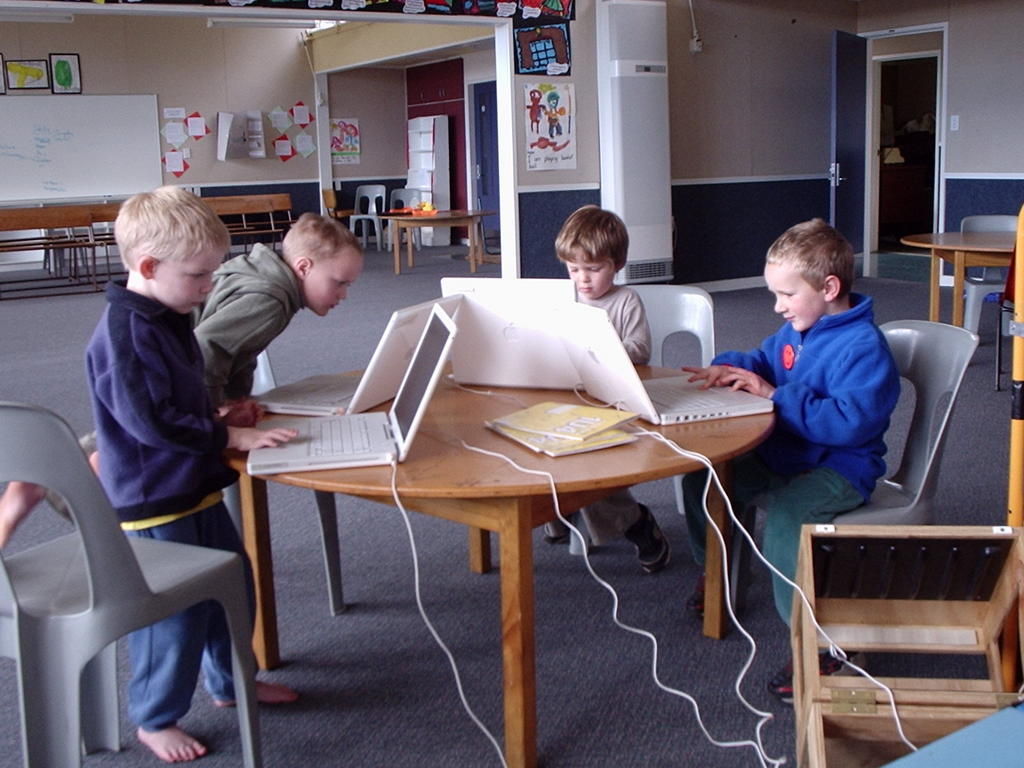
Yahoo KidPix3 has arrived at Eltham! It's great to have access to lots of cool apples but it's also great to have some software to work with (as well as iPhoto iMovies etc )Had some fun with a handful of 5 year olds - the trick is i guess small steps. I thought we would illustrate their writing but in effect you have to have playtime first to explore all the neat things you can do!! I focussed that in with an expectation that they would print something that had a background, their name on it & something they had made using the paint or draw tools. A big part of the learning curve for them was just to learn to control the touch pad and the clicker button. So lots of play time @ Eltham, get those Apple Pods out into the junior classrooms (already the senior kids think they need a pod just for them) and give them time to play and explore - when you think they have a handle on that, then introduce them to some structured activities. Teachers take your Apples home to play so you don't miss out on all the fun :-) If you want ideas for using this cool tool for learning search TKI Learning Experiences and look at the Snapshot of Learning @ TKI Software for Learning.
Spent some time with Jacqui exploring a range of teaching resources online and a range of learning resources online in particular WickEd (it really lives up to its name!)
More play time together with KidPix - Jacqui is going to structure a learning activity based around their Dinosaur topic - "What if Dinosaurs came to school?" Take lots of photos around the school, import them into KidPix from i-Photo and getting drawing and adding pictures. This is based on idea of Megan's from a wonderful book full of pictures of Dinosaurs in everyday present day life... Look forward to coming back in a couple of weeks and helping out in the classroom, maybe move onto putting their pictures into a slideshow, a soundtrack or narrated story to go with it, export it as a movie, put it on the website, show it at assembly....
Thursday, 11 August 2005
Digital Learning Objects
Our PD team discussed the use of Learning Objects as many of our schools have recently obtained the CD - so for them it's 'Got it! Now What?'
At the moment, from our discussion, we see that DLOs are just like a "box of stuff" - resources (wonderful that they are) that have just been put out to schools without much in support. How can we maximise the potential of this awesome resource for our schools?
What structures can we put in place for supporting teachers to use them effectively in the classroom? Two things would be useful here: Firstly professional development for teachers to better understand the wealth of resource available to them and how to integrate them into their planning. Something like the BELTs toolbox would be good - some software that sits alongside the DLOs or some type of LMS learning management system.
What is in the DigiStore - how can you search and organise this? We thought the CD was it... How many other schools are not accessing the full contents of DigiStore because they don't know what's available?
I know after some discussions with Joy Hooper that they are working to address these areas. Richard Bradley will be taking part in some 'research', feedback, survey with the Learning Federation & Joy so help lead the way. Please share your ideas about Digital Learning Objects in the comments below.
At the moment, from our discussion, we see that DLOs are just like a "box of stuff" - resources (wonderful that they are) that have just been put out to schools without much in support. How can we maximise the potential of this awesome resource for our schools?
What structures can we put in place for supporting teachers to use them effectively in the classroom? Two things would be useful here: Firstly professional development for teachers to better understand the wealth of resource available to them and how to integrate them into their planning. Something like the BELTs toolbox would be good - some software that sits alongside the DLOs or some type of LMS learning management system.
What is in the DigiStore - how can you search and organise this? We thought the CD was it... How many other schools are not accessing the full contents of DigiStore because they don't know what's available?
I know after some discussions with Joy Hooper that they are working to address these areas. Richard Bradley will be taking part in some 'research', feedback, survey with the Learning Federation & Joy so help lead the way. Please share your ideas about Digital Learning Objects in the comments below.
i-School
Yahoo at I-School - 2 days off to play :-) I think in PD-speak it's called 'Sandpit Time'. I am learning lots and becoming more familiar with the Macs (I've got Apple Envy & I want one plz) It is great to have a focussed workshop that lasts all day & not just the 1 1/2 hours you get at conference... First day making webpages in Dreamweaver. I have done some work with this programme - rehauling the SPS site and would like to do the same for www.mttaranakilodge.co.nz when I find some time... So it has been entry level stuff & I must admit I was hoping to learn more about css style sheets and more but thats OK because there are some gaps in my knowledge - little things but important things - its the little things that matter!! So the most important little thing I learnt today was to optimise my images, get them just right before I put them on my page! This is a little something that I have regularly stuffed up in the past that makes a big mess of my page! We are being shown how to use nested tables (I dunno John R. what do you think?) - & the little thing I learnt today was that I should nest all my tables inside one big table - set to 800 pixels (not percent!)
Wednesday, 10 August 2005
Tuesday, 9 August 2005
Wednesday, 3 August 2005
Toko School
More movies & photostorying here @ Toko. Slam Dunk claymations (1 1/2 hrs start to finish) with R5 boys. They wanted to learn the process for when they are ready to present their retelling of Maui and the Sun. Practiced with toy cars, used art works for scenery, a bit of Plasticine, a bit of red dye for blood... Lots of fun :-) Kids made photostories of the disco last week and Toko School's day out at the skating rink - some narration, some groovy music & voila very much more interactive than browsing through an album. Lots happening with Maths Week Online here - if you didn't involve your class this year get into it next year - an awesome interactive learning opportunity. As students work through the problem solving activities they rack up points and get to bid for prizes. I can see here there are some kids that are very motivated & engaged with Maths Week - racking up a few points and prizes too! Access to equipment is a key enabler (and in many schools often a disabler) of making IT happen in the classroom - no problems with access here. Kids have lots of opportunities that it is a seamless part of how they work in the classroom - good to see :-)
Tuesday, 2 August 2005
SPS & Learning Software
I worked with Jen's team and their classes for a couple of days introducing them to some freeware learning software. There is very little software on school computers beyond the Microsoft Office stuff. We loaded them onto the classroom computer & also burnt them to disc for the kids to take home. They are more likely to get hands on time at home than in the classroom! (Purely a numbers game - 1 computer divided by 30+ kids just does not equate...)
I was astounded by the response of the kids who wanted software - from the 3 classes we burnt 40+ cds - we had two sessions where kids came and worked alongside me in my office (while i did other things) & they copied disc after disc while multitasking with 'Wacky Stories' from Learning Media.
Many kids when asked say they have computers at home but after talking with Kelvin he seems to think many might just say that as they don't want to say they haven't. So i wonder what the real figure is for computers in homes? What is the size of the digital divide in the wider Stratford area?...
More about the software - things like Artrage, Acid Express,some RiverDeep demo stuff, TUX typing and maths (Typing was identified by the teachers as a skill they wanted to see improving as it really slowed the children down when they were trying to complete work), also had some Grey Ollwits software - maths, language games - but a lot of this stuff is just like an electronic worksheet & not too exciting, plus photostory & movie maker 2 etc.
Check out Software for Learning on TKI
I was astounded by the response of the kids who wanted software - from the 3 classes we burnt 40+ cds - we had two sessions where kids came and worked alongside me in my office (while i did other things) & they copied disc after disc while multitasking with 'Wacky Stories' from Learning Media.
Many kids when asked say they have computers at home but after talking with Kelvin he seems to think many might just say that as they don't want to say they haven't. So i wonder what the real figure is for computers in homes? What is the size of the digital divide in the wider Stratford area?...
More about the software - things like Artrage, Acid Express,some RiverDeep demo stuff, TUX typing and maths (Typing was identified by the teachers as a skill they wanted to see improving as it really slowed the children down when they were trying to complete work), also had some Grey Ollwits software - maths, language games - but a lot of this stuff is just like an electronic worksheet & not too exciting, plus photostory & movie maker 2 etc.
Check out Software for Learning on TKI
Thursday, 28 July 2005
St Josephs

Grandparents Day was the big focus for my time here this week. Doug had done a Movie Making Workshop @ ULearn & was keen for his kids to learn the skills. We started with a group of students who will become his classes initial ‘experts’ and support him when the rest of the class has the opportunity to be involved. This is tricky as far as time and management when the only computer capable is the one and only teacher’s laptop… More gear, more gear plzzz…. the tension here is more gear = more $$. Mobile pods would be a cost effective option here – maybe even Apples – some indications of interest from Rae & others who visited the Apple stand @ ULearn.
The focus of the kids Movies was ‘How has school changed since their grandparents were at school?’ Great brainstorming & discussion with the whole class, then the smaller group went off to storyboard, take photos & create their movies. The Computer Mentor team did the same thing too – interesting watching these older kids work – they are really intuitive users of new applications – they can work most things out themselves, helping each other & sharing ideas & discoveries. Mind you pretty simple programme to work with – you just need to follow the instructions down the left hand side!! Gearing up for WebChallenge with some senior students – worked with them as they explored other sites and brainstormed ideas for their own sites. They are all ready to go now – need to gather content, create original content, create some design elements & don’t forget to Register!
Kids set up the dataprojector at the grandparents’ morning tea so they could show their movies – I have never seen so many grandparents in one room at one time!!! Was asked to showcase some learning with ICT while the grandparents did the ‘school tour’ – so worked with a group of 5 & 6 year olds as they used some of the new DLOs (Digital Learning Objects) & revisited some reading sites such as Tumble Books. All totally contrived of course – didn’t fit into any of their learning programmes we were just playing around.
Also lucky enough to work with 2 of my own kids today – Sophie & James – that’s always a bonus!
Friday, 22 July 2005
Taihape – Footprints for the Future
Good to see so many teachers, on the last day of the ‘holidays’ too turning up for Taihape’s MiniConference. Many schools had made it their TOD & the whole school arrived on a bus together. Good to see also the involvement of BOTs (from Taihape School) I was able to talk to some of them over dinner the night before about how they saw their role changing from administrative processes – funding, property, compliance issues etc to being more involved in the learning journey of the school and the change associated with that. Lisa-Jane had spoken with them about all members of the school community being active participants in ‘lifting the lid’ on what is happening in their schools by using the 4 Power Model and examining who in the school has the Power over: relationships, decision-making, information & resources. How do our BOTs fit into the visioning & planning for learning & teaching in our schools – or by default is it left to principals & teachers alone (or even principals alone)?? Well Lisa-Jane was inspirational and thought provoking for many – there was also a range of workshops - at 45 minutes a session – just a taster for teachers to hopefully take back to their schools & investigate and develop further. I presented a hands-on Making Movies session. Teachers brought their own laptops, I provided the sound and pictures & walked them through the process of editing a movie. Once some of them had worked out how to operate the touch pad & buttons on their shiny brand new laptops we were away… My other session Developing Critical NetStudents was a bit of a disaster as I lost the plot halfway through having been working off the wrong presentation – I got so far found ½ my slides weren’t there & links were missing….aaahhh………kind & understanding group of teachers – all the CDs I made walked out the door with them so some resources for them to use & adapt.
It was great to have Rachel from St Joseph’s along to participate and keep me company on the trip over. I went to Hemi’s session on freeware/shareware – had a play around with Hot Potatoes & picked up a CD of loads of stuff (as if I haven’t got enough software that I haven’t got time to play with) & sat in on Jonathan’s MOE “What’s Happening” workshop – have asked him up to speak with Principal’s at our next Management meeting. Check out CORE for a brief review & pics of Taihape.
It was great to have Rachel from St Joseph’s along to participate and keep me company on the trip over. I went to Hemi’s session on freeware/shareware – had a play around with Hot Potatoes & picked up a CD of loads of stuff (as if I haven’t got enough software that I haven’t got time to play with) & sat in on Jonathan’s MOE “What’s Happening” workshop – have asked him up to speak with Principal’s at our next Management meeting. Check out CORE for a brief review & pics of Taihape.
Thursday, 14 July 2005
ULearn 2005
Well the BardWired team hit ULearn & we learntit alright! Another great conference thnx to the team at Core-Ed. With 13 delegates we achieved maximum coverage tho it was difficult to coordinate time for debrief & sharing - you can join the discussion, add ideas & resources on Interact. Lots of talk there and back in the van (I don't think there's an alphabet game we haven't played yet!)Good to see new members to our team this year - getting to know others within the cluster (even if they do snore) & widening their experiences. The workshops I attended were 'out-there' Stephen Heppell - amazing guy - though at times i find him a bit random - he was Spot On in Auckland; Derek Wenmouth - COPs - communities of practise & Murray Brown discussing the proposed new E-Learning Framework (Now Digital Horizons is reaching its use-by date) All right what i'm thinking about now - with the future direction of the cluster & schools in our area and with the PGrad work i am doing at the mo. All in all very useful. Though i say i get tired of attending conference - Cathey from Telecom sums it up nicely - "It's just like that movie 'GroundHog Day'"; it is still a buzz - look forward to Learning@School, Wellington & ULearn, ChCh 2006!
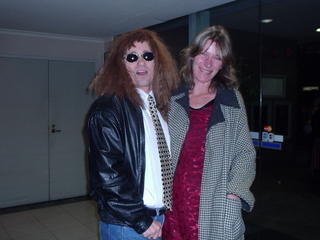
Who was that strange man who accosted me outside my hotel?!?
(See if u can guess)
Graham's last fling as a member of the BardWired Cluster.
Still an honorary member tho :-)

Who was that strange man who accosted me outside my hotel?!?
(See if u can guess)
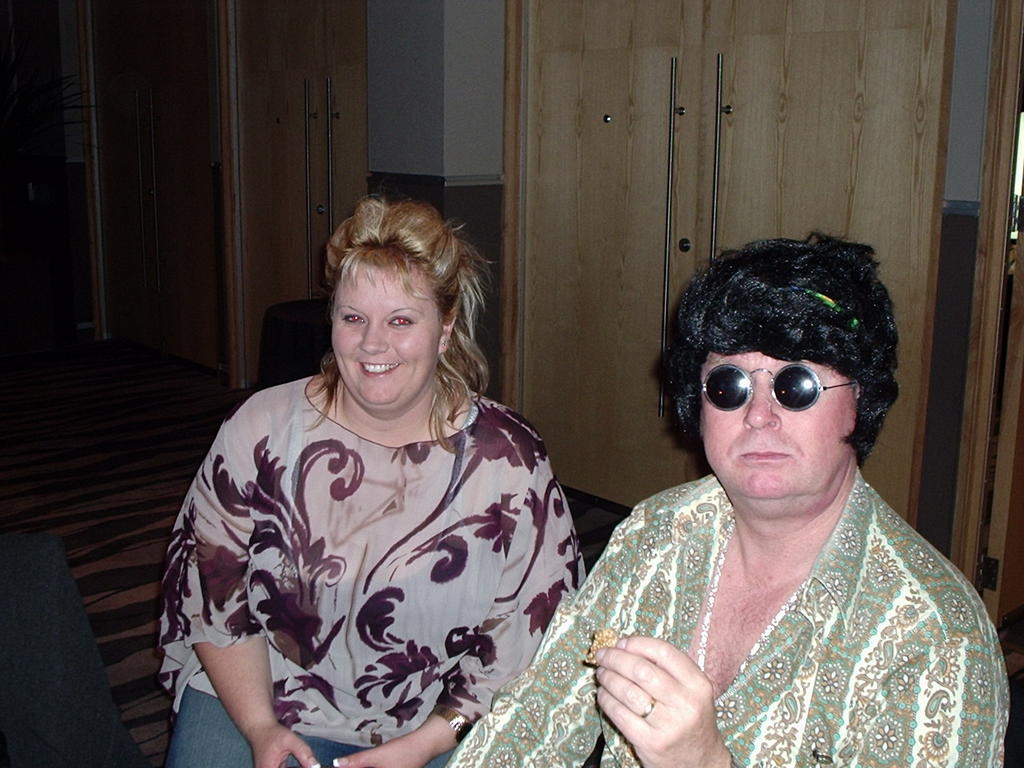
Graham's last fling as a member of the BardWired Cluster.
Still an honorary member tho :-)
Thursday, 7 July 2005
On the Road to Matau

Kids are busy here (as they probably are in every other school) finishing off stuff for the end of the term. Looking ahead to next term's web challenge and what to use as a web editor on Macs!? No Frontpage in the Microsoft Mac cds. Put on a dreamweaver trial and played around with that for awhile. I know tables should be the way you set up your layout but once you start putting things in them the contents jump all over the place???!! Not doing something right here - would love more time to play with all this sort of stuff. Hopefully i will learn all this at I-school next term. The kids imported their Matau pictures in to KidPix & did some neat stuff with animated objects - were able to save this as a swf (flash) file but still problem solving how to put this into html (Thanks for your help with this Toko Richard)Two groups are preparing for the web challenge with some cool ideas - the hard thing is working out how to put those cool ideas into reality. Some discussion about the potential and possibilities of VC (beyond webcams) between the ED schools - watch this space!
Monday, 4 July 2005
Stratford Primary
With the imminent arrival of a new server, Lynn and I have been working together to come up with a ‘blueprint’ for the ideal desktop and network configuration. This is because we were going to work on learning to use the Intranet but couldn’t find how to access the files and when we thought we could did not have the administrative privileges to use them….
But along the way we found lots of places we could get into around the school network which were pretty scary indeed so these things need to be locked down, made accessible when necessary by different levels of security. So we have created a working document “On an Ideal School Network…” and this could be any of our schools’ networks. Look out for it on Interact.
Introduced the entire senior school to their SchoolZone area. Demonstrated how their username & password works, how to change their passwords, how to use their email, and drop boxes and change their settings. They found this all pretty exciting to have their own online space & email. Lots and lots of talk as I demonstrated about Cybersafety and the Appropriate Use agreements they had signed. Also showed them how the SchoolZone management tools worked (Carol did this at St Josephs) so they could see that they were being monitored. The reason being is we want a safe learning environment for our children – whether in the classroom, the playground or online!
But along the way we found lots of places we could get into around the school network which were pretty scary indeed so these things need to be locked down, made accessible when necessary by different levels of security. So we have created a working document “On an Ideal School Network…” and this could be any of our schools’ networks. Look out for it on Interact.
Introduced the entire senior school to their SchoolZone area. Demonstrated how their username & password works, how to change their passwords, how to use their email, and drop boxes and change their settings. They found this all pretty exciting to have their own online space & email. Lots and lots of talk as I demonstrated about Cybersafety and the Appropriate Use agreements they had signed. Also showed them how the SchoolZone management tools worked (Carol did this at St Josephs) so they could see that they were being monitored. The reason being is we want a safe learning environment for our children – whether in the classroom, the playground or online!
Friday, 1 July 2005
Toko School

Here is Toko's popular display from the Methanex Maths Competition. Find more examples on Interact.
Staying close to the heaters today – brrrrrrrrrrrr. Kids are buzzing out here – finishing off their Prep movies – using MovieMaker & PhotoStory with still shots and video; preparing a pretty convincing argument for their debate about making playgrounds more exciting places to be, and playing cool maths games. Maths games are the in thing around the schools at the moment – coming out of the numeracy contract. The kids love them too – Sophie comes home and makes up her own maths games to play with her friends… better than playstation that’s for sure. Kelly’s kids in Room 2 are working on their writing skills as they email their British Buddies. They are all really excited to receive email from their e-pals and have their photos up on the wall by their computer. They are also learning some basic email skills (one small step @ a time – attachments next) which Kelly hopes to carry over into some project work. Ideas for email projects can be found at http://www.epals.com/ Here’s a great place to hook up with other schools who are looking for epals to email. The
Thursday, 30 June 2005
Curriculum Project Workshop

Thanks to Christina Ward, National Facilitator for the Curriculum Project who shared with us the developments arising out of the recent Curriculum Stocktake. As a group we discussed the Curriculum journey so far, our thoughts on key competencies and values. The revised curriculum is in draft form and we had the opportunity to feed in our ideas - choice of and meaning behind the language used in the documents was a factor for discussion. Christina describes the curriculum as being 'co-constructed' so have your chance to join in this co-construction by visiting CP online and participating in discussion and feedback. Christina's presentation can be downloaded from Interact.
Monday, 27 June 2005
St Josephs

Visited the Art Gallery with Room 4 and took lots of pictures. You can see these here. Room 4 emailed Toko School to talk about their art work. These pictures could be a useful language starter for students who had visited the gallery. Classes could email other schools and give them feedback on their art work :-) Michael’s reading groups are hard at work on their All Blacks Legends project for the Lions Collaborative unit. Some help needed here with things like referencing websites and extracting relevant key points. Helped them also do the whizzy presentation things like animations and transitions – hopefully to be used in moderation. The Seniors are preparing their debate “Computers in Society” so have been able to point them in the direction of some research – great to get email from them as they work through some of the issues. Kids are more than welcome to email me with their questions – I love hearing from them. Brought the Junior reading resource to St Josephs junior classrooms, again starting with a modelled session and then made the resource available on the classroom computers. Junior teachers have received their laptops here – no mucking around with Carol on the job!!! Had a short laptop intro session with them after school. For those just starting out we could provide more support with short focused skills sessions on a regular basis. Will organise to meet this group again next term once they have had time to have a little play with their new toys and see what ‘training’ they need. Maybe more of our junior teachers in the cluster will have their laptops by then??
Sunday, 19 June 2005


Thursday, 16 June 2005
Stratford Primary
Come on Kim – one week over and we’re counting the days!...
Have three days to spend with the Junior Syndicate this week. The focus is Reading with a smattering of Cybersafety along the way. There are 5 Junior classes at SPS now – big jump from the 3 classes last year. I am doing some modelled teaching sessions in all the classes. Guided reading using a variety of online learning resources using my laptop and the big screen TV. I know how difficult it is for teachers to organise this. Dragging out the huge big screen TV, finding a multiboard, a power point in the right place (maybe an extension cord), running a network extension cord across the class so you get internet access and then trying to tune in the TV to your laptop. AAAaaaahhhh!!!! No wonder it just doesn’t happen – what a mission. It would be good to see AV units with network access (maybe an interactive whiteboard) permanently set up and ready to go in all classrooms – then with some PD and practise things could really start moving along. Anything to make it easier for teachers would definitely help ICT integration in the classroom. Each session I followed the Junior Cybersafety learning resource (developed at EPS and available on Interact) We talked about the number one safety rule for very little kids – never go alone into Cyberspace, always go with an adult. We browsed a number of sites (using www.littleclickers.com as a starting point) then particularly looked at reading sites. I am putting together a web page resource that teachers can use so kids can click straight to these sites and other digital reading resources straight from the school intranet or classroom desktop. Will post this to Interact when its tried & tested.
Have three days to spend with the Junior Syndicate this week. The focus is Reading with a smattering of Cybersafety along the way. There are 5 Junior classes at SPS now – big jump from the 3 classes last year. I am doing some modelled teaching sessions in all the classes. Guided reading using a variety of online learning resources using my laptop and the big screen TV. I know how difficult it is for teachers to organise this. Dragging out the huge big screen TV, finding a multiboard, a power point in the right place (maybe an extension cord), running a network extension cord across the class so you get internet access and then trying to tune in the TV to your laptop. AAAaaaahhhh!!!! No wonder it just doesn’t happen – what a mission. It would be good to see AV units with network access (maybe an interactive whiteboard) permanently set up and ready to go in all classrooms – then with some PD and practise things could really start moving along. Anything to make it easier for teachers would definitely help ICT integration in the classroom. Each session I followed the Junior Cybersafety learning resource (developed at EPS and available on Interact) We talked about the number one safety rule for very little kids – never go alone into Cyberspace, always go with an adult. We browsed a number of sites (using www.littleclickers.com as a starting point) then particularly looked at reading sites. I am putting together a web page resource that teachers can use so kids can click straight to these sites and other digital reading resources straight from the school intranet or classroom desktop. Will post this to Interact when its tried & tested.
Claymation @ Makahu

http://www.flickr.com/photos/58377953@N00/19570729/
Originally uploaded by rache65.
Great to come into a classroom and sit by a roaring fire. We sat their and rolled and softened plasticine for the days big activity – Claymation. Lots of fun – Eden, Shonid & I worked with small groups on a practise run before the whole school moves on to making an epic Pirates Claymation. Each group came up with a very simple story line, found some props (plastic farm animals are good), made very simple sets with coloured paper and moulded and modelled plasticine objects. So important to use a tripod to keep the camera still as you take heaps of shots with small movements between each shot. We used MovieMaker 2 to put it all together. (Go into Advanced Options to set the frame rate to the minimum possible as MovieMaker defaults to 5 seconds a frame which is way too slow). Check out Eden’s kids’ work Snake Eyes on the kids work section of Interact. It does take a bit of time but it’s a great group activity as there is something for everyone in the group to do & noone sits back and watches. Yet another shiny new Principals’ Laptop @ Makahu. Eden is onto it & has already got Digital Learning Objects out & being used in the classroom with his extension reading kids. Thanks Makahu kids for a fun day.
Wednesday, 8 June 2005
Toko School
Toko kids taught me how to play dice games this morning. Watched some of them trialling some Maths drill software – can’t remember the name of it. (Richard?) Quite expensive at around $500 for a site licence. Some of it seemed quite easy for the kids, though maybe with the full licence there are more levels of challenge? Quite straight forward problems similar as those in a text book but instant marking & recording of kids progress. Feedback from kids was it was way better than book work – I guess that’s a positive. If you are looking at choosing software best to compare a range before investing in any one title. Don’t overlook the activities available free of charge on the Internet – just a matter of finding appropriate ones. And of course if you’re a creative Flasher with a bit of time – you can make them yourself! :-) Kids were quite proud to show off their Flash movies – lots of planes, trucks, cars all crashing, shooting & action… They have created their own lunchtime Flash club – cool! Saw the photos & video from Prep day – worked with some of Cathy’s girls. (Great to work with girls – they are so often marginalised when it comes to doing ‘computer stuff’) Some of them edited the video of the Prep day concert and some of them put together the still photos into PhotoStory. They plan to present it to the school at next weeks assembly. Rooms 3 & 5 are gearing up for the ‘Lions Game’ lots of activity here – emails to Johnny & classroom displays going up. Good to see.
Subscribe to:
Posts (Atom)