Thursday, 18 August 2005

Pixing it up @EPS


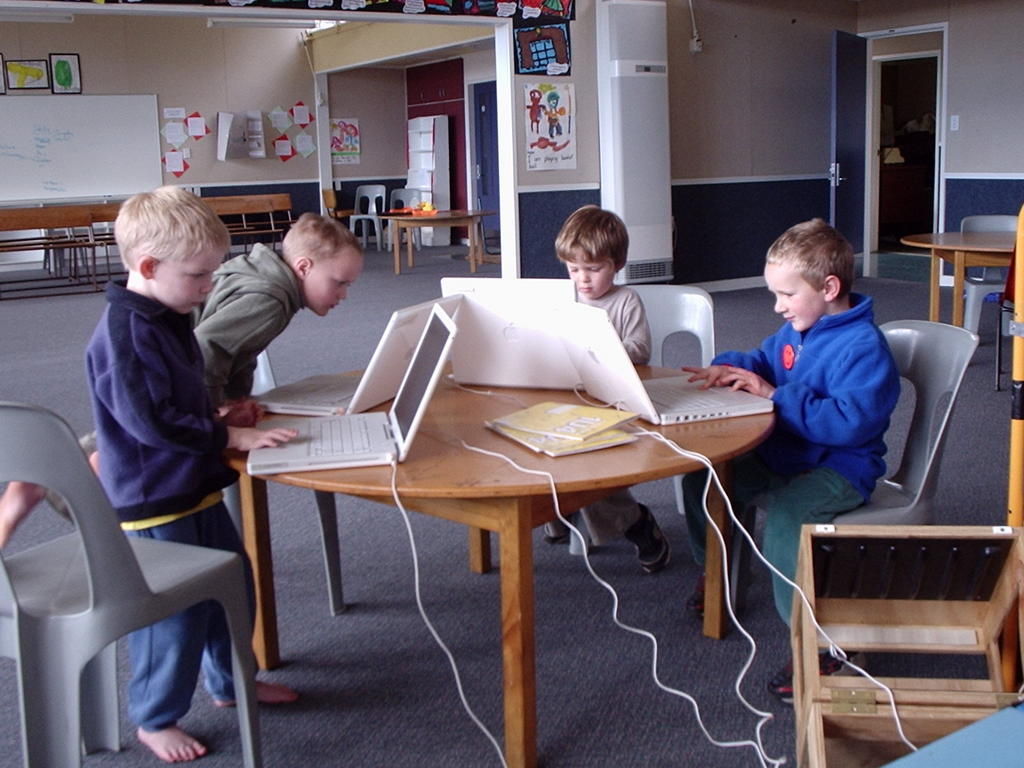
Yahoo KidPix3 has arrived at Eltham! It's great to have access to lots of cool apples but it's also great to have some software to work with (as well as iPhoto iMovies etc )Had some fun with a handful of 5 year olds - the trick is i guess small steps. I thought we would illustrate their writing but in effect you have to have playtime first to explore all the neat things you can do!! I focussed that in with an expectation that they would print something that had a background, their name on it & something they had made using the paint or draw tools. A big part of the learning curve for them was just to learn to control the touch pad and the clicker button. So lots of play time @ Eltham, get those Apple Pods out into the junior classrooms (already the senior kids think they need a pod just for them) and give them time to play and explore - when you think they have a handle on that, then introduce them to some structured activities. Teachers take your Apples home to play so you don't miss out on all the fun :-) If you want ideas for using this cool tool for learning search TKI Learning Experiences and look at the Snapshot of Learning @ TKI Software for Learning.
Spent some time with Jacqui exploring a range of teaching resources online and a range of learning resources online in particular WickEd (it really lives up to its name!)
More play time together with KidPix - Jacqui is going to structure a learning activity based around their Dinosaur topic - "What if Dinosaurs came to school?" Take lots of photos around the school, import them into KidPix from i-Photo and getting drawing and adding pictures. This is based on idea of Megan's from a wonderful book full of pictures of Dinosaurs in everyday present day life... Look forward to coming back in a couple of weeks and helping out in the classroom, maybe move onto putting their pictures into a slideshow, a soundtrack or narrated story to go with it, export it as a movie, put it on the website, show it at assembly....

Thursday, 11 August 2005

Digital Learning Objects

Our PD team discussed the use of Learning Objects as many of our schools have recently obtained the CD - so for them it's 'Got it! Now What?'
At the moment, from our discussion, we see that DLOs are just like a "box of stuff" - resources (wonderful that they are) that have just been put out to schools without much in support. How can we maximise the potential of this awesome resource for our schools?
What structures can we put in place for supporting teachers to use them effectively in the classroom? Two things would be useful here: Firstly professional development for teachers to better understand the wealth of resource available to them and how to integrate them into their planning. Something like the BELTs toolbox would be good - some software that sits alongside the DLOs or some type of LMS learning management system.
What is in the DigiStore - how can you search and organise this? We thought the CD was it... How many other schools are not accessing the full contents of DigiStore because they don't know what's available?
I know after some discussions with Joy Hooper that they are working to address these areas. Richard Bradley will be taking part in some 'research', feedback, survey with the Learning Federation & Joy so help lead the way. Please share your ideas about Digital Learning Objects in the comments below.

i-School

Yahoo at I-School - 2 days off to play :-) I think in PD-speak it's called 'Sandpit Time'. I am learning lots and becoming more familiar with the Macs (I've got Apple Envy & I want one plz) It is great to have a focussed workshop that lasts all day & not just the 1 1/2 hours you get at conference... First day making webpages in Dreamweaver. I have done some work with this programme - rehauling the SPS site and would like to do the same for www.mttaranakilodge.co.nz when I find some time... So it has been entry level stuff & I must admit I was hoping to learn more about css style sheets and more but thats OK because there are some gaps in my knowledge - little things but important things - its the little things that matter!! So the most important little thing I learnt today was to optimise my images, get them just right before I put them on my page! This is a little something that I have regularly stuffed up in the past that makes a big mess of my page! We are being shown how to use nested tables (I dunno John R. what do you think?) - & the little thing I learnt today was that I should nest all my tables inside one big table - set to 800 pixels (not percent!)

Wednesday, 3 August 2005

Toko School

More movies & photostorying here @ Toko. Slam Dunk claymations (1 1/2 hrs start to finish) with R5 boys. They wanted to learn the process for when they are ready to present their retelling of Maui and the Sun. Practiced with toy cars, used art works for scenery, a bit of Plasticine, a bit of red dye for blood... Lots of fun :-) Kids made photostories of the disco last week and Toko School's day out at the skating rink - some narration, some groovy music & voila very much more interactive than browsing through an album. Lots happening with Maths Week Online here - if you didn't involve your class this year get into it next year - an awesome interactive learning opportunity. As students work through the problem solving activities they rack up points and get to bid for prizes. I can see here there are some kids that are very motivated & engaged with Maths Week - racking up a few points and prizes too! Access to equipment is a key enabler (and in many schools often a disabler) of making IT happen in the classroom - no problems with access here. Kids have lots of opportunities that it is a seamless part of how they work in the classroom - good to see :-)

Tuesday, 2 August 2005

SPS & Learning Software

I worked with Jen's team and their classes for a couple of days introducing them to some freeware learning software. There is very little software on school computers beyond the Microsoft Office stuff. We loaded them onto the classroom computer & also burnt them to disc for the kids to take home. They are more likely to get hands on time at home than in the classroom! (Purely a numbers game - 1 computer divided by 30+ kids just does not equate...)
I was astounded by the response of the kids who wanted software - from the 3 classes we burnt 40+ cds - we had two sessions where kids came and worked alongside me in my office (while i did other things) & they copied disc after disc while multitasking with 'Wacky Stories' from Learning Media.
Many kids when asked say they have computers at home but after talking with Kelvin he seems to think many might just say that as they don't want to say they haven't. So i wonder what the real figure is for computers in homes? What is the size of the digital divide in the wider Stratford area?...
More about the software - things like Artrage, Acid Express,some RiverDeep demo stuff, TUX typing and maths (Typing was identified by the teachers as a skill they wanted to see improving as it really slowed the children down when they were trying to complete work), also had some Grey Ollwits software - maths, language games - but a lot of this stuff is just like an electronic worksheet & not too exciting, plus photostory & movie maker 2 etc.
Check out Software for Learning on TKI

Thursday, 28 July 2005

St Josephs


Grandparents Day was the big focus for my time here this week. Doug had done a Movie Making Workshop @ ULearn & was keen for his kids to learn the skills. We started with a group of students who will become his classes initial ‘experts’ and support him when the rest of the class has the opportunity to be involved. This is tricky as far as time and management when the only computer capable is the one and only teacher’s laptop… More gear, more gear plzzz…. the tension here is more gear = more $$. Mobile pods would be a cost effective option here – maybe even Apples – some indications of interest from Rae & others who visited the Apple stand @ ULearn.
The focus of the kids Movies was ‘How has school changed since their grandparents were at school?’ Great brainstorming & discussion with the whole class, then the smaller group went off to storyboard, take photos & create their movies. The Computer Mentor team did the same thing too – interesting watching these older kids work – they are really intuitive users of new applications – they can work most things out themselves, helping each other & sharing ideas & discoveries. Mind you pretty simple programme to work with – you just need to follow the instructions down the left hand side!! Gearing up for WebChallenge with some senior students – worked with them as they explored other sites and brainstormed ideas for their own sites. They are all ready to go now – need to gather content, create original content, create some design elements & don’t forget to Register!
Kids set up the dataprojector at the grandparents’ morning tea so they could show their movies – I have never seen so many grandparents in one room at one time!!! Was asked to showcase some learning with ICT while the grandparents did the ‘school tour’ – so worked with a group of 5 & 6 year olds as they used some of the new DLOs (Digital Learning Objects) & revisited some reading sites such as Tumble Books. All totally contrived of course – didn’t fit into any of their learning programmes we were just playing around.
Also lucky enough to work with 2 of my own kids today – Sophie & James – that’s always a bonus!

Friday, 22 July 2005

Taihape – Footprints for the Future

Good to see so many teachers, on the last day of the ‘holidays’ too turning up for Taihape’s MiniConference. Many schools had made it their TOD & the whole school arrived on a bus together. Good to see also the involvement of BOTs (from Taihape School) I was able to talk to some of them over dinner the night before about how they saw their role changing from administrative processes – funding, property, compliance issues etc to being more involved in the learning journey of the school and the change associated with that. Lisa-Jane had spoken with them about all members of the school community being active participants in ‘lifting the lid’ on what is happening in their schools by using the 4 Power Model and examining who in the school has the Power over: relationships, decision-making, information & resources. How do our BOTs fit into the visioning & planning for learning & teaching in our schools – or by default is it left to principals & teachers alone (or even principals alone)?? Well Lisa-Jane was inspirational and thought provoking for many – there was also a range of workshops - at 45 minutes a session – just a taster for teachers to hopefully take back to their schools & investigate and develop further. I presented a hands-on Making Movies session. Teachers brought their own laptops, I provided the sound and pictures & walked them through the process of editing a movie. Once some of them had worked out how to operate the touch pad & buttons on their shiny brand new laptops we were away… My other session Developing Critical NetStudents was a bit of a disaster as I lost the plot halfway through having been working off the wrong presentation – I got so far found ½ my slides weren’t there & links were missing….aaahhh………kind & understanding group of teachers – all the CDs I made walked out the door with them so some resources for them to use & adapt.
It was great to have Rachel from St Joseph’s along to participate and keep me company on the trip over. I went to Hemi’s session on freeware/shareware – had a play around with Hot Potatoes & picked up a CD of loads of stuff (as if I haven’t got enough software that I haven’t got time to play with) & sat in on Jonathan’s MOE “What’s Happening” workshop – have asked him up to speak with Principal’s at our next Management meeting. Check out CORE for a brief review & pics of Taihape.

Thursday, 14 July 2005

ULearn 2005

Well the BardWired team hit ULearn & we learntit alright! Another great conference thnx to the team at Core-Ed. With 13 delegates we achieved maximum coverage tho it was difficult to coordinate time for debrief & sharing - you can join the discussion, add ideas & resources on Interact. Lots of talk there and back in the van (I don't think there's an alphabet game we haven't played yet!)Good to see new members to our team this year - getting to know others within the cluster (even if they do snore) & widening their experiences. The workshops I attended were 'out-there' Stephen Heppell - amazing guy - though at times i find him a bit random - he was Spot On in Auckland; Derek Wenmouth - COPs - communities of practise & Murray Brown discussing the proposed new E-Learning Framework (Now Digital Horizons is reaching its use-by date) All right what i'm thinking about now - with the future direction of the cluster & schools in our area and with the PGrad work i am doing at the mo. All in all very useful. Though i say i get tired of attending conference - Cathey from Telecom sums it up nicely - "It's just like that movie 'GroundHog Day'"; it is still a buzz - look forward to Learning@School, Wellington & ULearn, ChCh 2006!


Who was that strange man who accosted me outside my hotel?!?
(See if u can guess)


Graham's last fling as a member of the BardWired Cluster.
Still an honorary member tho :-)

Thursday, 7 July 2005

On the Road to Matau


Kids are busy here (as they probably are in every other school) finishing off stuff for the end of the term. Looking ahead to next term's web challenge and what to use as a web editor on Macs!? No Frontpage in the Microsoft Mac cds. Put on a dreamweaver trial and played around with that for awhile. I know tables should be the way you set up your layout but once you start putting things in them the contents jump all over the place???!! Not doing something right here - would love more time to play with all this sort of stuff. Hopefully i will learn all this at I-school next term. The kids imported their Matau pictures in to KidPix & did some neat stuff with animated objects - were able to save this as a swf (flash) file but still problem solving how to put this into html (Thanks for your help with this Toko Richard)Two groups are preparing for the web challenge with some cool ideas - the hard thing is working out how to put those cool ideas into reality. Some discussion about the potential and possibilities of VC (beyond webcams) between the ED schools - watch this space!

Monday, 4 July 2005

Stratford Primary

With the imminent arrival of a new server, Lynn and I have been working together to come up with a ‘blueprint’ for the ideal desktop and network configuration. This is because we were going to work on learning to use the Intranet but couldn’t find how to access the files and when we thought we could did not have the administrative privileges to use them….
But along the way we found lots of places we could get into around the school network which were pretty scary indeed so these things need to be locked down, made accessible when necessary by different levels of security. So we have created a working document “On an Ideal School Network…” and this could be any of our schools’ networks. Look out for it on Interact.
Introduced the entire senior school to their SchoolZone area. Demonstrated how their username & password works, how to change their passwords, how to use their email, and drop boxes and change their settings. They found this all pretty exciting to have their own online space & email. Lots and lots of talk as I demonstrated about Cybersafety and the Appropriate Use agreements they had signed. Also showed them how the SchoolZone management tools worked (Carol did this at St Josephs) so they could see that they were being monitored. The reason being is we want a safe learning environment for our children – whether in the classroom, the playground or online!

Friday, 1 July 2005

Toko School


Here is Toko's popular display from the Methanex Maths Competition. Find more examples on Interact.

Staying close to the heaters today – brrrrrrrrrrrr. Kids are buzzing out here – finishing off their Prep movies – using MovieMaker & PhotoStory with still shots and video; preparing a pretty convincing argument for their debate about making playgrounds more exciting places to be, and playing cool maths games. Maths games are the in thing around the schools at the moment – coming out of the numeracy contract. The kids love them too – Sophie comes home and makes up her own maths games to play with her friends… better than playstation that’s for sure. Kelly’s kids in Room 2 are working on their writing skills as they email their British Buddies. They are all really excited to receive email from their e-pals and have their photos up on the wall by their computer. They are also learning some basic email skills (one small step @ a time – attachments next) which Kelly hopes to carry over into some project work. Ideas for email projects can be found at http://www.epals.com/ Here’s a great place to hook up with other schools who are looking for epals to email. The

Thursday, 30 June 2005

Curriculum Project Workshop


Thanks to Christina Ward, National Facilitator for the Curriculum Project who shared with us the developments arising out of the recent Curriculum Stocktake. As a group we discussed the Curriculum journey so far, our thoughts on key competencies and values. The revised curriculum is in draft form and we had the opportunity to feed in our ideas - choice of and meaning behind the language used in the documents was a factor for discussion. Christina describes the curriculum as being 'co-constructed' so have your chance to join in this co-construction by visiting CP online and participating in discussion and feedback. Christina's presentation can be downloaded from Interact.

Monday, 27 June 2005

St Josephs


Visited the Art Gallery with Room 4 and took lots of pictures. You can see these here. Room 4 emailed Toko School to talk about their art work. These pictures could be a useful language starter for students who had visited the gallery. Classes could email other schools and give them feedback on their art work :-) Michael’s reading groups are hard at work on their All Blacks Legends project for the Lions Collaborative unit. Some help needed here with things like referencing websites and extracting relevant key points. Helped them also do the whizzy presentation things like animations and transitions – hopefully to be used in moderation. The Seniors are preparing their debate “Computers in Society” so have been able to point them in the direction of some research – great to get email from them as they work through some of the issues. Kids are more than welcome to email me with their questions – I love hearing from them. Brought the Junior reading resource to St Josephs junior classrooms, again starting with a modelled session and then made the resource available on the classroom computers. Junior teachers have received their laptops here – no mucking around with Carol on the job!!! Had a short laptop intro session with them after school. For those just starting out we could provide more support with short focused skills sessions on a regular basis. Will organise to meet this group again next term once they have had time to have a little play with their new toys and see what ‘training’ they need. Maybe more of our junior teachers in the cluster will have their laptops by then??

Sunday, 19 June 2005

Bard Wired Baby!


Congratulations Kim & Miles on the safe arrival of baby Gus!

Thursday, 16 June 2005

Stratford Primary

Come on Kim – one week over and we’re counting the days!...
Have three days to spend with the Junior Syndicate this week. The focus is Reading with a smattering of Cybersafety along the way. There are 5 Junior classes at SPS now – big jump from the 3 classes last year. I am doing some modelled teaching sessions in all the classes. Guided reading using a variety of online learning resources using my laptop and the big screen TV. I know how difficult it is for teachers to organise this. Dragging out the huge big screen TV, finding a multiboard, a power point in the right place (maybe an extension cord), running a network extension cord across the class so you get internet access and then trying to tune in the TV to your laptop. AAAaaaahhhh!!!! No wonder it just doesn’t happen – what a mission. It would be good to see AV units with network access (maybe an interactive whiteboard) permanently set up and ready to go in all classrooms – then with some PD and practise things could really start moving along. Anything to make it easier for teachers would definitely help ICT integration in the classroom. Each session I followed the Junior Cybersafety learning resource (developed at EPS and available on Interact) We talked about the number one safety rule for very little kids – never go alone into Cyberspace, always go with an adult. We browsed a number of sites (using www.littleclickers.com as a starting point) then particularly looked at reading sites. I am putting together a web page resource that teachers can use so kids can click straight to these sites and other digital reading resources straight from the school intranet or classroom desktop. Will post this to Interact when its tried & tested.

Claymation @ Makahu


http://www.flickr.com/photos/58377953@N00/19570729/
Originally uploaded by rache65.

Great to come into a classroom and sit by a roaring fire. We sat their and rolled and softened plasticine for the days big activity – Claymation. Lots of fun – Eden, Shonid & I worked with small groups on a practise run before the whole school moves on to making an epic Pirates Claymation. Each group came up with a very simple story line, found some props (plastic farm animals are good), made very simple sets with coloured paper and moulded and modelled plasticine objects. So important to use a tripod to keep the camera still as you take heaps of shots with small movements between each shot. We used MovieMaker 2 to put it all together. (Go into Advanced Options to set the frame rate to the minimum possible as MovieMaker defaults to 5 seconds a frame which is way too slow). Check out Eden’s kids’ work Snake Eyes on the kids work section of Interact. It does take a bit of time but it’s a great group activity as there is something for everyone in the group to do & noone sits back and watches. Yet another shiny new Principals’ Laptop @ Makahu. Eden is onto it & has already got Digital Learning Objects out & being used in the classroom with his extension reading kids. Thanks Makahu kids for a fun day.

Wednesday, 8 June 2005

Toko School

Toko kids taught me how to play dice games this morning. Watched some of them trialling some Maths drill software – can’t remember the name of it. (Richard?) Quite expensive at around $500 for a site licence. Some of it seemed quite easy for the kids, though maybe with the full licence there are more levels of challenge? Quite straight forward problems similar as those in a text book but instant marking & recording of kids progress. Feedback from kids was it was way better than book work – I guess that’s a positive. If you are looking at choosing software best to compare a range before investing in any one title. Don’t overlook the activities available free of charge on the Internet – just a matter of finding appropriate ones. And of course if you’re a creative Flasher with a bit of time – you can make them yourself! :-) Kids were quite proud to show off their Flash movies – lots of planes, trucks, cars all crashing, shooting & action… They have created their own lunchtime Flash club – cool! Saw the photos & video from Prep day – worked with some of Cathy’s girls. (Great to work with girls – they are so often marginalised when it comes to doing ‘computer stuff’) Some of them edited the video of the Prep day concert and some of them put together the still photos into PhotoStory. They plan to present it to the school at next weeks assembly. Rooms 3 & 5 are gearing up for the ‘Lions Game’ lots of activity here – emails to Johnny & classroom displays going up. Good to see.

Tuesday, 7 June 2005

Huiakama


Huiakama
Originally uploaded by rache65.

Kids at Huiakama are right into Ripper Rugby – it is happening all over the Eastern Schools – great to see! We checked out the Lions Game here today as well and the kids registered to join in. Zoe showed us her dance moves as she goes out with 80 other Taranaki girls in lead up to the real Lions Game on Wednesday night. Go Zoe!!
Clare got to show off her shiny new laptop and we registered for ULearn breakouts and ordered the Digital Learning Objects CD from TKI. The girls learnt how to use PhotoStory based on the idea of a big book the junior school is making told the story of the Huiakama trampoline. PhotoStory is pretty cool & soooo easy to use. You can download it from the Microsoft site, though you also need Media Player 10 to go with it. Check out their work on the new Kids Work folder on Interact.

Tuesday, 31 May 2005

Stratford Primary

Lee, Alison & Jim, with some groups of kids, have been learning how to use the video camera. Great to get an extra cool camera from Mahoe. Went through the basics – charging the battery, changing the tape, setting up the tripod, recording & playback, downloading and saving video to the laptop. They plan to do a syndicate video project documenting the kids learning during their major arts focus. Returned to the classroom a few days later to assist them with this. Feedback since this time show that maybe its not such a good idea to take on two big projects in tandem such as this (especially when there is so much new learning involved) OK so the principle was good – just not easily workable! Now the basics have been learnt they hope to pick up a simple fun video project after the arts unit is finished.

Monday, 30 May 2005

Eltham Primary

All the best to Graham as he prepares to move to the Merrilands as Principal next term. Eltham will miss you & we will miss you too! :-) Some big shoes to fill there. It’s great to see all the new Principals’ Laptops coming out into schools. Helped clear Graham’s laptop of the many important files ;-) before formatting the hard disk and restoring the laptop to its original state. Offered it out to other schools – some of these ex-lease laptops would be good for schools to pick up to increase numbers and access for our kids (should be many more coming up in the future with the 1st round of teachers laptops coming up to the expiry of their lease term) Keep an eye out for them, check out the history of their use and consider purchasing for your school. On the subject of laptops – news released in the budget is that the laptop scheme has rolled out to all teachers – check out the MOE website and prepare to order them for junior teachers. (Best PD initiative yet!) Worked with Megan & the senior kids on Digital story books. Showed some examples created by SPS kids. Eltham kids have been out with the camera taking Maths pictures around the school – some great pictures of objects illustrating maths concepts. Also did the tour round the Lions Games site – definitely an interest but some difficulty in establishing a class email address. Epals no longer have open email addresses (you can only email within the epal system & not to other people outside Epals). Bernadette has been busy publishing photos of school events – these get laminated and posted around the school. Used MS Frontpage photo gallery to collate these pictures and publish them to the Internet. Check out Eltham’s photo galleries from their homepage.

Wednesday, 25 May 2005

St Josephs

3 days @ St Josephs. Took the Lions Game Roadshow around the Senior classrooms at St Joseph’s this week. Whipped up some interest amongst the kids (boys especially of course thought it was pretty cool). I used the dataprojector to walk them through the site and talk about the activities. We also looked at the features of their SchoolZone email and how to use it as they registered their classes for the game. With the Year 7 & 8’s we also used the dataprojector to look at and talk about examples from Methanex Maths Spectacular. Schools are just starting to prepare for this – links to resources developed in the cluster from last year can be found on Interact. Share these with your kids if they need some ideas on possible topics or examples of presentation styles. I saw that some laptops (older ones) have not got up-to-date virus protection. If you are not sure about your protection please get Holly to check for you. You should be using E-Trust AntiVirus Version 2 – it is free to schools and subsidised by MOE. If your school has never had this you can register for it here.

Friday, 20 May 2005

Kiss & Drive


Kiss & Drive
Originally uploaded by rache65.

Confused? This is the traffic control system outside Waipahihi School Taupo where we went for our Regional ICT PD Meeting. Want to know more about a system like this 4 your school? Contact me and I will send you the other photos I took :-)
Carol Spragg, Megan England, Clarissa Coffey & myself attended on behalf of the cluster. There was a couple of hands on workshops. One was about using Interactive Fiction in units of work - (based around software like Carmen Sandiago) - resources shared are print based - let me know if you would like a copy. The other session was about Digital Storytelling using PhotoStory 3 - a bit like MovieMaker but different - I thought it was pretty cool because you could pan & zoom your frames in different ways, you could narrate your story and have background music as well. You can download PhotoStory3 from here - have a play its so easy to use - just follow the 'Wizard' instructions. Also on the agenda at Taupo was a team debate about the value of Inquiry as a Learning Model - this was really entertaining but pretty hard to follow as both sides held similar views!? Nat explained to us the structure of their cluster and how their PD programme worked - she also talked about the model of learning their teachers had developed called W.I.S.E.(will track down some examples to share on Interact)Murray Brown from the MOE was missing from the day - but Sherry & Hemi filled the gap with some discussion on 'Developing Communities of Practise" and another foray into Interact. Read Megan's report on Interact.

Wednesday, 18 May 2005

Marco School


Marco School
Originally uploaded by rache65.

It was hard to choose which photo to put up here - go to my flickr site for more on Marco's Gumboot Garden & Kiwiana. Or better still drop in and say hello next time you're passing :-)
A lot of things to talk about and look at when you only get to visit once a term & it was great to catch up with Shaun, Kerry-Anne & Tania. Marco is having a big focus on Wearable Arts culminating in a fasion show at the end of the term - all the community is in behind the effort collecting interesting items for the kids to turn into fashion creations. Introduced Shaun to a number of things coming up in the cluster & beyond - Lions Game, Digital Learning Objects & planned cluster workshops. Spent the afternoon helping Shaun with the basics of FrontPage and developing a structure of pages to start building a Marco & community website. Watched the kids play Ripper Rugby & rehearsing their catwalk struts! (Not at the same time) Plan to get back to Whanga before next term on a Saturday night to hear Shaun play (they tell me he has quite a fan club :-)

Tuesday, 17 May 2005

Whangamomona


Whangamomona
Originally uploaded by rache65.

Of course I had to stay at the pub! Though it was very quiet being a Tuesday night - the front door was closed at 8 o'clock & I was busy doing my homework. (Honestly I was!)Thanks Claire the meals are great.

Tahora Autumn Shoot


Tahora Autumn Shoot
Originally uploaded by rache65.

Learning the basic skills of video production. The kids had learnt a lot with Mike last year about point of view and taking a good photo. Had to borrow the Firewire card & cable from SPS - took a photo of the gear so Carolyn could send it into her IT provider and order the right bits. The kids worked out pretty well how to download their video on the laptop - pretty easy with XP – Wizard takes u right through the process. Used Richard's idea about the 10 second (well maybe 15 second shot) rule to avoid miles of editing and to get kids thinking carefully about the direction of their scenes.
They then went on to edit, add music, work with sound – narration, muting video, jazzing it up with transitions & titles, saving as a movie etc.
Lots happening on the Internet now we've all got FAST internet access. The kids are doing a topic study on Ancient Egypt and are following a webquest – the tasks in this webquest don’t just have them looking up facts on line, but give ideas that they can follow up in off the computer activities – eg making games, preparing food... (What is the address of that website Carolyn?)
Demonstrated Digital Learning Objects and went onto Te Patika with Carolyn to register for some for Tahora School.

Monday, 16 May 2005

Stratford Primary

One on one PD time again with a few teachers at Stratford. Introduced Clarissa to the Sina administration tools in School Zone. Recommend that she run a quick check once a week to see all are cybersafe – check Top 100 sites (for appropriate use), check the weekly security reports and check the filtered spam to make sure there is nothing caught there that should have been sent through. (I found a number of personal messages for me in there!!! Oops but glad I found them :-)
Penny & Lynn learnt how to make basic web pages (using Word or FrontPage), link them together and add them to the school intranet. Lynn is going to teach the Computer Mentors so they can get a homepage up for all the classes. Lynn would also like to be able to use the Intranet to direct teachers to relevant resources either online or on the school network.
Had lengthy discussions with Penny about server requirements, network structure & desktop configuration as we examine a couple of quotes for a much needed server replacement. Liaised with IT providers & Douglas from MOE about these server specifications & quotes - won’t go into details here…
I supervised Holly’s) first exam (our DigiOp technician – all done online, submitted and marked right away – 100% and it took her 10 minutes!! Well done – obviously been studying hard.

Tuesday, 10 May 2005

Toko School Learning Stars


Toko School Learning Stars
Originally uploaded by rache65.

One on one with Megan & Heather this morning. Heather's kids have done some interesting & very effective art work with digital photography. The aim was to produce some creative work based on the child's photo of themselves and also to build the skills of photo-editing. I introduced Heather to TKI Learning Experiences a collection of learning resources with an ICT integration focus and helped her work through the submission process to add her work. It turned out that Nina (TKI Editor) felt that this lesson had more of a ICT focus than a cross curricular focus so recommended it go to Share-It (another digital collection of shared resources) Check out the links for Share-It & Learning Experiences and have a look what you could use or adapt for learning in your classroom. Heather's digital photography art lesson is also posted on Interact in the Learning Resources folder. Thanks Heather.
Megan and I looked at using Pegasus mail - saving and sending attachments. We also had a go at putting assessment data in Excel & creating and customising graphs. As we worked together I shared a few basic application tips about working with tables, using short cut keys, word formatting documents. It made me think more about the need for some straight out skills learning (forget about the pedagogy & ICT integration for a bit). So how do you approach this in our cluster? Online tutorials www.atomiclearning.co.uk , is a huge collection of short videos that demonstrate small steps of learning (some clusters are using this and have to register & pay for this), www.electronicteacher.com online text-based tutorials (plenty of screen shots to illustrate); real text books like The Easy Way series that Toko had used for their Community Education computing classes last year; after school workshops (not like Wine Not Networking) - bring your laptops & the files you want help with and we'll work on them together. Perhaps a blend of those things??
Spent some time with Richard working on the Lions game. Richard has done a great job on the construction of the flash web pages and bringing together the ideas. We would like to get some feedback/input from teachers and then put together the final details. You can view the draft version of the game from Toko School's homepage.

Wednesday, 4 May 2005

Eltham Primary School


Action_Learning_006
Originally uploaded by rache65.


Graham's kids mapping their keywords last term.

Have spent the last few days working with Eltham's Tech Buddies. Megan is starting a computer mentor system to support teachers & students with basic computer skills and trouble shooting.
The sessions were quite intensive - 3 hours each day - more details on Interact. This would be a good start but to sustain a tech buddy system – the students would need regular shorter sessions to reinforce & transfer prior learning and to introduce them to new skills. The opportunity to play around in their own area of the network was really engaging for the students - their feedback on the sessions was that they had just been mucking around and weren’t doing ‘work’ – they didn’t realise how much they learnt until they went through the checklist of LOs. Sustainability of a student mentoring system also requires that these students be used to support others in the school. Give them a profile within the school so teachers & other students know they are available to help. Maybe timetable into other classrooms for short periods during IT activities could help build the tech buddy relationships throughout the school.

Monday, 18 April 2005

Hanging Out at Toko School


Hanging Out at Toko School
Originally uploaded by rache65.

What better way to spend the last day of term than hanging out at Toko School. Everyone feeling quite relieved that ERO had done their dash & been & gone. I went to see the great presentations that the children had done on their Action Learning. But the Toko curse hit me again & after this picture my batteries went flat! There was a variety of presentations about Mt Taranaki from Claire & Kelly's children from Tourist attractions on the mountain to what to do if there is an eruption. I enjoyed the musical presentation and visuals from Cathy's class who had illustrated the song Horse with No Name, presented on the Data Projector and with musical accompaniment & singing :-) Heather's children had some interesting digital artwork to present based on photographs of themselves - look out for the teaching resource for this on TKI Learning Experiences. They were really effective. Have a great holiday everyone :-)

Friday, 15 April 2005

Farewell Simon


spspukeariki
Originally uploaded by rache65.

Off to Puke Ariki to farewell Simon Pickford today. Simon has been managing the Taranaki Information Network - Puke Ariki Portal computers in our schools for the last 2 years and is off to work for the New Plymouth District Council on another IT project there. Here he is with our SPS children impressing the ComputerWorld judges to gain a Digital Excellence Award. Thanks Simon for your contributions to our cluster - delivering workshops at our first Teacher Only Day & after school workshops. Also for continuing to work with us right up to the end and setting things in motion for our 6 Eastern schools to get their PukeAriki computer (& Internet subsidy) - Don't forget Principals from these schools to get back in touch with PukeAriki and say YES - your computers are ready and waiting to be delivered and installed to your networks!

Thursday, 14 April 2005

Infolink Over (Nearly)


Infolinkers
Originally uploaded by rache65.

Our last Infolink session at St Josephs. Phew what an effort guys! Well done for your hard work, persistence, patience & enthusiasm - all in different measures from different areas :-) We chose Infolink as a PD focus because of course we think Information Literacy is really important in the skills set of a 21st Century learner, but also because this course is school based and is based on affecting classroom practise. There has been some awesome things happening around our schools as you all work through Action Learning with our kids. The big positives have been the sharing within and across our schools and the excitement in learning that has been articulated by some of our children. I hope you have all fed back your evaluations on the course, some of which we have already discussed in other forums. Still one assignment to go which I guess some of you will be working on over the holidays - check out the links on Interact that may help you with this.

Huiakama School

Huiakama kids have been doing some great work this term! Good to look at their portfolios and I love the little business cards they have been making. Some of the work they have been doing on Len Lye, animations & flip books fitted in well with the work we did today on cartoon animation. The children storyboarded a very basic 8 scene animation. I showed them some animation examples & they set to work - creating characters in Paint & animating them using PowerPoint. They made the connection very easily between flip books and the changing slides in PowerPoint. Learning outcome - not sure - an extension on the work they have been doing already & a bit of fun at the end of the term. Clare and I went onto Interact where she learnt to upload documents for sharing G & T Policy - this is a great forum for sharing so keep putting stuff up there guys.

Wednesday, 13 April 2005

Stratford Primary School

Yay, after a year puzzling Kerry and I finally worked out how to use the school Intranet. All you need is an index.html page saved in the right place & voila you have a 'front end' - web interface instead of seeing a load of directory files. Don't follow that - no matter - you have to see it in action to understand. We have spent 3 days working with a team of Y8 students creating webpages for their class page. These pages are to showcase the what is happening in their classroom. The children brainstormed ideas for appropriate pages then chose the ones they thought most relevant - Our Work, Art Gallery, Sports & Events + the Home Page. They discussed a design theme but once they got started on individual pages the theme went out the window as the kids experimented with banners, colours, buttons, linked pictures & shapes - so every page was very different. They looked at other school sites for ideas - & I didn't tell them (honestly) the first site they looked at was Toko School! One student was straight into Paint trying to create a road sign that he could cut up into Hotspot links from FrontPage - this didn't eventuate as he got frustrated with his Drawing skills & opted the easy way into Frontpage buttons. The hard lessons learned were in File Management when on the second day one of the students overwrote the home page with his own page & it was completely lost. We had an interesting discussin on using mistakes as learning experiences :-) The children were enthusiastic about using their Intranet pages as a media to publish their work and communicate with the school. They were wanting to take it further and publish to the web where they would have a wider audience. This would be the logical next step and easy to do through SchoolZone hosting. Now the structure has been set up and some skills learnt, the challenge for Kerry is to keep the enthusiasm going and continue to make opportunities and time to publish to the school through their pages.

Friday, 8 April 2005

Makahu School


Makahu Tunnel
Originally uploaded by rache65.

Welcome Eden, Jenny & Hannah to Taranaki. Good to visit today & touch base with where you are at and where you want to go through the opportunities provided by the cluster. Eden has some great ideas about using MSN to communicate & share with the wider school community. Today we helped all the kids set up their own group area in MSN which they are going to use as an online portfolio of their work. It was a good opportunity as we worked together to reinforce cybersafety issues. Though their groups are private they are only so through invitation and anyone can email them to ask to access their sites. We talked about keeping personal details private and what to do if they received email or found sites that were not appropriate.

Thursday, 7 April 2005

Te Maunga Taranaki


Te Maunga Taranaki
Originally uploaded by rache65.

This is why I am not very good at time management when I make my way to our Eastern schools - I keep having to stop & take photos.

Wednesday, 6 April 2005

St Josephs


Mindmapping
Originally uploaded by rache65.

Busy time supporting Infolink at St Josephs. Working with John, Vicky & Kim. Here are Kim's Y2's mapping their ideas - see the beginnings of a Venn - to sort their ideas that fit between categories. Lots of good discussion & questions - you can nearly hear the brain cells ticking over. Good stuff :-)We spent some time (hard work it was too for the little guys) formulating good questions. We talked about fat questions and thin questions by thinking about the types of answers their questions might generate. Moved on to looking at a variety of information sources and practised using the internet to search for relevant information on key words.

Rocky Shore


Rocky Shore
Originally uploaded by rache65.

Vicky's classroom display on the Rocky Shore showing some of the various stages of the Action Learning process. It was really hard to find book information sources on this topic as every other Taranaki class seemed to be doing it too. On the day this class visited the rocky shore at Kawaroa there were 3 other schools there too! Can you imagine over 150 kids & teachers out on the rocks. It is great to see so many of our schools turn to our environment for their learning focus - if they weren't out on the beach they were up the mountain. Look out on Interact for some links to Rocky Shore resources.

Friday, 25 March 2005

Infolink Action


Action_Learning_006, originally uploaded by rache65.

Graham's kids in action.

Wednesday, 23 March 2005

Eltham Primary

Full on with Cybersafety at EPS - this supports the Cybersafety policies and agreements that have just been reviewed and sent out to the school community. Lesson activities and sequences for all levels of the school can be found on Interact. The main learning point for Juniors was to go online with an adult and for older children - never give out any personal information, be respectful on line and what to do if you come across objectionable sites. It is an important part of providing a safe learning environment for all to not only have in place cybersafety policy & procedure, but also to have a safe infrastructure (filtered & monitored) and to EDUCATE. This should include the whole community - teachers & parents. I am available for workshopping with teachers "Developing Critical NetStudents" and also with Whanau "Keeping up with our kids online." So please bring me in to do this :-) Introduced Megan to SchoolZone - a complete Internet Management System - we only just had time for a quick browse there is so much there and being added to all the time. A good solution to become a cybersafe school.
Learning how to use the new digital cameras was another focus with Heather & Miriam's kids - cameras in every classroom Kodak Easy Share. Miriam's students were gathering evidence of littering for their Infolink unit on recycling & then took the cameras out to the recycling plant the next day too.
Heather's very little kids were out finding examples of why Eltham is a Cool School - they were so preoccupied with getting each other in the picture and dancing around so much that maybe we should have given them the video camera :-) It is a learning curve for teachers to hand over the gear and let the kids get on with it so our EPS teachers did well today.
The laptop COWs are being very well used - it is great to see kids coming in and out all day long grabbing them for work in the classroom. Well done Eltham on successfully gaining funding for a new admin & learning centre block - Yahoo.

Friday, 18 March 2005

Hamilton Regional ICT PD Meeting

Well...this was a more valuable trip than i thought it was going to be :-)
By the look of the agenda i wasn't too sure but as usual it was a great opportunity to network - find out what is happening in other clusters, and participate in PD workshops. The first couple of sessions were 'advertisers' - products were a smart tablet - a sort of remote control way of operating the laptop which was attached to a dataprojector. I guess this was a useful tool as it could be passed around the class and students could have the opportunity to interact more directly with what was happening on the big screen - it also had a screen shot saving capability. Citech (spelt it wrong?) are promoting it and have said if any schools want to trial it free of charge they are welcome to contact them. The other product was an Intranet/Website 'solution' called IntraSchool (one more to add to the list of growing online tools) The benefits proposed for this particular system was that it was really simple to use and very cheap compared to others.
Sherry Crisp delivered a couple of workshops - the one i went to talked about online resources for teachers - we looked closely at Trackstar which could be found along with some other useful online tools at http://www.4teachers.org/. We also talked about Blogging & we shared some examples from our cluster. Richard went to one about Action Inquiry which i have already lost the notes from - oops.
The Facilitation Strategy workshop really used techniques that we already use in the classroom - cooperative and thinking skills strategies to promote discussion and sharing - have to practise on the management team at our next meeting :-)

Thursday, 17 March 2005

Douglas School


Douglas School, originally uploaded by rache65.

My first day out at Douglas School. I love this big Walnut tree out front. The kids picked me a bag full to take home - thanks guys. Spent the whole day with Ross. We reviewed the strategic plan (it helps when you want to move forward to plan your pathways there) :-) We talked about SMS (Student Management Systems) It isn't cost effective in such a small school to use software such as MUSAC. Though I did discuss the Ministry Strategy for SMS and the possibility of combined schools SMS in the future. In the meantime we will look at using Spreadsheets for collecting and analysing data and reporting to BOT & MOE. A good part of the day was spent 'playing' with the new EMac. It was a prize for being a Cool School - what a great prize. We made a Virtual Tour of Douglas School. Ross has a good handle on the process & skills of Movie Making with IMovie. I look forward to visiting again and seeing what the kids have been creating with it. :-)

Wednesday, 16 March 2005

TUANZ

A good day out at TUANZ for 14 of our cluster members. It was great to travel home with the SPS teachers and hear them talk of what took their interest that day - Digital Learning Objects,the work of Mangorei School... a grab bag of ideas from many other presenters. My challenge is - OK guys what one thing did inspire you the most that you are going to run with in your classroom???
Kim & I presented the benefits of ICT PD clusters and how to go about establishing a new cluster. We gave the story of how we have set ourselves up with advice for schools who are interested in putting themselves forward for a contract. The main message was - start organising yourself NOW. I don't know why there is not the interest amongst Taranaki schools - we are well under represented regionally in the ICT PD national network. What a great opportunity for teacher PD and collaborating with other schools that is being missed out on here.
I also presented a skills session on the skills & process of making movies with Movie Maker 2. I enjoy these hands on sessions as people are so busy playing around with what they can do - you don't feel so much in the spotlight. I modelled the process & provided loads of still images & sound clips for them to work with - the subject was Anzac day. Email me if you would like a copy of these Anzac Resources.
Jason Ohler was a great Keynote speaker - vist his website http://www.jasonohler.com/ where he has video clips of his keynotes and resources from all his presentations.

WOMAD


WOMAD, originally uploaded by rache65.

What a cool weekend at WOMAD. Don't change anything it was perfect.

The Bowl


The Bowl, originally uploaded by rache65.

Les Yeaux Noir


Les Yeaux Noir, originally uploaded by rache65.

I think thats how you spell there name. Translation - I think - Black Eyes. These guys were frantic! My favourites along with a Scottish band can't remember their name - great Celtic music. These guys were more Yiddish though the frenetic pace of the dualling fiddles really hooked you in. They talked about being interviewed by some kids. The questions were: "Do you have any pets?" "Are you married?" Some work needed on questionning skills there. The answers were No, Yes but I left my husband at home :-)

Not your regular Hairdresser!


Not your regular Hairdresser!, originally uploaded by rache65.

Toko hits Te Maunga


Toko hits Te Maunga, originally uploaded by rache65.

What a great day out with Toko. ICT??? We took lots of photos and downloaded them to the school gallery when we got home. Awesome day, awesome kids, really lucky with the weather. Here we all are numbering off. 2-1 ratio of adults & kids!!

Monday, 7 March 2005

Toko School

3 days with Toko this week. Enjoyed the aerobics first thing in the morning - thanks Kelly you got us all moving and tuned in for the day. Supporting Infolink with Kelly, Claire & Megan - brainstorming & question mapping. Playing around with Inspiration & Kidspiration. Practised some PowerPoint skills with Kelly's class in preparation for the presentation of their topic study. These kids will in turn share their expertise with others in their class. Plenty of computers in the classroom certainly makes it easier to get through the learning. No 3 seat stuff here :-)
Looking at Richard's term plan on the staffroom wall - all this man seems to do is drink coffee!! :-)
Worked with & observed some senior students as they worked with some of the Learning Objects from the LO CD - it was interesting to note the clickety, click, click nature of kids as they approach anything on the computer - its their natural way of finding out what this will do for them. With LOs they may need some time to play and explore but then there needs to be time to model & guide - perhaps use the data projector to work through activities together. Have clear learning outcomes - "We are learning about..." supporting and building on current learning. Richard used these well to support the topic they were learning about in maths - reinforcing previous learning. Certainly the feedback from kids was given the choice this was way better than doing things from textbooks! :-) I agree
The kids showed me the wonderful work they had been doing on Mountain Safety & had created Posters in Fireworks to illustrate these rules. It really made a difference to their published work to see backgrounds incorporated from pictures they had taken up the mountain the week before - bush scenes, sky, waterfalls etc.
Look forward to coming back next term.

Friday, 4 March 2005

Learning to Learn - Teacher Only Day

What a great day we had and the feedback keeps coming in. So good to hear about what is happening in our classrooms that was introduced (or reinforced on this day). It ties in particularly well with the Infolink focus & am hearing everywhere I go about a range of things being tried out with our kids - reverse brainstorming, cooperative learning strategies... The theme for the day “Learning to Learn”, had the main aim to support teachers with a range of practical classroom strategies that can help our children develop towards independent life-long learners. The presenters we invited addressed this theme very well in ways that were both complementary and diverse in their approaches. It was awesome to see the commitment from schools to have everybody on board & renewing the networks that began last year - as well as learning some great strategies to work with in the classroom.

Karen Boyes


Karen Boyes, originally uploaded by rache65.

Karen Boyes set the scene with her keynote address, challenging teachers to pay more than lip service to their espoused beliefs about learning. She encouraged them to “walk the talk” themselves and be more reflective in their practise. Her workshops went on to give more examples in the areas of thinking processes, brain physiology and motivating students through learning from their mistakes.

Chris Rowan


Chris Rowan, originally uploaded by rache65.

Chris Rowan modelled the theory and practise of cooperative learning techniques through engaging teachers in a range of activities. Teachers then worked together to determine how they could be applied in different ways in their own classrooms. Chris linked practise to theory consistently throughout the workshop.

Robyn Mcleod


Robyn Mcleod, originally uploaded by rache65.

Robyn Mcleod illustrated and gave teachers practise in a variety of Thinking Skills strategies. Again teachers were asked to reflect and discuss how they could be practicably implemented within their own classrooms. Robyn stressed the importance of explicitly teaching thinking skills and embedding them within the curriculum.

The Boys & The Girls


The Boys & The Girls, originally uploaded by rache65.

Well - what can I say? Lots of food for thought today :-)

Wednesday, 2 March 2005

Storming St Josephs

Have a go with Inspiration! Supporting the Infolinkers at St Jo's with some Brainstorming practise - this time Inspiration was the tool. Brainstorming in this way allows us to group, colour, save and share easily. I uploaded trial versions around the school and had 'a play' with some classroom experts. To narrow the Brainstorm down into Key Concepts we used a technique I heard about through Michael Pohl last year in Wanganui.(Learning to Think, Thinking to Learn) called Question Mapping There is a basic guide to this on the Interact site. Spent some time investigating the questions asked online(Ask Jeeves) and discussed with the kids that there is no one answer to many of their questions. I now know more than I ever wanted to know about FROGS!
I spent some time with the lovely children in Room 1. Margaret is concerned as she doesn't know much about computers. Suggestions were to have the computer on and give the children time 'to play' as you do for any other activities - reading, writing. To get some help to install some kid friendly programmes, and shortcuts to kid friendly websites on the desktop. Don't be worried they can't break it (much :-) Working with Rae really hit home that there are 101 things to hook into online - all requiring usernames & passwords & all in different places. Leadspace, Talk2Learn, Auckland University Library (for the Infolinkers get on to it!), Interact... the list goes on. Did a familiarisation through these & SZ webmail. SchoolZone webmail really needs to be configured to download in Outlook the webmail is not user friendly for some of us who use email loads.
Also spent some time with Deahne and John...

Frog Brainstorm


Frog Brainstorm, originally uploaded by rache65.

Moon Question Map


Moon Question Map, originally uploaded by rache65.

Thursday, 24 February 2005

Learning the Matau Way


Learning the Matau Way
Originally uploaded by rache65.

There have been more photos on my blog lately thanks to my day at Matau! Blogs are developing as an important part of the Matau writing programme and the next step has been adding pictures. Apples are taking over at Matau - Richard has just picked up a...really, new grunty one?? Apple that is and I can't remember its name so a lot more work is being done in the Mac environment. Flickr is what we used for adding photos to blogs though it took us ages to work out how to get many blogs onto one Flickr account. I have been converted from using Picassa's Hello & set up a Flickr also. You can visit the Matau kids blogs from here.

Wednesday, 23 February 2005

Stratford Primary School


Te Maunga Taranaki
Originally uploaded by rache65.

Jen's class is starting a topic study on Maunga Taranaki & will be off on camp to Konini Lodge soon. With the tools available (Paint & PowerPoint) the kids created a collaborative picture (visual mind map ;-) of what they know about our mountain. They worked together in the 3 seat way (the only way when you've got one computer) and created an animated powerpoint as they built their picture in paint. I provided the background & they did the rest.
Have spent some time with Penny discussing network & server issues & concerns - develop a way forward - where to now - thanks to Andrew Scott from Computerland for coming & giving us a second opinion.


Also caught up with Aaron to see where he is at in general - discussed Infolink, logged on to Interact and checked out some online resources to support his planning & preparation. Would like some time in my next school visit to model activities in the classroom (again the 3 seat one computer syndrome oops i mean model) I wish laptops grew on trees!

Saturday, 19 February 2005

Infolink Saturday


Infolink Saturday
Originally uploaded by rache65.

Infolink kicked off on the Friday night while we were still on our way home. A tired but enthusiastic - Rachel, Megan & Elise joined the group to begin the Infolink course. It was great to see our teachers working together from across our schools - a lot of talk, a few laughs and lovely lunch as always - thanks Sharon. Teachers in the Infolink course can access supporting material from the Interact site. The first 2 days were an overview of the Information Literacy process and then looked in more focus at brainstorming, mind mapping and finding Key Concepts. For most teachers this is what they do already and some struggled with the idea that they were looking for something new. The big idea about Infolink is that it sets out a coherent structure and process for action learning. Children will be able to learn the how of learning as well as the what. Well that's my simplified idea so far I know that there is more than this. Will keep you posted as we progress.

Friday, 18 February 2005

Learning@School Rotorua

A good 3 days in Rotorua! It's always great to go away with the team :-)It was also good to catch up with others like Carl Bishop, DP over Taupo way now and also Wendy who has recently left us. The conference fare was the usual mix - very much appreciated by members of our team who had not 'been there and done that' yet so need to look for the opportunity to bring new people along whenever we go to these things. For me I felt a bit of a tour guide (and I guess you need those too) so am looking forward to ULearn in Auckland where hopefully they might be pitching at my level more. I had the opportunity to link in again with other Facilitators and will be meeting up with them again early next term at Rocky's grannies bach at Taupo - a chance for Facilitators only to chew the fat & talk about our professional lives & futures??! We had a couple of presentations - one was from the cluster team - me, Kim, Richard & Carol talking about the first year of the contract - advice for beginners; and another was me sharing the resources I used for Parent's Internet Safety workshops - "Keeping up with our Kids Online" It was disappointing not to have the numbers we hoped for but still the time spent preparing together was a valuable reflective exercise. Feedback on the keynotes - Daltons - I, amongst many others, didn't see it through. It was singularly unimpressive & poorly delivered. Regurgitated & repeated from years ago (Carl had heard it 2 years ago & could tell me minute by minute what they were going to say next!) they read from sheaves of paper & presented schools at work in ways we are already well familiar with and practised in. I missed Hipkin's keynote but feedback from others was that it was very general and therefore not too useful either. Lisa-Jane O'Connor was a good keynote presenter - she was challenging, had a wonderful style and told the story of her school's learning community. At her school each child plans their own learning pathways based LOs from the curriculum document, children and the community are active in the management of the school. She talked about the 4 Power model which determines the framework of what they do: Resources, Information, Decision-Making & Relationships. She talked about 'walking the talk' - "Are we the people we want our children to be?"

Friday, 11 February 2005

Things

Things have been pretty hectic in the organising department. Though I don’t like hanging around in my office I really need to at the moment! Have been liaising with TUANZ about their New Plymouth ed conference. Finally we know who is presenting – which means more office work – Kim & I are presenting together, I am doing one on my own, Richard Barnes is doing a Matau presentation & Penny will be teaming up with Simon from Puke Ariki. So there is lots of cluster involvement this year & we hope to take a large team of participants. The Infolink class list is nearly finalised – just a couple of people to come up with their documentation – all the planning is done so that is a relief to get that out of the way. I will be attending all sessions though not doing the paper so I can get a really good idea about what our teachers are doing and how best I can offer classroom support. There will be 26 teachers in total doing the paper. The arrangements for Rotorua are pretty much finalised now – we have gone over our cluster presentation as a team and that was really good to start to tie it all together. We have organised how our tag team presentation is going to work, got all the slides in order (of sorts) just need some more pictures from around our schools, team members to finalise their notes for what they want to say & get some video footage of principals, teachers, kids talking about the cluster. Oh yeah & we need to buy some lollies, wine & cheese. The Interact site is slowly starting to take shape again after my recent accidental demolition of it! I was only trying to reorganise it but made a bit of a mess. Any cluster member can access this online area by clicking on the link to the left and adding themselves as a new user– contact me for an access code first. There are still contract documents to be loaded and I am doing that in the process of organising the files on my laptop (way too many of them!) Have spent some time this week working with our new Digiops Community Technician Bruce Telfar. We have been trying to work out his timetable based on the minimum hours offered to him in the Digiops application – that needs to include time for study & travel also. Phew we are still tweaking it.

Tuesday, 8 February 2005

Tahora & Marco Schools

It was good to visit two of our new schools earlier in the week. It’s a long round trip so spent the Monday night at Kerry & Des Turners at Tahora. For me personally it was great to be back there after many years absence!
Carolyn (principal at Tahora) has been on the ICT PD journey herself before joining us. She was part of one of the original clusters in Waitakere and has done Infolink, Learning & ICTs & 3 Doors. She has a constructivist philosophy on teaching & learning and will be a valuable member of our cluster who hopefully will share some of her wisdom & experience with the rest of our team. We looked at Tahora schools Internet safety procedures and ICT plan. We checked out ICT Learning Experiences, Share It, English Online & Interact.
With Shaun we talked a lot about the ICT PD contract and the opportunities involved. They are well resourced with computers in the classroom having recently setup a netpod of recycled computers. We talked about preparing to build a school/community web site on my next visit back. The kids will start gathering content – photos & text and when I come back I will help them plan & build the structure & hopefully upload some pages.
There are very strong communities supporting these schools and I had the opportunity to speak to BOT chairs at each school. I gave them a big picture overview of what ICT PD contracts were all about and talked about some of the things we had done in the 1st year of the contract and what was planned for this year. We discussed the commitment schools make to the project in the form of PD budget allocation & I highlighted the possible implications for BOTs coming from increased expectations, use of ICT in the classroom & pressure on resources. Both BOTs were fully supportive of the aims of the cluster & were pleased to be involved.
Broadband seems to be running OK but differently than in town – we could quickly & easily download quite large files but web pages were loading in a jumpy disjointed sort of fashion and I couldn’t get any Flash Interactives to run (BBC Science Clips) properly. We should look at this again – high speed should allow you to run any interactive easily – a good test would be to set up a couple of web cams and try and communicate between the schools. Both schools were concerned that this year they should be maximising their use of the Internet in learning to see if they are really going to get their money’s worth. $150 a month is very expensive for a small school.

Tuesday, 1 February 2005

Eltham Primary

Great to be back & to catch up with everyone around the cluster. Have been busy planning ahead for Learning@School, sorting out Infolink enrolments & the Teacher Only Day - Phew lots to do & busy out in schools too!
Very interesting to be involved with Eltham on their PD Day - Zeroing In On Quality Teaching. Chris Harwood is researching Curriculum Integration (CI) in partnership with Opunake and Eltham Primary School. There will be a lot that Eltham will be able to share with the rest of us in this exciting new project - schedule a couple of Wine Not Networks @ Eltham!

It is really positive to return to Eltham & see so much progress being made on the Infrastructure & the learning & teaching with ICTs - It just goes to show you that it won't happen overnight but it will happen! There are 10 Apple desktops all working (most things are) in the IT room and all the classes now have their own network log on. 5 new iBook G4s have been purchased along with a COWs to trial. Kimberly's PC Pod is also up & running in her classroom. And everyone is busy using them! Lots of kids around school with cameras now that Elise is on the job :-) and they will be used more and more for 'autophotography' & 'photoelicitation' Some of the tools of Chris's research.

On my three days here i have spent much of the time in the IT room. Yesterday I worked with Heather & Sue to help them reintroduce their classes to using the Apple desktops. A major focus was learning how to log on, open applications and save their work. For littlies this was still probably quite a big learning step. But little and often and it will be second nature to them. Need some suitable software for the Junior School - Image Blender (instead of KidPix) & Kidspiration would be good. Media Blender would also be good across the school. It would be great if Software companies provided Facilitators with free full versions of all software so we could model its use in classes (& get lots of cool stuff on our computers!)

Working with Kimberly and her kids using Keynote for presentations. Tomorrow i try & help Bernadette sort out the management & uploading of the web pages - hopefully with more success than i had last time. Will also be spending time with Megan reviewing IT & Cybersafety Policies, Strategies & Action Plans. Not to forget time spent working with possible computer mentors (?) Brushing them up on network, file management, internet, applications skills. But as usual i know that they are going to be able to teach me more than i could ever teach them :-)

Tuesday, 30 November 2004


Is it a pig or a dog? Making masks.

Hard work making Christmas movies

Eltham Primary

Eltham is having a busy time production and so are having a Pure Week - look forward to seeing the results - showtime next week. In the meantime I have been working on a Mini-Action Research Project. An opportunity to get hands on with some kids, keep out of everyone's way while they are so focussed on other things, have some fun (of course) and give myself a reality check - a reminder of life at the coal face :-) Here is a little bit of info about my plans, already started, some reflections to follow & hopefully if I can get a handle on uploading photos, some pics too.

Mini Action Research Project – EPS T4 W9 (3 days)

Goal
Gather evidence to demonstrate that the use of ICTs in learning can promote student engagement & motivation.

Setting the scene
A group of six Year 6/7/8 students not participating in Whole School production spend three days working with ICT PD Facilitator on Movie Making Project.
Profile – 4 boys, 2 girls. Most excluded from involvement in production as having ‘difficult behaviours’, one had missed on the production preparation and so was not involved. One Y8 boy ADDH on Retinol, one Y6 girl & Y7 boy also medicated. Split into three groups of two.

Curriculum Objectives:
English, Technology, The ArtsStrand - Visual language
Processing information: Learn to view and use visual texts to gain and present information, become familiar with and use appropriate technologies to present ideas.

Essential Skills
Communication, Information, Problem-solving, Social and Co-operative


Preparation
Research area of ‘student engagement & ICTs’
Ensure access to equipment (computers & cameras), working space & time.

Project
With guidance students – brainstorm topic, storyboard movie, shoot & edit film, promote & present their work, evaluate their learning.

Evaluate & Report
Anecdotal – blog & photobiography
Students – self/peer evaluation
Comparison to research

Evaluation
Reponses to be recorded into computer – edit into I-Movie alongside student photo:

Tell me how you made your movie? What was the process? What did you have to do?

Did your team work well together? What worked well, what didn’t?

What do you think you have learnt in the last couple of days?

If you were to start again, what would you do differently?

What did you like best about making this movie?

What did you think the other two teams did well?

Thursday, 11 November 2004

Mahoe

I was privileged to spend some of the day with Mahoe - just hanging out & observing. The kids were all in teams (vertical level) making music videos. It is interesting to see them in action and watch them interact as they work together on a project. They are pretty serious about their work.

Tuesday, 9 November 2004

Eltham

Busy time in the Junior rooms at Eltham - more PowerPoints. NE just learning how to put in a picture & type a few words - Letterland is really useful to help them identify the letters on the keyboard - perhaps we should create a letterland overlay to help them with their typing. This is the most frustrating thing - is the time it takes to find the keys & write something - aaaaaahhhh! So nice that i am getting invites from little boys to come & play at their house :-) Come & play Tonka Trucks on the computer. I tell them they should be outside playing. The very little children seem to sit and wait for the computer to do things for them instead of getting stuck in & doing something - i guess this is the computer/ tv / playstation mentality and most of them would have some experience with being entertained & playing games instead of having a purpose for using the computer. This will change as they gain experience with what they can do with the computer rather than what the computer will do for them.
Eltham's Production is going to be awesome - consulting with the senior students as they created their digital scenery - there are some great pieces of real scenery as well - excellent artworks.

Friday, 5 November 2004

SchoolZone Rocks

Well we hope so - its been highly recommended by other schools and a more affordable option now we have subsidised Internet Management Systems. I have spent pretty much 2 days full on helping with the migration to SZ at Stratford & the beginnings of basic training at St Josephs. Will be doing an introductory workshop to staff at Stratford next week to get them up and running. I really think they are going to love that anywhere access to email - i know i will i have been waiting all year to have my email configured to be picked up from home. SZ has made it easier.

Wednesday, 3 November 2004

St Josephs School

3 days here this week - all sorts of things happening including today school photos :-) Held a Vision & Planning staff workshop and brainstormed ideas for what is important in this school for the needs of the learner, teachers & resources to support that - some good discussion & ideas shared. Information shared in the area of resourcing helped when we looked at the ICT strategic plan for 2004-06. Reviewed this today. PTA workshop also on Monday - "Keeping up with our kids Online" - I guess with any parent invitation you are preaching to the converted & this group was no exception - they were pretty informed about what their own kids were doing online & were aware of issues that can occur when kids go online. We discussed some strategies about how to manage issues at home & to keep up with the every changing world our kids are living in. I guess the important point is that whatever our own skill levels we keep in touch with our kids so we know what they are doing & how to support them - whether its in a chatroom, on the cellphone or the street or playground.
Room 3 have been researching the planets of the solar system & we are helping them to gather relevant facts - having sources some kid friendly sites to start with.
Room 4 worked together to create their first movie "St. Josephs: Sharing, Caring & Daring In Prayer." We worked through the storyboard process & groups went out to take photos that illustrated the message they wanted to give. Then as a whole class we used movie maker & the data projector to edit their movie. They worked together well to make design choices & decisions through the process & were really excited to see their final product. The difficult thing is the next step when they work through the process independantly because of access to computers that run XP. There are a couple in the school & it will be up to Kim to work out the best way to manage this with her kids.
St Josephs has just gone online with SchoolZone so I will be spending some time with Carol to start some basic training in managing SZ. The transition went smoothly (thank goodness) The challenge is now to explore this fantastic online tool & use it to its full potential - it is more than an Internet service.