Showing posts with label St Joseph's. Show all posts

Thursday, 19 November 2009

LEARNZ Antarctica Field Trip

Today i supported St Joseph’s Stratford students make a VC connection to Scott Base in Antarctica for a conversation with Scott Base staff about the Wind Farm they are developing there. It is great that St Josephs have been able to link into our local secondary school & use the resources & expertise available to reach out beyond the walls of the classroom. I would really encourage Primary Schools to foster those links with their local schools to enable these VC opportunities for our students. Secondary Schools also should be reaching back to their feeder schools and invite them in to share their facilities.

The field trip itself was great with a view out of the window (I didn’t know Polar Bears lived that far south ;-) and lots of questions and answers from the students, ably assisted by the presenters penguin bringing up pictures and video on the laptop to share. LEARNZ fieldtrips are now supported by the MOE and free of charge to schools wishing to participate. They are not just one off VC or audio conversations but are part of a whole unit of study.

Tuesday, 30 October 2007

Teacher Free Zone

This morning at St Joseph's the children from Room 5 worked with the Room 2 children to tutor them in using 2Create a Story. It really was a teacher free zone as the children worked together to explore the features of the software & create their stories. The Room 2 kids will now go on to work independently using the laptops during their writing time. Perhaps a little teacher intervention to make sure their work is saved & as they all save to the same place not to overwrite each others work.
Diane the teachers' aide was so amazed at the engagement of the students particularly the ones she always thinks of as a 'handful'. I think apart from the fact they find the technology so engaging, these kids were really hooked in because they were the ones in the drivers seat in control of their own creativity & learning.

Thursday, 25 October 2007

Digital Photography 4 Beginners

I workshopped with St Joseph's teachers after school to look at the basics of using their digital cameras.
We explored the different features and settings on their cameras and worked out how to download pictures to their laptops. We got as far as resizing images and then it was too much for one session. Time to stop & book another workshop for Part 2. To provide a reference for what they had learnt i whipped together a tutorial & notes for them to go back to. I wrote up step by step notes with screen shots but find that making a short video of the procedure is so much easier & less time consuming.
We used the Microsoft Power Toy Image Resizer


Monday, 15 October 2007

NIE Quiz Practise

St Joseph's students are practicing for the Newspapers in Education (NIE) Quiz this week. These links are made for them to sharpen up their current events knowledge & see if they have been reading the paper & watching the news on TV :-)

National News

International News

Sports

Entertainment

We will also be looking at and discussing cartoons and finding where in the world our headline news is coming from.

More practice quizzes can be found on the NIE site.

Thursday, 13 September 2007

Rugby World Cup 2007

Loads of our classes are following the Rugby World Cup 2007. Some are doing it as a full topic study. Others are just checking in & following progress. All around the schools their is a brisk trade in Weetbix Players Cards ;-)

Today i had worked with Vicky & Linda @ St Joseph's and developed a basic SmartBoard file for them to use as they followed the Rugby World Cup. The cool thing is you can add to it change it as you work together with the kids (capturing is the great tool here) & then look back at the work you have done from beginning to end. You can download the SMART notebook file here. But for the rest of us who don't have the board here are the cool links that were part of this file:

iGoogle has some great tabs for the World Cup they can be found here. There are tabs that give you live feeds, an updated results tab & a place where you can cheer your team on, as well as a google maps tab. This has led me into further exploration of iGoogle as a homepage - now just need to work out how to put my own stuff there & not just all their content.

You can download the Google Earth file to view all the World Cup teams base camps, training grounds & stadiums.

And see all the latest World Cup Rugby 2007 photos from Flickr.Visit Ruggerland - you do need to log in but its an easy process to register. Lots of games, activities & teacher resources.

Or there's the official rugby cup site which for the younger ones is pretty confusing to navigate round.

Wednesday, 15 August 2007

Classrooms' Connecting

Last week Room 5 children from St Joseph's school, Stratford had their first conversation with the Pitt Island children with Skype & the WebCam. Both classes are using SmartBoards so they got to see each other on the big screen. The quality of transmission during the skype call was good but it was a hit & miss affair to hook up as we kept getting a 'No Proxies' error. Sometimes Skype will deliver your chat messages ages after sending them & show someone as being offline even when they're not. So the key to classroom success for us is to be flexible with your timetabling, send a chat & finally when it comes through, drop everything else you're doing and dial in right away. Children at St Joseph's had prepared a presentation "Our Place" for me to bring to Pitt.

This week we skyped back from Pitt. Our kids had seen the St Joseph's presentation so had a few questions to ask. They have been working on more questions over the last couple of days and are looking forward to seeing Room 5 pop up again soon on the Skype network for another chat. Next week they will be making their "Our Place" presentation for me to take back to NZ with me & share with Room 5


Tuesday, 7 August 2007

Keeping the Faith

Only in a Catholic School.
Looking for divine intervention, these students thought prayer would help when their laptop went into hibernation & they didn't know if they had saved their work!

When the laptop shut itself down these two little girls looked at each other and said "We need prayer!"
They stayed on their knees until the laptop powered up & I found their work.

I have been known to give the same advice with some technical problems that get thrown my way :-)

Thursday, 10 May 2007

Cybersafe Kids

A popular visitor in Room 5 today at St Joseph's - the next in a generation of kids born in the 21st Century. These 21st C. kids have already been coming to school for the last two years and what are we doing to meet their needs for now & in the future?

“Don’t limit a child to your own learning, for she was born in a different time”

One thing we can do, and should continually return to, at home and at school, is keeping our kids safe in the online world which is more and more a part of their daily lives. They need to be socially responsible citizens of the virtual worlds they inhabit and what better place to practice than in the safe environment of school. I have been working with students and teachers at St Joseph's in discussing the issues around Cybersafety. There are some great resources for teachers, families & kids online. Here is the Cybersafety links I gathered & published on the St Joseph's School website.

Thursday, 5 April 2007

Take Back your School Website!

Kids at St Joseph's are starting to take over their own class web pages. We have been exploring Protopage & here is an example from Room 8. OK, so still a little to learn about categories, tabs & widgets but they are getting there... Very cool tool & easy to use. They also started their class flickr accounts so it would be really good to work out how to get some of those cool flickr toys like bubblr into their protopage. Hhmmmm lots more play-time needed ;-)

Thursday, 7 December 2006

You have received a Telecom Photo/Video Message


Retrieving Image


+64273740059 has sent you this Telecom Photo/Video Message.

Click here to see the message


Burning it Up @ St Joseph's

Carol & I created a little production line today with the kids in Room 5 burning & labeling CDs with their 2006 School Memories to take home. When sending disks home I try to cover all bases by setting up disks so they autorun to a startpage that has links to the work the kids are sharing & to extra installation files (of every age & description) so that whatever operating system they are using at home they will be able to open the files on the disk. Over the years when kids have taken things home so many of them come back saying they can’t play it on their computer so hopefully by setting up the disks like this we will overcome most of these problems (though I bet not all…)

Room 8 have been investigating the history of St Joseph’s and a small group (including my Sophie) have been making models of the school (old & new) using Google Sketch-Up. We exported these to a 2D graphics file so they could be included in the class presentation. There are so many cool tools around I wish I had more time to play with them and really explore their potential.

St Joseph's Old School

St Joseph's New School

Sunday, 12 November 2006

Telling Our Story

These 8 year olds are reflecting on some of the highlights of their school year. What a great record to look back on over the years. As a parent i would think these were great :-)


Kids at School on Vimeo


My Fantastic Year in Room 5 on Vimeo


Photostory is such an easy, cool tool to use to tell a story.

Monday, 7 August 2006

Challenging History @ St Joseph's

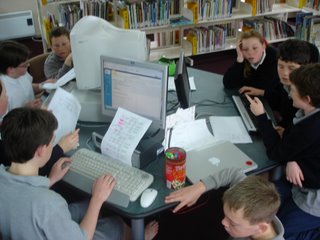
A great opportunity to be involved with the teams from St Joseph's in our NZ History Challenge. It was a bit like being down at the Irish bar on quiz night having these 3 teams working competitively in such close proximity as this pic shows! There was a lot of secretive discussion & the odd student who wanted to trade answers (hey that's not part of the game :-)
What an awesome activity for developing information literacy skills, communication skills & cooperative skills - yep & competitive as well. Students used the Internet to search for key words from the clues given, skimmed & scanned the pages to read around the topic and decide if they really had found the answer to crack the question. (Ctrl F was pretty useful to quickly find key words in a page when they weren't sure if they were on the right track). Questioning skills were also developed as students worked out the best way to ask the other teams questions that could only be answered yes or no and bring them closer to the answer. It was interesting to compare the younger teams (y4 & 5) with the y7 & 8 kids. It wasn't reading skills that separated the two groups (they were all capable readers) but the older students were able to analyse the information and draw inferences from it that helped them in their research - younger students needed a lot more guidance with this.
It was interesting to see how little our children know of our own History - which is why this was such a great topic. None of them had heard of the NZ Wars - we study 'Anzac Day' every year - how often do our kids learn about the NZ Wars? - probably more important in shaping our country.
Well actually having said that, the Taranaki Wars in particular Titokawarau & the Waitara Conflict are the subject of 2 Web Challenge entries from St Josephs. Another teams entry is about Te Maunga Taranaki. I spent some time with the helping them set up the structure of their pages though that is the easy part - the most important part is researching what they want to know and presenting it in an original way so others can learn from it...

More on Smart Boards:
Staff were discussing the possibility of introducing SmartBoards to the school, having visited Manaia and having them demonstrated in the school at our last Lead Teacher workshop here. Funding is a big issue especially when there are other priorities in a school - like the roof leaks & you need sports uniforms. You really have to justify this for such a big ticket item. You really have to be sure that this is an investment that is going to make a difference to our children's learning. Fine if you have a huge wad of EDI cash or have a DigiOps project going, or maybe even are able to tap into the very generous funding that Yarrows Taranaki have been distributing to Taranaki Secondary Schools (i will be investigating this further to see if we can't try & get our Primary Schools onto this) - then you're not competing with other resource needs in the school. I think the jury is still out on this - if you want to read further check out Artichokes comments in my last blog post or read Graham's comments on an earlier BardWired blogspot post.


Wednesday, 28 June 2006

St Joseph's

Another day with kids modelling to me - I think I'm going to be redundant soon! Which is a good thing i suppose...
Carol's Year 3 & 4 kids were showing me how they were using StoryBook Weaver for their creative writing. They showed me that by assembling a landscape, characters & objects from the reasonably extensive (though pretty Americanised galleries) they could write their imaginative stories. None of them had an idea for a story before they started (maybe they would if they were more familiar with the programme features) but used what they found in the programme to build their ideas from. There was certainly no writers block with this group. Some reviews of StoryBook Weaver talk about it being 'time-tested' - been around for years & still going so therefore must be good... and especially helpful for reluctant writers. This was a pretty switched on group anyway so it would be good to observe some of our more struggling students at work. Affordable educational pricing for network licences too - can be found on TKI Software for Learning (link above)
It was good to catch up with Michael's class to view their final product - A Digital Class Year Book - that we were working on last week. This would be a really great project for any Year 8 leavers class - something beyond the traditional school photo - to create together, share with their school community & keep as a dynamic lasting memory.
Carol & I spent the afternoon planning Junior School visits for next term. We want to take all our Yr 1 - 3 teachers away to visit other classrooms - our areas of focus are effective use of ICT, inquiry learning, thinking skills and innovative classroom ideas. It is no easy task to identify schools within easy reach that are doing this - though we have put our feelers out to the wider network & waiting for some feedback - watch this space!

Categories:

Thursday, 22 June 2006

Good Intentions

.... aren't always enough. The road to where? is lined with them. Reflect on the consequences of good intentions & change your game plan nxt time.

Heather (EPS) reflected that spending a 1/2 hour setting up a screen, dataprojector & laptop, 2 student mentors & Kidspiration to spend 10 minutes creating word blends together as a class was not as effective as writing them in her class book. So try something else - tomorrow forget the dataprojector we will use the clasroom computer screen instead & if that doesn't suit then back to the book. Though the opportunity to try things out is important at least to know that it's not the best way!

Michael (St Jo's) has acknowledged on reflection that his classroom project of creating a class year book has been a trade off between the pressure of finishing this work to a deadline, with the opportunity for all to be hands on. Classroom experts are great and have their place in supporting others but stand back and look at your experts - how many girls are there? Don't forget our girls, they are so easily marginalised and too often stand back and let the boys take over.
Many of our teachers are feeling the pressures of expectations - expectations to integrate ICTs in the classroom. It is great that they are feeling confident to try things out but it is equally important when they do this to critically evaluate the contribution to learning vs how practical is this to implement and adjust their practise the next time.
Well done Kim (St Jo's) for facilitating a school tutorial session today on using Kidspiration - sharing the expertise with others :-)

Tuesday, 23 May 2006

St Joseph's World Tour

Room 8 students went on a World Tour in Google Earth to view the countries they had been studying in their Carmen Sandiago unit. They were all very excited: "When are we leaving? When are we coming home?!" Very cool - here's a shot from Google Earth of our place :-)
Students in Michael's Room 9 class are busy constructing their Year Book - compiling video & images (their pics enhanced in interesting ways...) into a shared Movie Maker project. Look forward to viewing their final product - a work in progress so far. Other teachers explored online resources (including TKI digistore learning objects) that support their reading & maths programmes. They have created short cuts in folders on the classroom desktop with appropriate resources. Their challenge is to integrate these activities into their classroom programme so that all students have opportunites to use them & feedback to me in my next school visit on how it's all going. A big learning curve for everybody these last couple of days.

Tuesday, 28 March 2006

Video Blog


If the video does not display properly
click here to upgrade to Flash 8

Just playing again - there is so much cool stuff out on the web & it all works together so well. I thought Vimeo was the place for video but if i want it in my blog am trying out Video Egg. Thanks Jedd for telling us all about it on your blog. That is the power of 'web 2.0', all these cool interactive, web based tools - they just connect everything (& all of us) all together!
Thanks to St Josephs for the video "Sharing, Caring & Daring."

Oh for an even faster Internet connection...

Sunday, 5 March 2006

2Simple St Josephs

Carol's Yr 3 kids spent some time teaching me about some new software that they have been learning to use for digital story telling. 2 simple by far! 2Create a Story. Well i was the typical big person browing the pdf help sheets trying to work out how to import photos. Clickety, click, click, click - the little people beat me hands down working out that problem :-) Apart from being really easy for kids to use (maybe not adults who like to read instructions...) it exports to swf file. Very cool. So now i have worked out how to put flash on the blog. Here is their story about Beach Ed.


Categories: ,

Sunday, 12 February 2006

Vimeo

The wonder of the web just goes on & on. No wonder the buzz word is web 2.0 - today's web can do so much more - my latest find is Vimeo. A place to upload & share video, digg other people's video & leave comments etc. A bit like flickr but for video. A generous 20mb a week - a great place to share your kids work (if SchoolZone doesn't block it out as they have just done to Flickr! Grrrrr....)

Been selecting breakouts for Learning@School coming up in a couple of weeks in Rotorua. Got to be in quick to get your first choices - 850 coming this year - will be a biggie. Some interesting offerings too: Viral Learning; Protable technologoy ;-) Just goes to show the typing fingers are quicker than the brain! Had a play with SchoolMaster as St Jo's start learning how to use it with Terry Stowers - seems to be an increasingly popular choice - around this area anyway.

Monday, 21 November 2005

Have Tools - Will Blog

St Joseph's Y8's have been inducted into the blogosphere today. A project to keep them engaged and onto it in the remaining short weeks left to them in the little people's world of Primary School :-) Some deliberations on my part on the best tool for the job - Blogmeister is great for a more 'controlled' environment & i set up a teacher's account & had a play over the weekend but for ease of use it comes nowhere near the blogger.com wysiwyg post editing tool. I think i would use Blogmeiseter with a class looking at the long term of blogging but this project is just a 'snapshot' a blink in time for these kids who will be off and out there real soon. So we tried to make it as user friendly as possible. Not to say there are no checks in place. All blogs are set up so any new posts or comments pass by me, and all kids have signed a 'Bloggers Pledge' Like an Acceptable Use agreement but more specific to interacting in an on-line space. The big idea is a Digital Year Book - blog postings that reflect their years at St Josephs, this year as Y8's and the years ahead. Well they're on there now & i can see already that there will be lots of unintended lo's (learning outcomes) - just will try & pull them in past the joke page blog posts to some more serious reflections (Yeah right ;-) You can find links to all their blogs here. Plz visit them & leave them some comments. They would love to hear from you.