Wednesday, 20 April 2011

Changes to PLD for Schools

At the end of 2010, the MoE went through a process of retendering all it’s professional learning development (PLD)contracts for NZ schools. More information can be found about how to access PLD here on the Educational Leaders website.

One of the big changes in the elearning area was a move away from the ICTPD clustering model to a regional model “Blended e-Learning Professional Learning and Development Programme” in addition to this there are other supporting initiatives such as VPLD (Virtual Professional Learning & Development) – which i now have a facilitative role in. You can see an overview of the VPLD programme here. The PLD projects in the elearning area, as well as other areas, are provided by Te Toi Tupu. Check out their website to find more information about Te Toi Tupu and what programmes they are providing.

image

“Te Toi Tupu - Leading Learning Network consortium (CORE Education, The University of Waikato, Cognition Education, The New Zealand Council for Educational Research and Waikato Tainui) are providers of professional development and professional learning programmes.”

Monday, 4 April 2011

Bright Sparks @ Matapu School

Today students from Matapu School got to explore some electronics with Andrew Hornblow from Bright Sparks. It was a very quick introduction for them, as the main purpose of Andrew’s visit was to show me how he works with kids and what Bright Sparks is all about. Never the less, though the sessions weren’t linked to any integrated learning objectives, they were very engaging, lots of fun and we learnt a lot about circuits, electronic components, control & programming. In fact it was very cool, creating preprogrammed ‘robots’ or cars, with a garish array of LED lights, having burn off competitions, developing sensors for measuring light and temperature and seeing how the data can be logged into the computer.

My focus was to look at how we could take this into an online environment through the VLN Primary initiative and extend this type of learning to students around the country – particularly to those who would not otherwise get this opportunity (that is the big picture philosophy behind the VLN Primary). Bright Sparks has a website and a club for students who are keen on electronics where they can earn points and access free electronic equipment, project ideas, mentoring support and enter Bright Sparks competition.

This is definitely a programme that could be adapted to the online environment, through real time tutorial support in our Adobe Connect classrooms and one that would have benefit younger students by introducing them to electronics and bringing those keen ones into the Bright Sparks fold. The challenge now is to find someone with the time and expertise to work with us to develop and deliver and online introductory electronics class for our kids….. I will keep knocking on doors.

Thursday, 31 March 2011

Mount SPA – ICTPD workshops

Here are the presentations used in today’s workshops. Please feel free to give me feedback or comments in the comments box below this blog posting. Hope you find it interesting digging a bit deeper into some of these things – let me know how you go with this and add me to your skype contacts :-)

Thursday, 24 March 2011

Cracking Adobe Connect

Finally i have worked out how to enable my students to be more active participants in our Adobe classroom without having to promote them with permissions that will allow them to ‘accidentally’ muck around with layouts & settings etc.

The secret is to assign individuals enhanced rights to only certain areas within the Adobe classroom – these can be turned on or off at any time – but need to be applied each time you come to class. Now they can write on the whiteboards, notes and upload files etc

Wednesday, 16 March 2011

Global Connections – Join the Roof of the World Tour!

NZ schools are warmly welcomed to participate with their students in this ‘ANZAC’ connection with the the people of the Himalayas and celebrating the work of Sir Edmund Hillary's Himalayan Trust during their 50 Year Anniversary.

Visit their website to join or contact Maggie. 

image

Roof of the World Tour Spreading laughter and fun… sharing cultures, sparking imagination : 20 April- 20 May

Come and visit the Himalayas with us as we travel to 25 schools, teach juggling and theatre skills and learn about life in the highest mountains in the world. Ask us questions and watch our site for updates on the adventure.
Our group are a performing troupe, 2 Aussies and 2 Kiwis, performing for 25 schools in the Himalayas in April and May this year. We have been invited to provide performances in physical theatre and comedy as part of the 50 year celebrations of Sir Edmund Hillary's Himalayan Trust. While we tour we will also be finding out a lot about Hillary's legacy, the history of the country and a range of other lessons. We will be posting quizzes, hosting a forum and providing lesson plans and teaching resources free to use. We are keen to enable as many NZ schools to participate.

Tuesday, 8 March 2011

VLN Primary Kicking Off for 2011

Things are ready to roll with the VLN Primary online classes for 2011. We are starting with confirmed classes this school term of Te Reo, Japanese, French, German & Astronomy. In the wings, to be confirmed and starting from next term will be Spanish, more Japanese & Te Reo classes, Gaelic & Electronics.

It is great to be continuing with a small but solid base of schools who collaborated last year and to welcome a growing number of schools to the VLN Primary community. I have been running Taster Classes the last couple of days (and on request for anyone interested in learning more). We have had quite a number of students from schools as diverse as Thorndon in the heart of Wellington city, to Kaingaroa a school in a lovely and remote Chatham Islands fishing settlement and smalls schools in the hill country of Eastern Taranaki.

Taster classes are designed to familiarise students with the online learning environment and iron out any technical problems schools may encounter when they connect, before they come into our scheduled classes. Students learn about the technology and they also learn how to communicate & interact with others in a way that is quite different from face to face classrooms. These classes allow schools to get an inside look into how online classrooms work before they decide to make a commitment to participate.

One of the students said ‘This is so cool, I can’t wait to start my class!’ Though i responded with a reality hit back to say, ‘Yes i hope you feel like this every week till you complete your class.’ I don’t want students and schools to be instantly hit by the WOW – novelty factor but understand this is an ongoing  commitment to learning. Even so, i was also thinking ‘Me too!’ Looking forward to teaching my class on Friday!

Friday, 4 March 2011

Christchurch Schools – Where is the vision?

http://www.stuff.co.nz/national/christchurch-earthquake/4731463/Christchurch-earthquake-Plan-to-get-kids-back-to-school

“Re-locatable classrooms may be put onto sports grounds to house more than 10,000 pupils whose schools are closed”

I continue to be disappointed by the lack of vision our Ministry of Education has in responding to the needs of Christchurch school children – both immediate and long term.

What is this huge preoccupation with bricks & mortar as the necessary foundation of schooling for our children? Why should we be relocating buildings to create overcrowded schools when learning centres can be (and are being) set up within the community? Why should you be encouraging teachers from around the country to offer relief assistance when eteachers around the country are willing and able to take on more students into their classes and provide new classes? 

As the Christchurch Council bravely starts to espouse a vision of a very different city rising from the rubble how is a vision being developed for education? Where is the creativity in changing ideas and approaches to meet the learning needs of our students?

Quakeboarding: Photo by Alicia Krueger

The VLN Community is well positioned with the networks, people and expertise to help make a difference now and into the future for so many of these affected students but this requires some higher level thinking on behalf of the MoE and strategic planning and support.

Here is the VLN Community response:

“The VLN Community is working now to increase capacity in all our existing online classes as well as exploring how new classes and online learning support can be put in place to take more of our displaced students. There are a number of teachers who have indicated their willingness to support these students with keeping up with their learning, some who are even willing to do this in their own time. With some increased staffing from the MoE there is quite a pool of experienced eteachers that can come online and offer learning opportunities for these kids. The VLN Community can give professional support for teachers who want to connect with their students online by assisting them with accessing and using online tools available to them through the MoE.”

Friday, 18 February 2011

The Rainforest Connection

RainforestConnection

Check out Rainforest Connection. An opportunity for your students to connect to experts in the rainforest of Belize. This is only available until the 25th February. Get onto it now if you are interested!

Monday, 7 February 2011

Managing URLs

I’ve been using Tiny Urls for quite awhile to simplify & share strange web addresses that i create. But today i started using http://tiny.cc in the first instance because it allowed me to customise the url with a meaningful name instead of a bunch of random numbers. Then when i logged into tiny.cc i found that i was able to keep track of the urls i had made – search for them, add notes, edit them and even get some simple stats feedback.
More than anything this will be really valuable for me to keep track of the urls i have created over time as my cyber-pathways get more and more congested and complex. Very handy dandy!

image

Tuesday, 1 February 2011

VLNC on EVO

The first VLN Community meeting of the year today, and i was able to join the VC through EVO.

evo

EVO is free to use, just register download the client app. put the IP number of the VC unit or bridge you want to connect to and you’re away! (The default is mute so don’t forget to unmute…)

This has been very convenient for me to access VC meetings without having to travel and find a VC room to accommodate me. The quality has been fine with the low bandwidth I have at the moment (.66 down, .47 up) but i don’t transmit video and use audio only. I have explored using Polycom PVX software or CMA server (hosted by AsNet) to join the VC bridge but i just can’t seem to get the network settings to work from home. They work OK from a SchoolZone school but defeats the whole purpose about being able to access the VC Bridge from anywhere. I am looking forward to the launch of Adobe V8 later this year which is said to have the capability of linking with H323 (this is the protocol used by NZEdVCNetwork). This will enable more of our schools to access some of learning opportunities that are currently only offered through the VC Network without the need for buying expensive VC equipment. (Though bandwidth will still be an issue for some of our schools – roll on RBI!!)

Here is a help sheet for using EVO to access VC.

Thursday, 21 October 2010

ELearnings

image

It was a little disappointing this publication wasn’t launched at Ulearn earlier in the month. Though it will be released soon so go to Core-Ed to register your interest. This book is a collection of personal perspectives from a variety of people and aligns with the implementation of the national strategy for ICT in Education. I have contributed a chapter in the section Digital content & Community about “The Virtual Learning Network – Increasing Access for Learners.”

Tuesday, 19 October 2010

Video Conferencing Technology Options

Many of the Secondary elearning clusters online classes are based on Video Conferencing between schools. Much of the VC equipment (in our cluster anyway) is now 8 years old - wow that must be over 100 in human years! It is really important for schools to have in their long term plans and budgets contingencies for the replacement of equipment. The following is an overview and comparison of VC solutions from the simple desktop through to HD VC.

Although VC is not the only way to connect learners online. In some ways i think VC can be a pedagogically unsound way to run classes as it is so easy to replicate the f2f transmission model of learning. Other options for online learning that schools can be looking at are the use of Adobe Connect for real time classes which has more functionality for the interactions of students and the further development and use of Web 2.0 tools and LMS classroom environments with a focus on putting the student at the centre of learning.

Thursday, 14 October 2010

The French Connection

image

ULearn is a great place for making connections and in a round about way through those connections I have made contact with Pascale.

Merci beaucoup Pascale for profiling learning languages online!

Pascale shares examples of our TaraNet Y9/10 French class and the VLN Primary languages programme.

http://www.french.ac.nz/blog/French+via+Video+Conferencing+/

This is a great website for supporting NZ French teachers.

Wednesday, 13 October 2010

The Creative Internet

The world IS full of interesting things. Just need the time to check it all out!

Friday, 30 July 2010

Screen Jelly – record your screen from your browser.

image

This would be very handy for our students to quickly and easily record themselves and share their work. Can see great potential for learning languages online.

Thursday, 29 July 2010

Learning Languages Taster Classes

As part of the VLN Primary initiative i am working on, i run ‘Taster Classes’ to showcase to schools who want to know more about our project. I also run this class with students who are enrolled with us before they begin their language classes to prepare them for learning online. We cover such things as learning to use our online learning tools – the Adobe Connect classroom, our audio connection, and Moodle site. We also learn about effective ways of communicating with each other online and talk about the benefits of learning languages also.

I had a great session with the students from Auroa School today to prepare them to join their Spanish & German classes. If you are interested in you and your students attending a Taster Class, and interested in joining the VLN Primary initiative contact me :-)

 image

Friday, 23 July 2010

Hawera High School Online with the VLN

PICT0016Hawera High School had their first VC class today. Here two students chat with their Physics teacher from Te Kura.  We are using Polycom PVX software and a logitech camera and the quality is pretty good. We do also have a polycom microphone and speaker set but this has been causing feedback with the speakers on the camera so still need to work out how to resolve this. You shouldn’t need to have expensive equipment to be able to hook into online classes. The challenge to come will be for teachers who are used to the functionality of zooming in on whiteboards, using document cameras or sharing their laptop through VC – desktop VC doesn’t provide the same ability because of the limitations of the camera. Surely then the answer looking forward to having access to high speed connections will be using webcams in Adobe Connect to provide a more interactive learning experience for both student and teacher.

Monday, 19 July 2010

TaraNet Students Rate their Online Learning

image 

Half or our students think that learning online is just as good as face to face. While the other nearly half think that it is better than Correspondence. A big tick for the VLN :-)

Interesting to note too that one of the biggest challenges our students face with their online learning is the quality of their school internet connection – roll on UFB (ultra fast broadband)!

Thursday, 1 July 2010

Truly Remarkable – NZPF Conference Queenstown

I have spent the day at conference today to share the message of the Virtual Learning Network (VLN) Primary/Intermediate initiative. Unfortunately when it came time to give my elevator speech my technology failed and i couldn’t get my presentation to run – aaagghhh! Anyway below is the presentation. Schools who are interested in finding out more and participating in this initiative should contact me. We are really keen to involve new schools who are wanting to collaborate with other schools to extend learning opportunities for their students through online learning. We have room for new enrolments next term in our German & our Te Reo classes, possibly a new Spanish class starting up also. Keen also to hear from any teachers, language teachers even more so, who want to learn to be online teachers and offer a class to other schools.

Wednesday, 30 June 2010

One Day on Earth – Global Collaborative Project

image

“If you only had one day to document the world….What story would you tell?”

One Day on Earth - Original Trailer from One Day On Earth on Vimeo.

“Across the planet, documentary filmmakers, students, and inspired citizens will record the human experience over a 24-hour period. By participating in this historic event, you will help capture the diversity of life and culture on this planet. Together we will create a document that is a gift to the world.”

What a great opportunity to push back the walls of your classroom & collaborate globally – Get involved with your students!

http://www.onedayonearth.org/

Friday, 25 June 2010

GE4Skls Project

Today Kelvin Squire, Stratford Primary School; Chris Sharpe, Gen-I Taranaki; and myself presented to the New Plymouth Principals Group. We shared the success of our Gen-I Engineer for Schools Project, now half way through it’s fourth year of operation. The seeds of the idea for this project came originally from the DigiOps Community Technician Project. Whatever happened to this i wonder… Schools interested in joining our Taranaki initiative or wanting assistance in setting up something similar in their own areas should contact me.

Thursday, 24 June 2010

What’s that Font?

Two interesting websites for fonts. The first one probably more useful than the second enables you upload an image of text and then goes through a process of matching to known fonts. Really useful to find a font, that you have seen online, want to use it & don’t know what it is. Just take a screenshot of a piece of text, upload it to What the Font, and go through a matching process.

image

This website is more fun than practical, allows you to create a personal font that is based on your handwriting script. Download a template of the alphabet and numbers, fill it in by hand, scan and upload back to the site. Not sure how you access and then install your new personalised font. Haven’t got that far – but a very cool idea.

image

Create a font from your own handwriting. Download a template, complete by hand (alphabet & numbers), scan and upload back to the Pilot Handwriting site.

Wednesday, 23 June 2010

What Adults Can Learn From Kids

“Child prodigy Adora Svitak says the world needs "childish" thinking: bold ideas, wild creativity and especially optimism. Kids' big dreams deserve high expectations, she says, starting with grownups' willingness to learn from children as much as to teach.”

Adora is available to connect online with teachers and students through CILC.

Monday, 21 June 2010

Class Tools @ Waitara

Today i visited Waitara High School for the first time this year! With my reduced hours i don’t get around the schools so much but it was very good to catch up with Amaia our online Spanish teacher and chat to other teachers about what they are doing with icts in the classroom. Amaia is one of our eteachers on the Virtual PD project and though she has found it challenging to be learning more about using ICTs in teaching and learning she is gaining much from her work with Hazel and the other  eteachers on the programme, and sharing with her colleagues back at school. Here is a handy little tool, i will be using this with the VLN Primary language classes:

image

‘Classtools.net allows you to create free educational games, activities and diagrams in a Flash! Host them on your own blog, website or intranet! No signup, no passwords, no charge!”

Friday, 18 June 2010

Life Long Learning at Matapu School

matapulogo1

I may be a little biased ;-) but a great write up in the local paper this week about Life Long Learning at Matapu School. Matapu are leading the VLN Primary Initiative. They provide French online for Year 7 & 8, & students participate in Spanish & German classes online. Jarad is working with other eTeachers nationally in a Virtual PD programme (the only Primary teacher), he will be a great asset in supporting others learning to teach online. Matapu School also freely give their students to work with our beginning eteachers as they grow in their confidence and capability as online teachers. Principal, Rick, is a Council member of the Virtual Learning Network Community. This is some of what Rick has to say about elearning at Matupu:

“This particular class offers a ‘blended learning’ approach; that is, subjects are delivered in both the traditional manner, and through the extensive use of information technologies.”
This dual focus sums up the classroom experience of the students at the school – blending the old with the new, and Rick sees this happening in more and more ways in the future.
“Technology has been in schools for a long time, but there’s a lot of development going on in integrating it further.”
One of these ways is through what is called the Virtual School’s Network (VLN); an online community of predominantly smaller schools where children and teachers share lessons with each other.
“One of the greatest problems a rural school faces is access to teachers of specialist subjects. By being on the VLN, our students can be involved in virtual lessons delivered by any number of specialist teachers around the country; we run these online and through teleconferencing.
“In fact, as part of the exploration of European culture, we’re audio conferencing with a Spanish teacher in Cambridge and a German teacher in Kaimata. Jarad is helping those schools out with French, from here at Matapu.”
Obviously, this kind of teaching has implications for the traditional classroom experience in terms of lesson delivery and assessment, but Rick definitely sees this as a way forward in education.
“As ‘virtual presence’ technology improves, all the best teachers will be able to teach those students who wish to learn through their own inquiries.
“There will always be a place for that traditional connection between a teacher and their students; teaching ‘via the clouds’ is another tool to enhance learning for their children.”

Thursday, 17 June 2010

eLearning eBooks

I have been looking at a couple of free ebooks about elearning available in the last few days which would be very handy to share with other teachers to guide them in their professional learning. The first couple are recent & Reach is only available as a free download for another couple of days. The others are ones that I have accessed in the past. As i looked up the links for the original downloads I found this presentation from Zaid which showcases more ebooks about elearning.

Web Tools Applied to Teaching

image

“20 webtools EFL ESL teachers can use to maximize learning.”

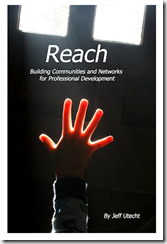
 Reach available for another couple of days
image

“Building learning communities and networks online means reaching beyond the walls of your classroom, the walls of your school, and even the walls of your own state, country, or continent to create connections. Once you reach out and make connections with other educators, professional learning like you have never experienced before starts to flow your way. You will soon find yourself in a state of continual learning. Taking advantage of the constant stream of information available today on the web at any given moment and using it for your own professional growth is what it means to learn in today's digital world. It is the ability to connect to the information and people you want to learn from. It is literally having the resource that is the Internet at your fingertips when you need it.”


eLearner Survival Guide

image 

“This broad reaching collection of essays on e learning examines accomplishments, new directions, and challenges from many perspectives. The essays are arranged in categories, which include e learning and e learners, teaching and instruction, student en-gagement, learning communities, outcomes assessment and institutional leadership, all of which relate to learners and programs from college, K 12, career, to corporate training. Of special interest is a focus on successful outcomes for students and programs, and essays on often overlooked niches of learners, including generational differences (Gamers, Boomers, Gen X, and Gen Y), stay at home mothers, working mother e learners, homeschoolers, bilingual online education and training.”

Facilitating Online a Course Leaders Guide

image

“Facilitating Online is a course intended for training educators as online facilitators of fully online and mixed mode courses. The Centre for Educational Technology (CET) produced a Course Leader’s Guide as an Open Educational Resource to assist educators and trainers who wish to implement a course on online facilitation within their institution or across several institutions.”

Using Moodle - Teaching with the Popular Open Source Course Management System

image

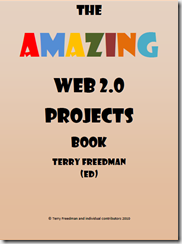
The Amazing Web 2.0 Projects Book

image 

  • 87 projects.
  • 10 further resources.
  • 52 applications.
  • 94 contributors.
  • The benefits of using Web 2.0 applications.
  • The challenges of using Web 2.0 applications.
  • How the folk who ran these projects handled the issues...
  • ... And what they recommend you do if you run them.
  • What were the learning outcomes?
  • Coming of Age: An introduction to the new world wide web

    image

    “A collaborative venture between 14 people from the USA, Canada, Thailand and the UK.
    editor Terry Freedman www.ictineducation.org The main objectives of this free publication are first to inspire teachers to want to try some of these "new tools" (web 2.0) for themselves and with their classes, and then to provide practical advice and guidance on how to do so.”

    eBooks from The eLearning Guild!

    eBooks from The eLearning Guild are guaranteed to put a wealth of information at your fingertips! The Guild has two formats for eBooks. While each eBook is focused on one theme, some are collections of tips we gather from Guild members from around the world, and some are collections of articles from key industry leaders. In either case, you'll find valuable information that you can use in your organization!

    Wednesday, 16 June 2010

    Interactive Learning & Collaboration

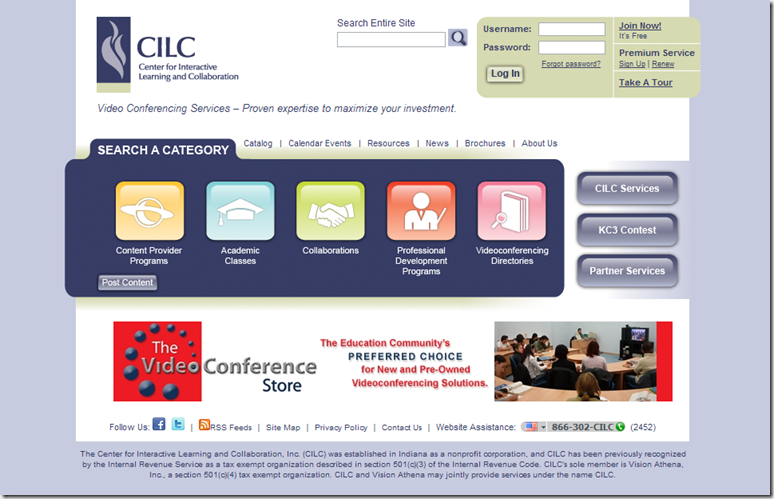
    Today in my online wanderings & readings I found the Center for Interactive Learning and Collaboration.

    image

    I found myself at CILC after reading 5 Ways Classrooms Can Use Videoconferencing. Which highlighted the 5 ways as:

    1. Connect with the Experts
    2. Virtual Field Trips
    3. Working together
    4. Accessing Previously Unavailable Courses
    5. Teaching the teachers

    These things I know, my colleagues and I have promoted and been engaged in these types of activities for many years throughout my involvement with the Virtual Learning Network (VLN).  It is interesting to see the different models of online learning such as CILC or the VLN and probably others, all contain the same basic elements. Thank you Derek, for your work with the LCO (Learning Communities Online) handbook, and the Greater Christchurch Schools Network, for simplifying these elements into the 3 Ps – Programmes, Projects & Professional Learning.

    Though online learning, is not just about Videoconferencing, there is a wide range of tools freely available to support Interactive & Collaborative Learning Online. If you’re not connecting & collaborating with other schools – try it out. Contact the Virtual Learning Network (VLN), VLN Primary Collaboration, ICTPD Network, Core-Ed or elearning clusters in your area.

    Thursday, 27 May 2010

    Lead the Learning Revolution

    This talk, and many others like it, are very inspirational and should be listened to and shared with colleagues but we can talk till the cows come home and nothing will change. Until we set up the structures for the learning revolution & have courageous leaders who will take the plunge and start walking the talk. What will it look like for our students, for our teachers, and WHEN will it happen??? In my work over the last few years i thought i could make a difference for my children at school. Well i only have two left at school, one finishing this year, and one with 3 years to go – Tick Tock. There goes the 21st Century slipping away…

    Tuesday, 23 March 2010

    Safe Social Networking with Smokescreen

    image

    “Smokescreen game guides teenagers through dangers of social networking”

    Learning about safe social networking through scenarios & simulation inside an interactive game designed as a social network site ‘White Smoke’. What is different and very effective about this cybersafety/digital citizenship game is the immersive nature of being inside the social network and interacting with the characters in the scenarios and actively having to seek out through the maze that is a social network to find out what is really going on.

    This is a good one – send your kids there. http://www.smokescreengame.com (Most suitable for teenagers.)

    Monday, 22 March 2010

    Rural broadband: virtual teachers?

    An interesting concept ‘virtual teachers’! A time for the VLN to come out into the light and show people there are Virtual Teachers & students & we have been here for some time…

    http://www.stuff.co.nz/the-press/technology/3461382/Rural-broadband-virtual-teachers?

    Have your say. Good to see some elearning students and eteachers commenting on this article :-)

    industrial_school

    “In the industrial age we went to school…
    in the information age school comes to us”

    information_school

    Wednesday, 17 February 2010

    Step Change? Out of Step!

    clip_image002 How short sighted of this Educational Working Party to think they are coming up with a new idea to have students access courses from places other than their own schools! Short sighted too of TVNZ to discuss this with two Auckland Principals and one academic. Don’t they know that beyond the Bombay Hills, if they would bother to look, for the last seven years students from around the country have had increased choices and been able to personalise their own learning pathways through the Virtual Learning Network.

    The full report of Step Change can be found here as well as ACTs minority report Free to Learn (which is a lot scarier).

    TVNZ news reports here, here & here.

    Monday, 14 December 2009

    Ka Kite PPTA ICT Taskforce

    Unfortunately i have decided to resign from the taskforce as i will no longer be working full time in Secondary Schools. It has been interesting to be part of this group and to coordinate their discussions back to teachers in my area through our TaraNet Lead Teacher Group. Hopefully someone from this group will put up their hand to take my place in the PPTA.

    In reference to an earlier post about Connected Secondary Schools here are recommendations from that report:

    1. That the report be received; and
    2. That PPTA call on the Ministry of Education to undertake a consultative review of funding, staffing and IT support to better support collaborative practices in secondary schools; and
    3. That PPTA urge the government to recognise the innovative work of the Virtual Learning Network (VLN) by restoring funding for e-learning principals; and
    4. That PPTA urge the Ministry of Education to extend its present range of central purchasing to include multimedia copyright licenses; and
    5. That PPTA develop a campaign that places the expectation on all secondary school boards to pay for teacher laptops; and
    6. That PPTA develop a Code of Practice and safe working practices for the use of digital technologies.
    7. That PPTA support central purchasing and funding of a range of software and hardware for schools by the Ministry of Education.
    8. That PPTA call on the Ministry of Education to develop a plan to ensure that all students have access to appropriate hardware and software in their communities and/or homes.
    9. That PPTA urges the Ministry of Education to fund secondary and area schools for appropriate full-time digital technology support.

    Friday, 11 December 2009

    Just for Fun

    Thanks Inka for sharing this one with us today :-) Very clever.

    Made by Alan Becker His comments on this animation:

    “ An animator faces his own animation in deadly combat. The battlefield? The Flash interface itself.
    A stick figure is created by an animator with the intent to torture. The stick figure drawn by the animator will be using everything he can find - the brush tool, the eraser tool - to get back at his tormentor. It's resourcefulness versus power. Who will win? You can find out yourself.
    -- This took three long months.. i think it's worth it.”

    TaraNet Top eLearner 2010

    2010 Deputy Head Boy Tama Porter (Large) Congratulations to Tama from Waitara High School who was top TaraNet eLearner this year. He is in his second year as an elearning student, this year studying L2 History with Rangiora New Life College in the South Island. Tama loves learning online and is always positive, enthusiastic and hardworking. Congratulations too Tama, Deputy Head Boy next year! :-) He receives a notebook computer from our generous sponsors Gen-i Taranaki.

    Friday, 4 December 2009

    Central North Island VLNC - Professional Development Days

    TaraNet teachers joined with teachers from the Volcanics & CoroNet schools for two days of  very focussed professional learning at Stratford High School. There was such a range of experience, from those yet to begin to a few of the first original eteachers. The continuum of confidence & capability in elearning technologies was also very broad from the ‘old school’ not too sure of any of the technology but willing to give it a try, to the very technically savvy. All had something to share and conversations between eteachers was very important to those who spend much of their year in elearning isolation. We had  3 Spanish teachers so there was a lot of conversation happening there, as well as an ebaby, Sonia’s baby Amelia who was very happy for two whole days … thank goodness ;-)

    A big thank you to all who contributed to our day – Lynda Walsh-Pasco (OtagoNet), Trevor Storr (AorakiNet), Derek Wenmoth & Jason Reid (SILC). Also to the staff at Stratford High who made the organisation of this day much easier with the allocation of classrooms, technical support and catering.

    You can see our programme and resources here.

    Thursday, 26 November 2009

    Desktop VC to H323

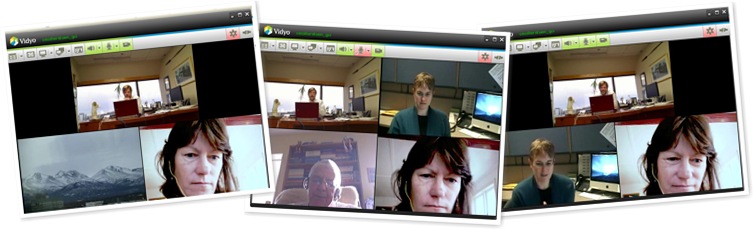
    This morning i joined with Craig from GCI in Alaska, Janine from Michigan, & Janet my ePrincipal colleague from Baylink cluster to have a conversation about desktop video conferencing and integrating webconferencing (think Adobe, Elluminate) with H323 connections (what we know as ‘VC’).

    Firstly we looked at the lower cost hardware options of webcam & echo cancelling microphone running through the desktop compared to an integrated H323 VC unit. Craig demonstrated the difference by switching between the two during our call. There was no noticeable difference at all. With USB extension cables attached to the camera set back from the laptop you can have a wider view (potentially including more people) than the close up view (compare my & Craig’s pictures). The only drawback is that the webcam (currently) doesn’t have the same functionality as a polycom camera of zoom, pan & tilt.

    We then went onto discuss the Vidyo platform we were meeting in. Craig & Janine were both coming into the VC with their regular VC IP connections, Janet & I were coming through the open internet using our webcams from home. The beauty of this is that you don’t need expensive hardware or even a connection with Qos – Quality of Service (such as we currently have to use with SchoolZone to be able to VC). You can bring people in from just about anywhere providing they have sufficient bandwidth (I have nearly 2mb download & 512kps upload) & you can bring in users on a standard vc connection as well.

    The possibilities here are being able to open up our online classes that are currently only VC to any school with web access or vice-versa. Those schools such as in SILC cluster with only web conferencing would be able to bring in VC connections also. Schools, particularly primary schools who want to join virtual fieldtrips won’t have to pay crippling internet service prices for a video connection or traipse down to a VC room at the local high school but be able to connect from their own classrooms.

    This sort of solution to current VC constraints will really open up accessibility for the Virtual Learning Network and is something that our VLNC community needs to investigate further & put to the MOE to provide the support we need. The VLC has an infrastructure working party that has been looking at EVO which is being used by users on the KAREN network – very similar i believe. Hopefully something will come of this as we move into the high speed network era.

    Thursday, 19 November 2009

    LEARNZ Antarctica Field Trip

    Today i supported St Joseph’s Stratford students make a VC connection to Scott Base in Antarctica for a conversation with Scott Base staff about the Wind Farm they are developing there. It is great that St Josephs have been able to link into our local secondary school & use the resources & expertise available to reach out beyond the walls of the classroom. I would really encourage Primary Schools to foster those links with their local schools to enable these VC opportunities for our students. Secondary Schools also should be reaching back to their feeder schools and invite them in to share their facilities.

    The field trip itself was great with a view out of the window (I didn’t know Polar Bears lived that far south ;-) and lots of questions and answers from the students, ably assisted by the presenters penguin bringing up pictures and video on the laptop to share. LEARNZ fieldtrips are now supported by the MOE and free of charge to schools wishing to participate. They are not just one off VC or audio conversations but are part of a whole unit of study.

    Wednesday, 18 November 2009

    MOE VLN-IS Lead Teacher Meeting

    eddie Eddie Reisch from the MOE joined our TaraNet Lead Teacher meeting this afternoon. Although we didn’t have many Lead Teachers attend this meeting, those that did attend heard from Eddie about an overview of the VLN Internet Services, the roles of people involved, what Internet Services are being provided for schools behind the scenes (such as Adobe, Tandberg etc), how it is managed, and how through their cluster they can tap into these services. Eddie also spoke about how is Moodle is being supported by MOE for clusters and future developments with that. It is good to have our teachers engage directly with people like Eddie to be able to discuss their needs, concerns & give feedback to the MOE.

    Friday, 13 November 2009

    eTeacher Professional Learning.

    I have spent some time with eteachers over the last few weeks reviewing their professional learning goals from the year. Joel has now put his L3 Statistics and Modelling class into Facebook. I am looking forward to following this in 2010. One of the areas that our eteachers have sometimes struggled with is engaging their students with communication & interaction online. This was also identified by our students as something they felt they needed more of in their VLN classes – more opportunities to interact. This is one way to produce an Open Educational Resource and to engage our students in interactive environments.


    image

    I have been collaborating with Conor & Jan from the Volcanics & CoroNet cluster to provide 2 face to face days of professional development for our eteachers & possibly also could include others in our schools who are interested in any of our workshop sessions. So far we have planned out the programme. Now to spend some time on developing the workshops so they are ready to run. I am really looking forward to hearing from Derek and also from Lynda with feedback from the NZCER research.

    Inspiring our School Leavers

    Last week i had the privilege of attending Senior Prizegivings at two of our TaraNet Schools. Apart from recognising the achievements of our students in the awards that are given, this is also a time to farewell them in their journey into the wider world beyond the school gates. (As one student put it ‘the real world’ – though we should be bringing  more of the ‘real world’ into school but that’s another story). Speakers at both of these events talked about the rapidly changing world our young people are moving into, the skills, values & dispositions they will need to develop to thrive there, and what changes schools will need to make to enable  young people to develop as life long learners. Both speakers specifically focussed on the power of web 2.0/3.0 to enable students to collaborate, connect, innovate & become global citizens.

    Kelvin spoke at Stratford High School and shared this video to illustrate his point of being connected, collaborative global citizens:


    Marg spoke at Inglewood High School and the video she used to illustrate her speech was this one:

    Thursday, 12 November 2009

    20/20 ICT in Schools 2009

    image

    New Report on ICT in Schools Released: Cost the biggest barrier to computer usage in schools

    Schools have given a strong message to IT suppliers and government that they'd like more centralised procurement of computer equipment and services to help reduce costs. This was revealed in the 2009 ICT in Schools survey, released today by the 2020 Communications Trust.”

    read more or download the full report here.

    “In spite of equipment costs, the 2009 report found that New Zealand students have good access to ICTs in their schools. With one computer for every four primary students and one for every three secondary students, access is significantly better in New Zealand than in the UK.”

    I think this idea of student access to ICTs measured by the ratio of numbers of computers in schools per student is fundamentally flawed. These statistics show that a student should be able to use a computer at least a third of the time at school? I don’t believe this gives a true measure of access at all and is too simplistic. Sure there may be lots of computers in a school  but are they readily available to students & when they do manage to get their hands on one what are they able to do with them? We should be asking our students questions to gain a true measure of access:

    • How often do you use a computer at school?
    • Can you independently access ICT equipment at school when you need to?
    • How do you gain access to a computer? (Where do you go, who do you ask?)
    • Do you know your user name & password?
    • Do you have a school email address?
    • What do you use ICT for at school?
    • Can you access sites you need on the internet?
    • Are the computers you use up to date?

    Here are the answers to those questions from my Year 9 daughter (who by the way lives on the computer at home).

    I can’t remember the last time i used a computer at school. I think it was for our Science Projects for research in August. I guess i could gain access to a computer if I needed to i would ask my teacher but i haven’t needed to. Yes i know my username & password. I don’t know if i have an email address i don’t think so. We wrote our essays for English on the computer. When we did computers i used a computer but thats obvious. In Maths at the beginning of the year we did a mini-project – research & publishing. In Wood we used the computers to find images for our work. Sometimes sites are blocked that we need to use but you can find other sites but it takes longer. Sometimes when i try and get onto a webpage it asks for plugins – not all the time though.

    So its not just numbers of computers in a school that show the true access our students have to computers. It’s there ease of availability to our students – it shouldn’t have to be a mission to get your hands on one. It’s also about their need to use computers – why aren’t our kids needing to use a computer in school? 

    I don’t think that students will have true access to ICTs unless they can use their own. With the costs of notebooks coming down that day may not be too far away. Who is of the generation that remembers when calculators came into general use at schools. How expensive they were yet some parents brought them for their kids & they took them to school. Before too long they became a standard item as they still are today.

    Wednesday, 11 November 2009

    Te Papa Colossal Squid VC

    I am cross posting this from our C4 blog as this was such a great VC. I highly recommend you book this for your students!

    Today was one of the highlights of our C4 class when we had Diana-Grace Morris & Melanie from Te Papa join our class to talk about and show us the Colossal Squid. Diana told us the story of how the Colossal Squid was caught and came to be on display at Te Papa. We learnt about the anatomy of a squid as Melanie dissected a smaller version. This would be a great VC to do with our own squids & scapels in front of us.

    collosal_squid

    Students can follow-up (or prepare for) this VC with hooking into the Colossal Squid Website and ask anymore questions on their blog there. Good question Lewis about what they are going to do with the Squid when it comes off exhibition. Given that the little squid in the dissection above was pretty stinky (thank goodness you don’t get the smells over VC ;-) imagine how stinky the colossal one will be!

    tepapa_squid

    This is a great website, you can engage in questions and discussions through the blogs linked from there and ‘play’ with the interactives. I really liked the build a squid interactive, not only do you learn about the body parts of a squid but when you have finished it you set it free and can check in later to see how big it has grown and what it’s been doing.

    squidward

    Do you know that as of today there are 1071 Squids named Squidward swimming around in the Te Papa interactive!! Here is my Squidward above.

    Remembrance Day

    image

    Today the RSA launched their speech competition for next year. This one is worth following up with your students as the winner gets to travel to Gallipoli next Anzac Day. (Yr 12 & 13’s only)

    The resource page that supports the Speech Competitions is an awesome collection of links for all students studying the Wars.

    Thursday, 5 November 2009

    Wordspace: The Sky is the Limit When You Read

    image  image image

    I facilitated another great WordSpace VC with authors Melanie Drewery, Joy Watson & Brian Falkner today. These authors were visiting schools in South Taranaki and so delivered their VC from Stratford High School. Brian is now an old hand at connecting with kids online and he was great at breaking the ice with students and drawing out the conversation with the other authors.

    Students hooked in from Northern Southland College, Roxborough Area School, Te Aroha College, Mercury Bay Area School, St Kevin’s College & Ashburton College.

    Wednesday, 28 October 2009

    Social Networks for Learning Languages

    Learning Languages is now a separate learning area in the new curriculum and compulsory for schools to provide the opportunity for Years 7 – 10 to learn an additional language. Primary Schools are now collaborating to offer languages across their schools & this project is now growing from 3 to 7 schools offering introductory French & Spanish (from small acorns grow… :-)

    The following are some social networks for learning languages, that with supervision & guidance, be a useful addition to the language teachers toolbox.

    image

    http://www.livemocha.com/


    image

    http://www.italki.com/


     Guide to these & other sites


    image

      “Learn a language with the Radio Lingua Network by downloading our free materials to your computer or mp3 player …” http://radiolingua.dyndns.org/


    Monday, 12 October 2009

    Blogging Guidelines for Schools

    “The purpose of this document is to assist schools in developing a policy for the safe and educationally appropriate use of web-logs or blogs.

    Although the document addresses blogs specifically, the concepts can be applied to the use of a variety of read/write web tools designed to facilitate communication, commonly called Web2.0

    1. Why use a school blog
    2. Establishing an educational blog
    3. Monitoring and managing the school blog?
    4. Privacy and copyright
    5. Platforms and tools
    6. Discussion questions for your school”

    You have until the end of the week to share in the shaping of these guidelines for schools. Many schools have closed the opportunities of Web 2.0 to their students because they are unsure of how to manage what is potentially a disruptive technology. These guidelines will be an important resource for schools as more and more they allow their students to safely step out into the Wide Wonderful World of Web 2.0.

    image NetSafe are currently revising their Cybersafe Schools programme and are looking for contributions from NZ Schools about how we can ensure our young people have the skills and attributes to be good citizens in a digital age. You can register to become a member of the NetSafe Education Network here.

    Wednesday, 7 October 2009

    Ulearn Conference - Anne Tolley's Opening Address

    Beehive - Ulearn Conference

    Shared via AddThis

    You can't run, you can't hide - there is no option:
    "We have some schools that are racing ahead, some that have developed local solutions, some that are still trialling ideas, some who have experimented and given up, some who have made mistakes and learnt from them and some who are possibly hoping it will all go away. I have a message for them - this is not going away. Hiding from, or ignoring e-learning is not an option."

    That's a pretty strong message - how is this going to happen? Not on the back of fibre connections & improved infrastructure alone, ICTPD provision also has to develop new models than the current clustering system to meet the needs of all schools. It used to be that within an organisation you should match the same amount of funds spent of infrastructure into staff support & training. How would this balance with the projected investment of millions into infrastructure - hmmm i don't think we would measure up anywhere close to that equation. A plea to the Minister be careful about putting your technology cart before the horse and invest in people to support the coming changes.

    "We need to put together our collective knowledge and experience and structure a coherent, rollout of broadband and ICT to all schools. We cannot afford to continue to drift on in a fragmented fashion. It is time for schools to be seen as ICT leaders and to encourage innovation and development."

    I most definitely agree - a great place to start would be within the MOE where the right hand doesn't know what the left hand is doing. There was many mentions of the VLN & it's various activities during the Minister's speech. She then goes onto talk about a National Education Network trial & extending that trial out to more schools.
    Helloooo we have a National Education Network that has been active for the last 6 years - its called the Virtual Learning Network and it is going largely unsupported by the MOE. Again networks are about connecting people & schools and not just about fibre & wires.