Showing posts with label eteaching. Show all posts

Tuesday, 28 March 2017

NZ Research & Articles - Online Teaching & Learning

As part of my literature review I am collating as much of the NZ written/NZ based literature on online/virtual learning as I can find. Much of this I have read, and some I have contributed to, been a participant in, or even written myself. Some of it is before my time, but I believe our whakapapa and learning  journey contributes to where we are today, and where we will go tomorrow. I also see that what was relevant in a report for example on Telelearning in the early 90s, is still relevant today and is really a case of 'the more things change the more they stay the same.' Two decades and more down the track virtual/online learning is still on the fringes (and often not even a blip on the radar) of mainstream learning. However this may start to change as policy catches up with practice (see recent post on CoOLs).
Although technology brings us closer together (it is only 2 years ago that we were able to turn cameras on in our VLN Primary classrooms!), we are still challenged by many of the same things online teachers were in the 90s.  The need for schools to be open and collaborative, the professional learning needed by teachers (& students) to become more digitally fluent, the need to change teacher pedagogies to be more student directed; there are many more similar themes running through the literature some of which I will unpick more of over the coming months.

I use Zotero and have a group with shared bookmarks - genuine contributors welcome to join here. In this post I will share some key resources and include abstracts. There are many more in this Zotero folder & I am sure many new readings to discover.

Wednesday, 2 September 2015

CRAM - Unpacking the Model with #DEANZ

This afternoon i joined a Google Hangout session with Bill Anderson from DEANZ. Today's informal hangout was to provide an opportunity for DEANZ members to connect and 'talk or ask questions about any of the newsletter items such as the CRAM model; Creative Commons Clinics; the National Digital Forum; the Blended Synchronous Learning Handbook... or any of the latest items about DEANZ.'

It was great to have an opportunity to meet with other like minded professionals and talk about not just whats new in flexible and online learning but how this reflects in our experience within our own institutions and teaching practice.


Bill unpacked the theory behind CRAM (Course Resource Appraisal Model), showcasing it as a tool that can help provide a framework for us to analyse the design and quality of our online courses. He advocates for it to be used as a reflective tool for inquiring into the quality of our teaching and not as a tool for institutional efficiency. From the newsletter:
'CRAM is an acronym for Course Resource Appraisal Model. Doesn't exactly sound 'sexy' does it?
Yet, CRAM is a little online tool that I think is really interesting, and well worth a look. It attempts to support tertiary teachers (and maybe others) who want an answer to the question
“Can we improve the quality of students’ learning experience without increasing staff
workload, even for greater student numbers?” and I think does a pretty good job helping them There is a caveat. To use the tool effectively (even to consider using it at all) you have to be familiar with Diana Laurillard's work on learning and technology – especially her most recent work “Teaching as a Design Science”, although a quicker read is the article “Making meaningful decisions about time, workload and pedagogy in the digital age: the Course Resource Appraisal Model” published in Distance Education here (Caution: You'll need library access or else be prepared to pay!)'
There were lots of good ideas to follow up on around learning design of online courses and support for teacher professional development. In following up on Diana's work in learning design, I found myself at this website http://learningdesigner.org/  an early release version of an online tool for learning design. For the learning designers out there - do you have a particular model or framework that you use and/or specific tools that help you pull it all together. Please share, i would be interested to know.

Monday, 23 February 2015

See, Think, Make, Imagine!

I was very excited to hear from Emma Sherie from the West Coast who, while currently on sabbatical and studying for her Masters, has volunteered to teach with us. Yes a word we don't hear so much in this busy day and age VOLUNTEER - 'a person who freely offers to take part in an enterprise or undertake a task.'
I was very impressed with Emma's attitude in stepping up to the challenge to further her knowledge and experience in becoming an online teacher. She is 'walking the talk' with developing her teaching practice to complement the learning she is undertaking with Massey this year.
Our maths teacher Rick has been doing this for the last three years & this year is preparing to write his dissertation based on the VLN Primary School. This is a win/win for our students, not only do they get access to some great teachers, we also get to feed into (& benefit from) research based around our learners.
So if you are a post grad. student focussing on elearning or online learning (or is you work with these students) - i would encourage you to get in touch with us to get some practical experience to base your theoretical knowledge on.

Here is the class that Emma is offering, registrations welcome now!

See, Think, Make, Imagine!film.png
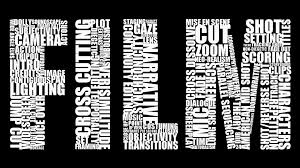
Have you ever wondered how movies are made? Do you want to learn to make your own?
This is a unit designed for extension literacy learners in Year 7-8. Students will have the opportunity to explore areas of filmmaking while making connections with the literacy strand. It is an opportunity for them to explore film making in preparation for junior media at high school.
Students will be scaffolded while they acquire skills. This term the focus will be on;  storyboarding, camera angles  and editing. They will discover the different roles involved in making a movie and have a chance to hear from a New Zealand film maker. Students will be exposed to a range of apps and online tools to help them create their own short film using an ipad. They will have the opportunity to reflect on and critique their own work and other online participants.

Links to the curriculum:
Key Competencies;
Key competencies are inherent in film making. These include opportunities for group work and the competencies related to working with others, and managing oneself. Students learn to use media language, symbols and texts. They also discover how to be reflective and critical thinkers.
Literacy;
Processes and strategies
Students will:
Integrate sources of information, processes, and strategies with developing confidence to identify, form, and express ideas.director.jpg

Purposes and audiences

Show a developing understanding of how to shape texts for different purposes and audiences.

Ideas

Select, form, and communicate ideas on a range of topics.

Language features

Use language features appropriately, showing a developing understanding of their effects.


IMG_1138 (2).JPG
Course Co-ordinator and Facilitator;
Kia Ora,
My name is Emma Sherie I am an experienced New Zealand trained primary school teacher and I have a passion for e-learning, so much so that I am undertaking my Post Graduate in - e-learning this year.

I am also a self confessed “movie buff!”  I live in the remote West Coast of New Zealand and you will often find me outside “bush bashing” and practising my photography skills.69551_10153911445050375_1129218013_n.jpg

I am excited to be part of the VLN Primary School this year, having the opportunity to be able to offer students access to a wider range of learning opportunities, no matter where they live is very cool!
I believe that filmmaking and digital stories are a powerful way for students to demonstrate and share their stories. It is an opportunity for students to use a range of media to express themselves (not just in written form) to entertain, inform and educate us.
I am really excited to be bringing you this unit on filmmaking and look forward to seeing your creative creations as they develop.
Students will need access to;
A laptop
Ipad
Internet
Able to download “Silent Film App” for ipads cost is $1.29

*Students will be working on the internet and uploading their work. Schools need to check that students are working within the schools internet policy.

Check out our Protocols of Participation that outline procedure & costs involved and use our online form to register your students to participate.

(Note if you already have students registered with us this year, please just send an email to primary@vln.school.nz expressing an interest to participate in this class)

Tuesday, 16 December 2014